1
2 4
5
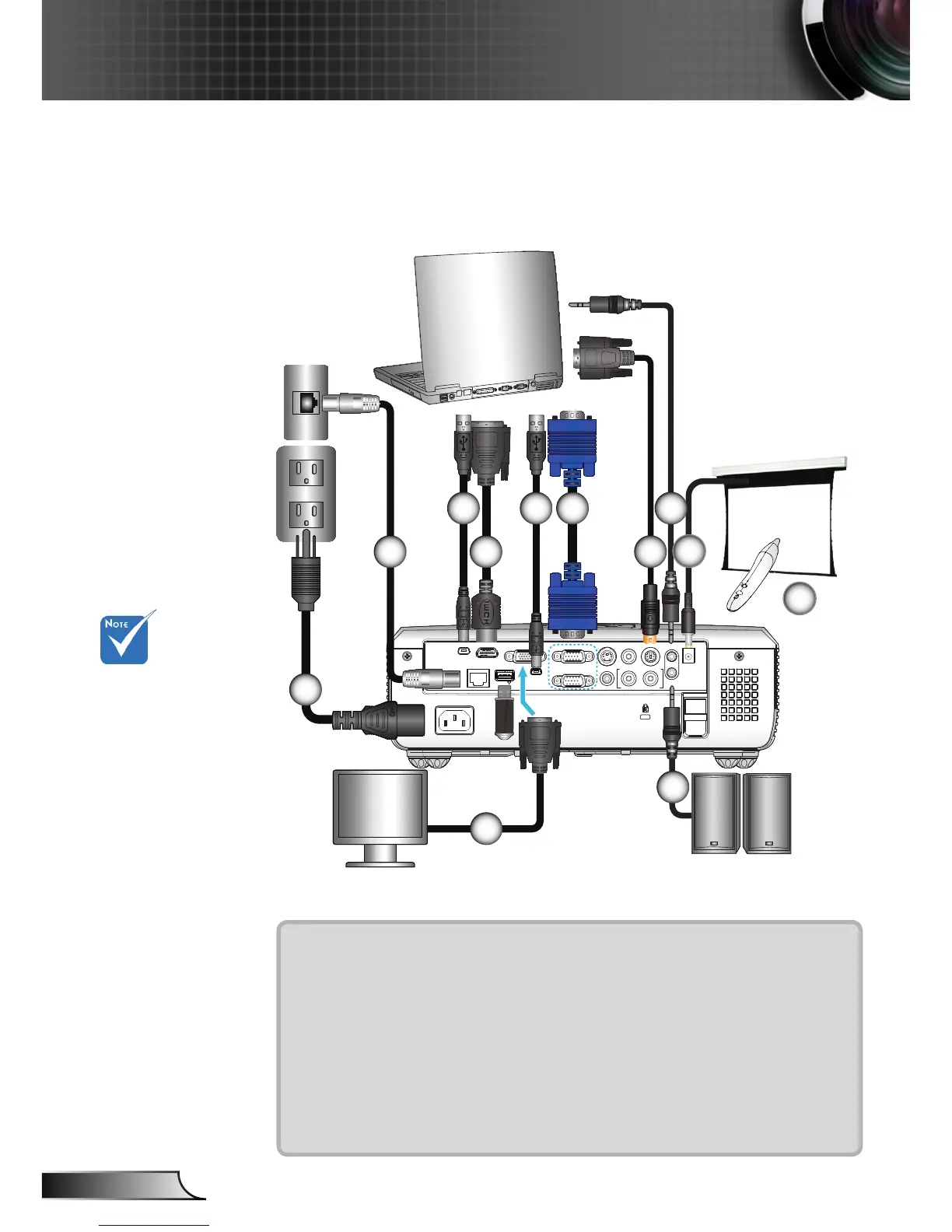
1....................................................................................................Power Cord
2..............................................................................................*Network Cable
3.....................................................................................................USB Cable
4...........................................................................................*DVI/HDMI Cable
5.....................................................................................................VGA Cable
6................................................................................................*RS232 Cable
7.........................................................................................*Audio Input Cable
8........................................................................................*VGA Output Cable
9......................................................................................*Audio Output Cable
10.............................................................................................. *12V DC Plug
11. .......................................................................................... *Interactive Pen
6
73
+12V Output
8
9
Audio Output
3
10
11











 To Next Page