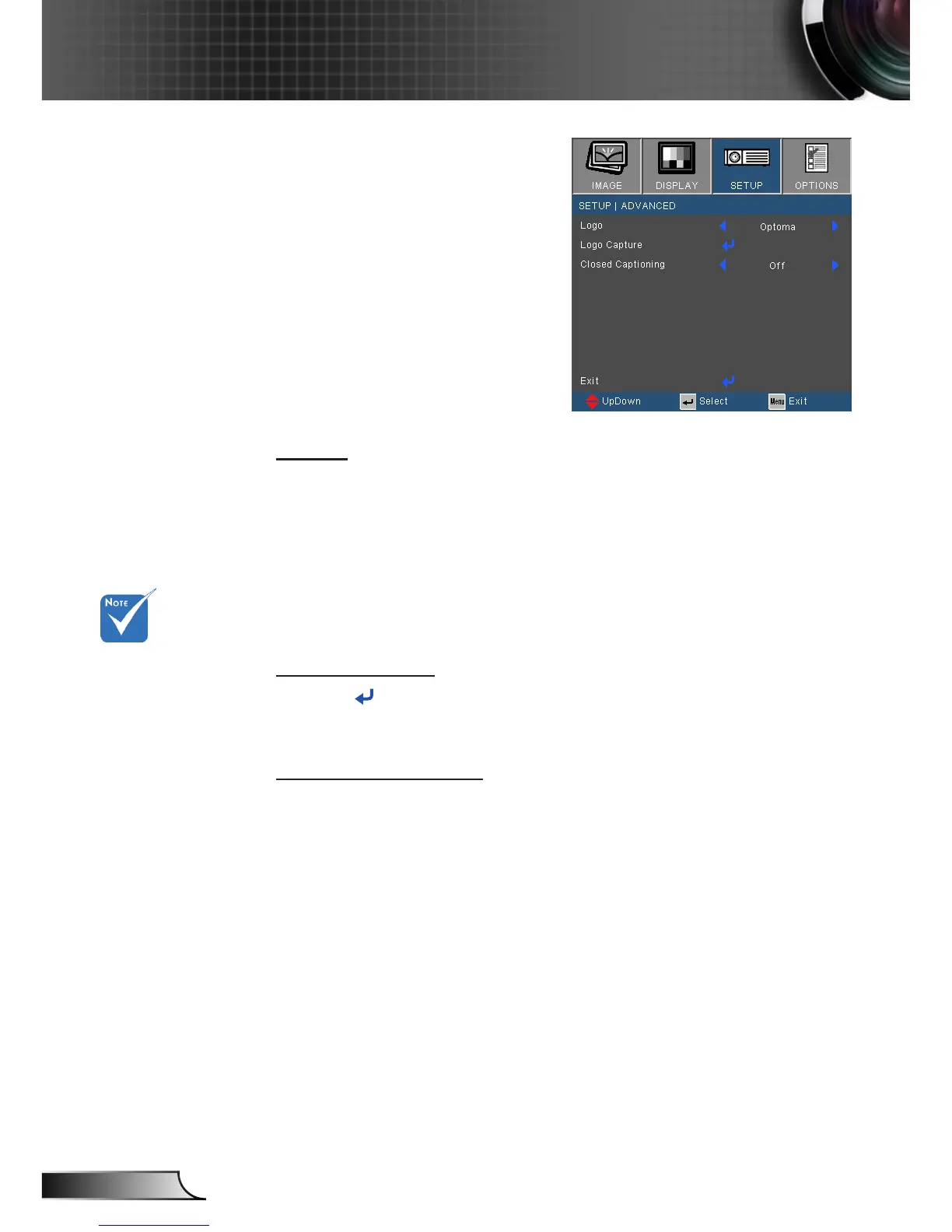
SETUP | Advanced
Logo
Use this function to set the desired startup screen. If changes are
made they will take effect the next time the projector is powered
on.
Optoma: The default startup screen.
Neutral: Logo is not displayed on startup screen.
User: Use stored picture from “Logo Capture” function.
Logo Capture
Press to capture an image of the picture currently displayed
on screen.
Closed Captioning
Use this function to set the desired startup screen. If changes are
made they will take effect the next time the projector is powered
on.
Off: select “off” to turn off the closed captioning feature.
CC1:CC1 language: American English.
CC2:CC2 language (depending on the TV channel of the
user):Spanish, French, Portuguese, German, Danish.
For successful logo
capture, please
ensure that the on-
screen image does
not exceed the pro-
jector’s native resolu-
tion. (XGA:1024x768
or WXGA:1280x800).











 To Next Page