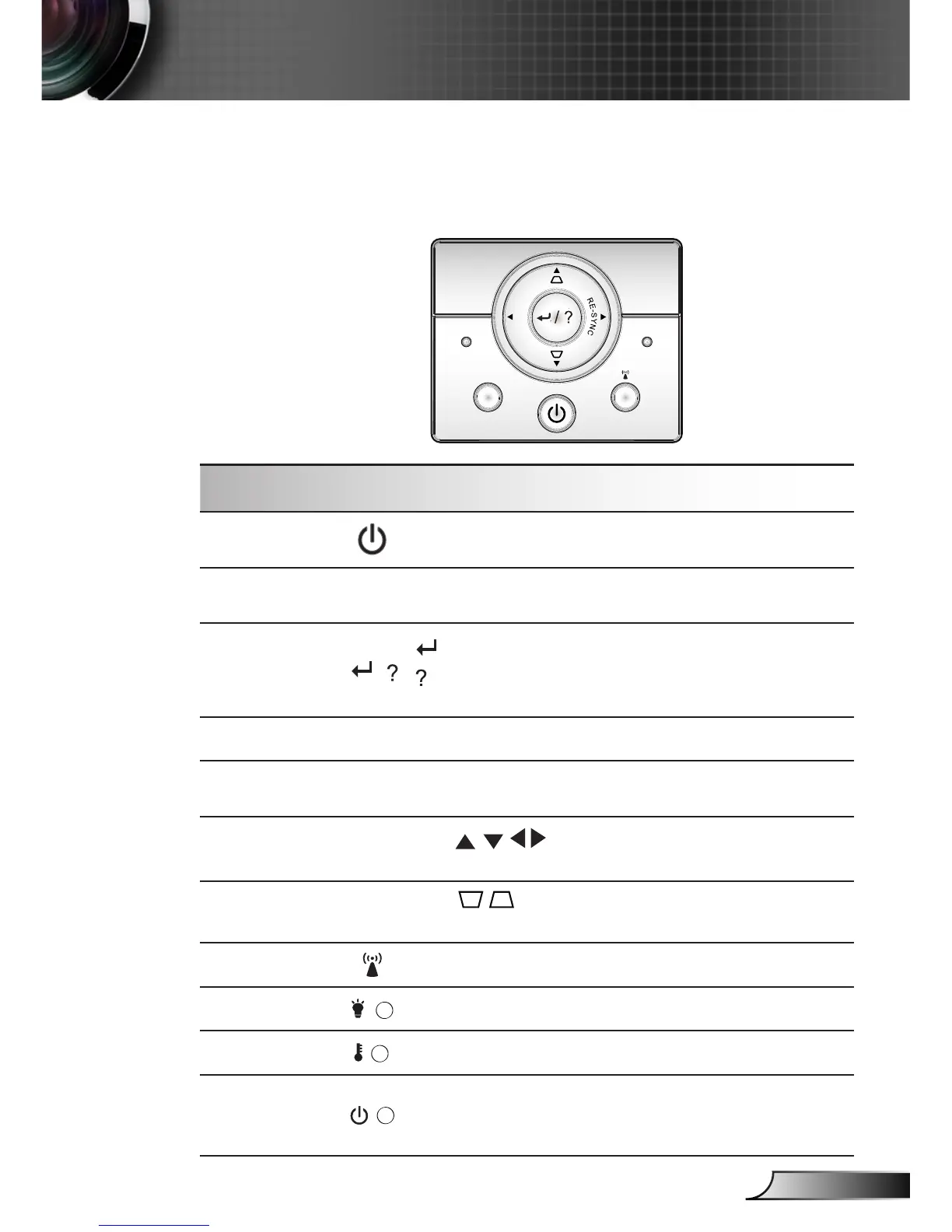
Using the Control Panel
POWER
Refer to the “Power On/Off the Projector” section on
pages 14-15.
RE-SYNC
Automatically synchronize the projector to the input
source.
Enter / Help
/
Conrm your item selection.
Help Menu (only available when OSD menu is not
shown).
SOURCE
Press “SOURCE” to select an input signal.
Menu
Press “Menu” to launch the on-screen display
(OSD) menu. To exit OSD, Press “Menu” again.
Four Directional
Select Keys
Use to select items or make adjust-
ments to your selection.
Keystone
Use to adjust image distortion caused
by tilting the projector. (±40 degrees)
Presenter Direct key for LAN/Wireless.
Lamp LED Indicate the projector’s lamp status.
Temp LED Indicate the projector’s temperature status.
POWER/
STANDBY
LED
Indicate the projector’s status.












 To Next Page