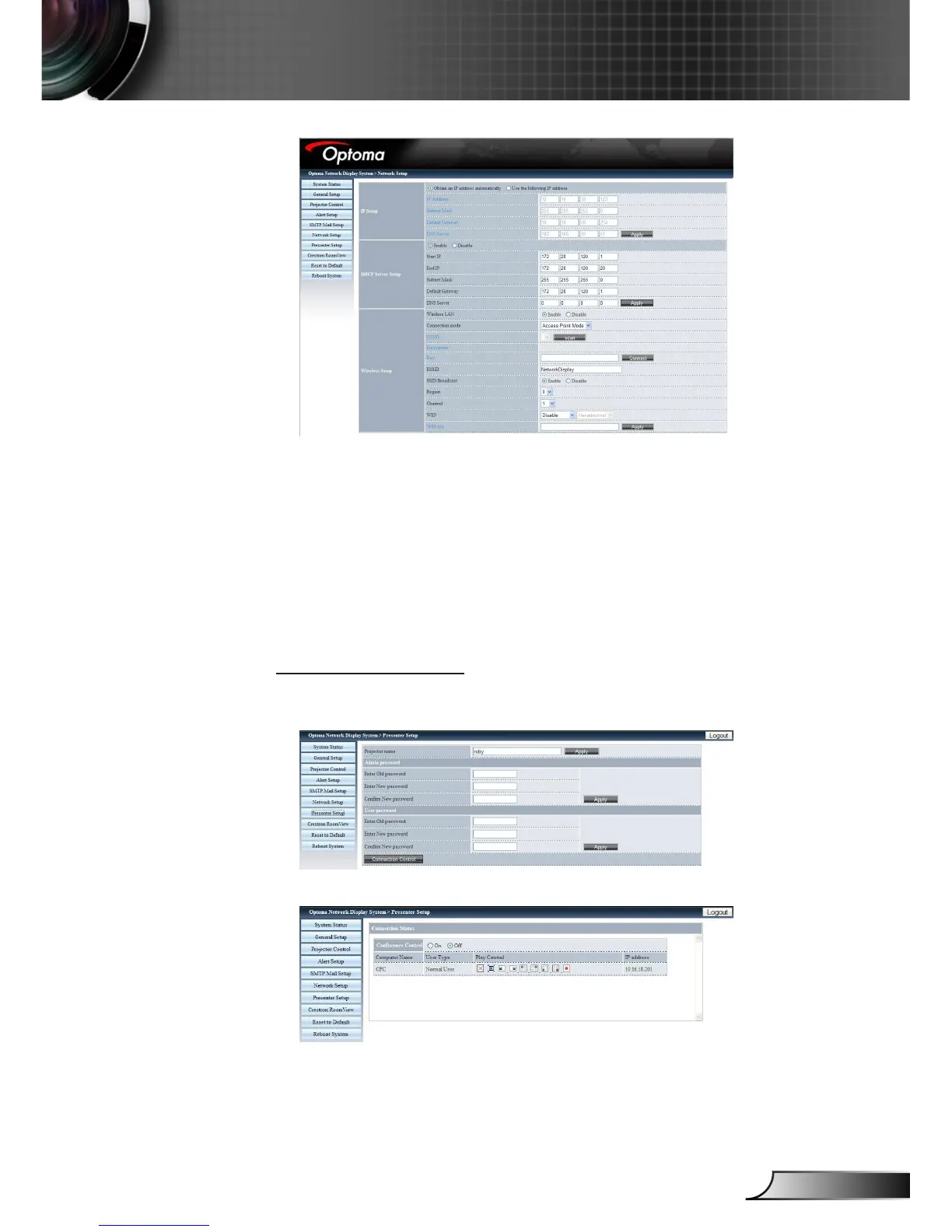
• IP Setup: Click “Obtain an IP address automatically” as auto
mode; click “Use the following IP Address” as static mode, IP Ad-
dress/Subnet Mask/Default Gateway/ DNS Server are required to
be lled and then click “Apply” button.
• DHCP Server Setup: Enable/Disable, Start IP, End IP, Subnet
Mask, Default Gateway, DNS server.
• Wireless Setup: Connect with wireless dongle, and then setup
WLAN mode, SSID, KEY, Channel etc.
Presenter Setup
Admin password/User password is used to change the password
for admin/user in target side.
Click “Connection Control” to enter “Connection Status”
• Conference Control: Click “On” or “Off” to enable/disable confer-
ence control mode.











 To Next Page