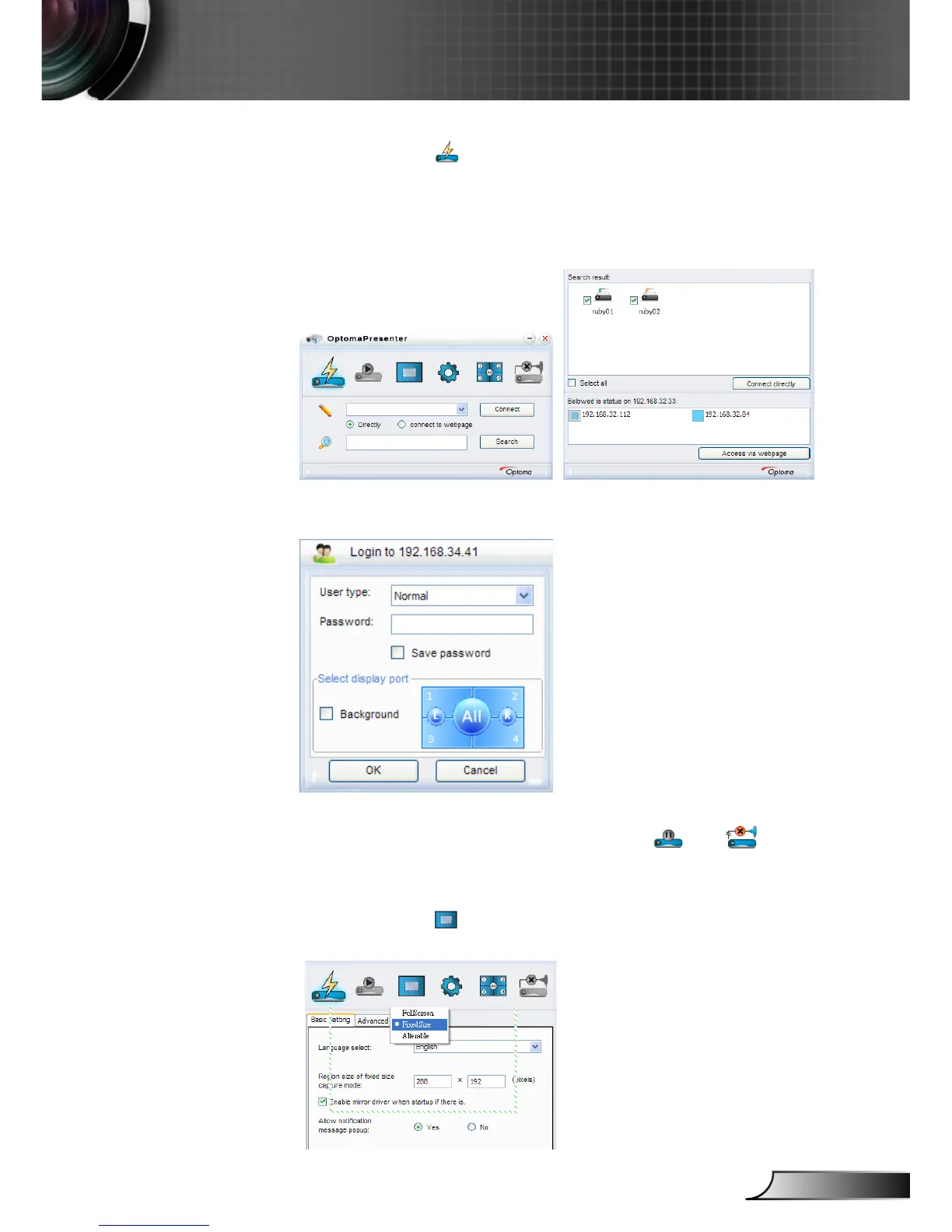
Click the button to enter Connect and Search Menu.
1. Enter IP address of projector, select the option “Directly”, and then
click “Connect” button to enter log-in interface; or Click “Search”
button to search the projectors on network and select projectors
to connect.
2. Input “User type” and “Password” in log-in interface. Display port
can be selected, default is “Full screen”.
3. After log-in, Optoma Presenter will modify PC resolution to Ruby
supported resolution, and the buttons of and become
available.
Click the button to select the size of projection region, including
Full screen, Fixed Size and Alterable mode.











 To Next Page