11
c) Connecting wireless to the internet using laptop
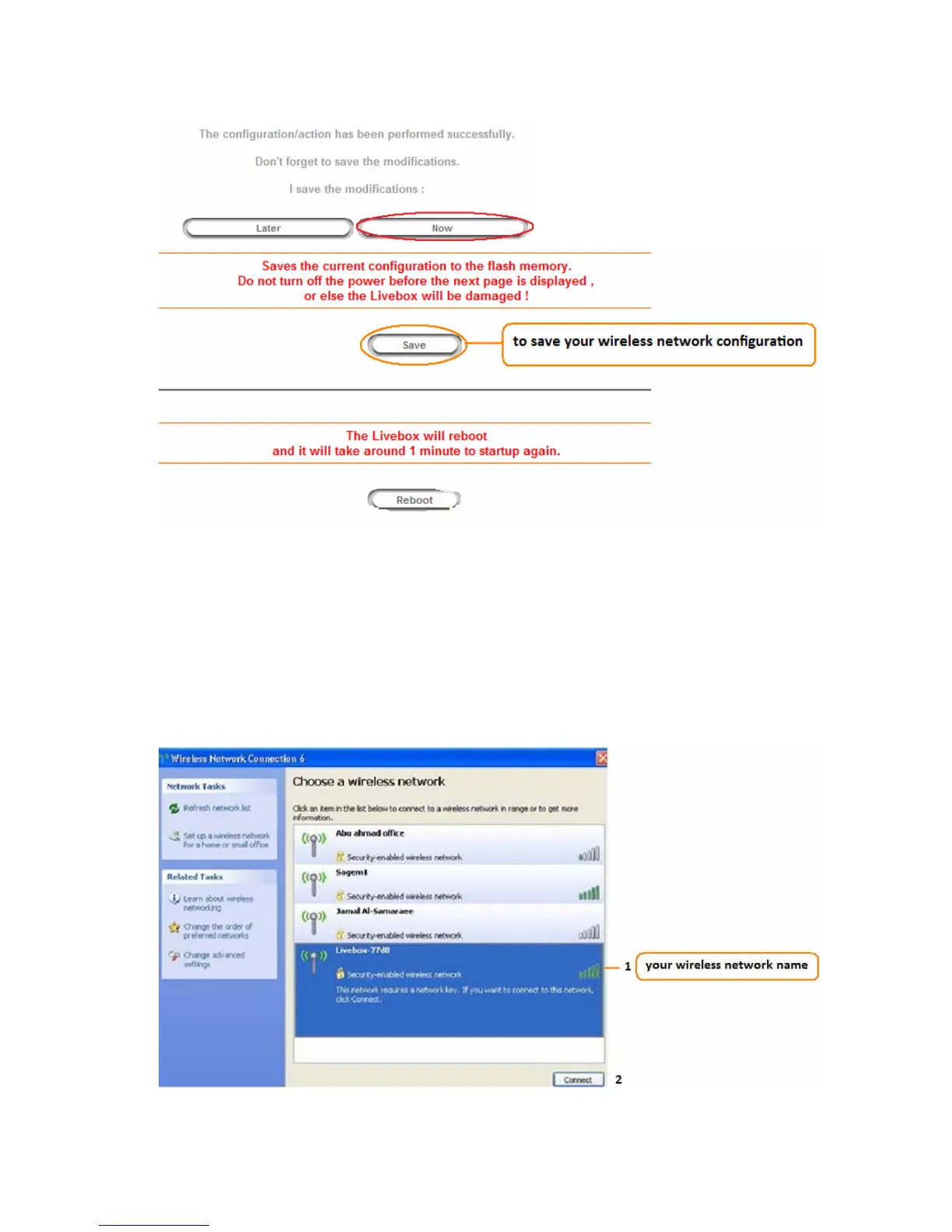
To connect your PC or laptop wireless to the livebox, please follow the instructions:
• Start →control panel →network connection→ wireless connection.
• Right click on wireless network connection.
• Click on view available wireless networks.
• A list of available wireless networks will appear.


 To Next Page