EasyManua.ls Logo

Orion COMBI 3601VT - Page 32

Orion COMBI 3601VT
69 pages
Print Icon
To Next Page IconTo Next Page
To Previous Page IconTo Previous Page
Loading...
ELECTRICAL
ADJUSTMENTS
0.
RETURN
2-12:
VERTICAL
SIZE
1.
Receive
the
monoscope
pattern.
2-16:
VERTICAL
LINEA
60
(AV)
2.
Using
the
remote
control,
set
the
brightness
and
contrast
to
normal
position.
3.
Activate
the
adjustment
mode
display
of
Fig.
1-1
and
press
the
channel
button
(1)
on
the
remote
control.
: , '
The
Fig.
2-5
appears
on
the
display.
3.
Activate
the
adjustment
mode
display
of
Fig.
1-1
and
4.
Press
the
channel
button
(3)
on
the
remote
control.
press
the
channel
button
(1)
on
the
remote
control.
5.
Press
the
VOL.
UP/DOWN
button
on
the
remote
control
The
Fig.
2-5
appears
on
the
display.
until
the
horizontal
over
scan
is
equal
to
the
vertical
over
4.
Press
the
channel
button
(5)
on
the
remote
control.
scan.
5.
Press
the
VOL.
UP/DOWN
button
on
the
remote
control
until
the
horizontal
line
of
the
color
bar
comes
to
2-13:
VERTICAL
LINEARITY
approximate
center
of
the
CRT.
1.
Receive
the
monoscope
pattern.
2.
Using
the
remote
control,
set
the
brightness
and
contrast
to
normal
position.
3.
Activate
the
adjustment
mode
display
of
Fig.
1-1
and
press
the
channel
button
(1)
on the
remote
control.
The
Fig. 2-5
appears
on
the
display.
4.
Press
the
channel
button
(5)
on
the
remote
control.
5.
Press
the
VOL.
UP/DOWN
button
on
the
remote
control
until
the
SHIFT
quantity
of
the
OVER
SCAN
on
upside
and
downside
becomes
minimum.
1.
Receive
the
monoscope
pattern.
2.
Using
the
remote
control,
set
the
brightness
and
contrast
to
normal
position.
2-14:
VERTICAL
POSITION
1.
Receive
the
monoscope
pattern.
2.
Using
the
remote
control,
set
the
brightness
and
contrast
to
normal
position.
3.
Activate
the
adjustment
mode
display
of
Fig.
2-1
and
press
the
channel
button
(1)
on
the
remote
control.
The
Fig.
2-5
appears
on
the
display.
4.
Press
the
channel
button
(4)
on
the
remote
control.
5.
Press
the
VOL.
UP/DOWN
button
on
the
remote
control
until
the
horizontal
line
of
the
color
bar
comes
to
approximate
center
of
the
CRT.
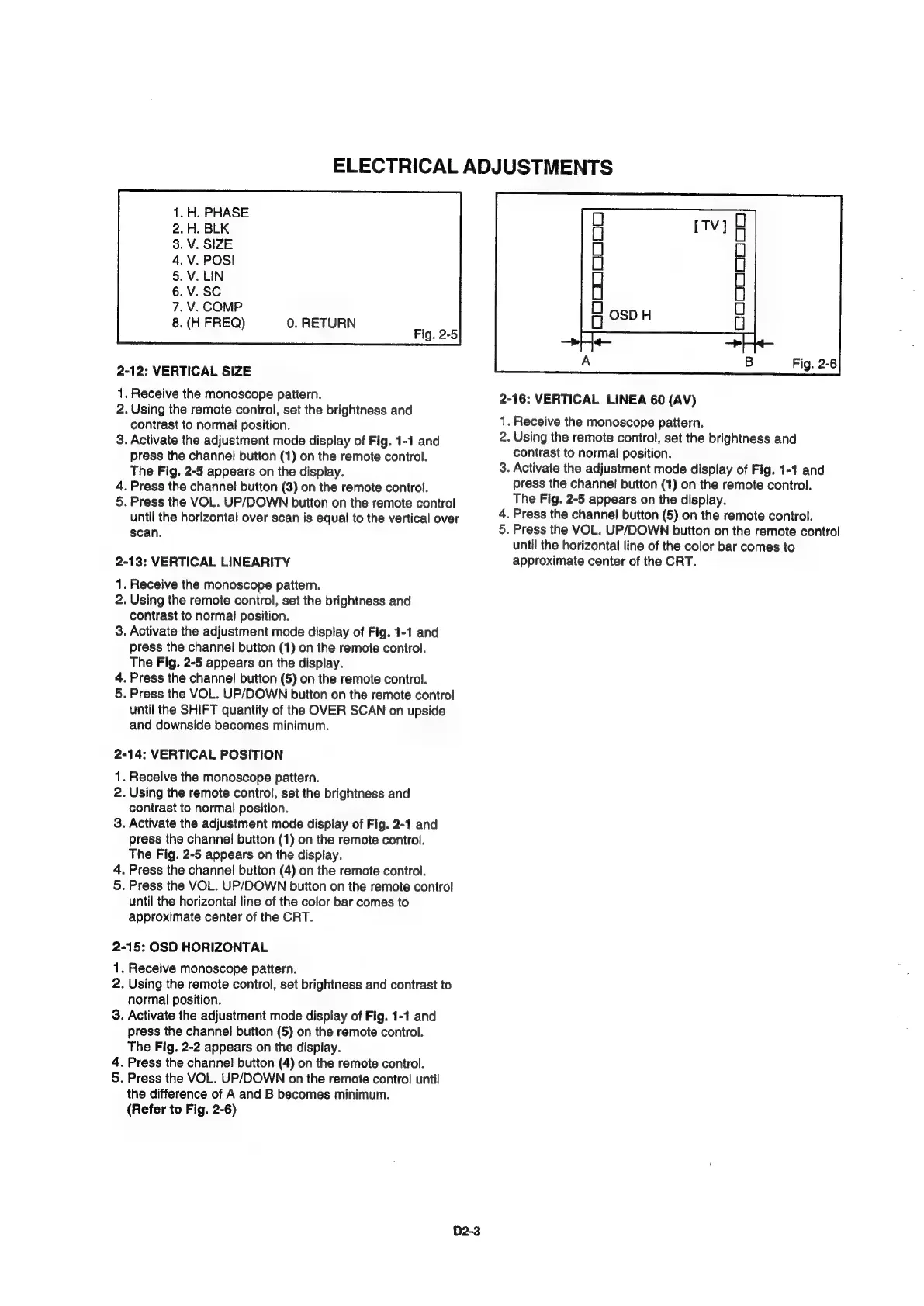
2-15:
OSD
HORIZONTAL
1.
Receive
monoscope
pattern.
2.
Using
the
remote
control,
set
brightness
and
contrast
to
normal
position.
3.
Activate
the
adjustment
mode
display
of
Fig.
1-1
and
press
the
channel
button
(5)
on
the
remote
control.
The
Fig.
2-2
appears
on
the
display.
4.
Press
the
channel
button
(4)
on
the
remote
control.
5.
Press
the
VOL.
UP/DOWN
on
the
remote
control
until
the
difference
of
A
and
B
becomes
minimum.
(Refer
to
Fig.
2-6)
D2-3