EasyManua.ls Logo

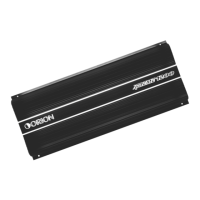
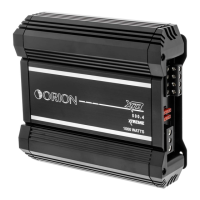
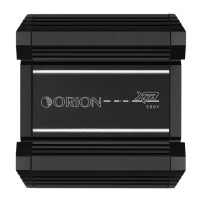
Orion XTREME 600.4 - User Manual

Orion XTREME 600.4
44 pages
Print Icon
To Next Page IconTo Next Page
Loading...
XTREME 600.4
OWNERS MANUAL
H
IGH
P
ERFORMANCE
C
AR
A
UDIO

Questions and Answers

  • B
    Brent BrownJul 28, 2025
    Why does my Orion XTREME 600.4 have no output?
    • S
      Stephanie FreemanJul 29, 2025
      The Orion Car Amplifier might have no output due to several reasons: * Low or no remote turn-on input: Check the remote turn-on voltage output at the amplifier and fix if needed. * Blown fuse: Check the power wire integrity and look for speaker shorts. Fix as necessary and replace the fuse. * Disconnected power wires: Check the power wire and ground connections, fixing or replacing them as needed. * Unconnected audio input: Inspect the RCA connections, fixing or replacing them if necessary. * Disconnected speaker wires: Check the speaker wires and fix or replace them as needed. * Blown speakers: Test the system with a known working speaker and replace the speakers if required.
  • M
    Mary PierceAug 2, 2025
    Why does my Orion Car Amplifier keep blowing fuses?
    • B
      Benjamin GarzaAug 2, 2025
      Your Orion Car Amplifier's battery fuse might be blowing due to: * A short in the power wire or incorrect power connections: Check the power and ground connections and fix or repair as needed. * Using a fuse smaller than recommended: Replace it with the proper fuse size. * Too much current being drawn: Check the speaker impedance load, if it's below 2Ω stereo or 4Ω mono, rewire the speakers to achieve a higher impedance. Also, check the power and ground connections and fix or repair as needed.
  • S
    Stacy RichardsonAug 6, 2025
    What to do if my Orion XTREME 600.4 has distorted output?
    • D
      Denise Valentine DVMAug 6, 2025
      If your Orion Car Amplifier has a distorted output, here are a few potential causes and solutions: * Amplifier level sensitivity set too high: Readjust the gain. * Impedance load to amplifier too low: Check the speaker impedance load; if it's below 2Ω stereo or 4Ω mono, rewire the speakers to achieve a higher impedance. * Shorted speaker wires: Check the speaker wire connections and fix or replace as needed. * Speaker not connected to amplifier properly: Check the speaker wiring and fix or replace as needed.
  • J
    juliesanfordAug 10, 2025
    What causes distorted output in Orion XTREME 600.4 Car Amplifier?
    • N
      Nicholas RodriguezAug 10, 2025
      Distorted output in your Orion Car Amplifier can occur due to: * Internal crossover not set properly for speakers: Readjust the crossovers. * Speakers are blown: Check the system with known working speakers and fix or replace as needed.
  • J
    Jeffrey WilliamsAug 15, 2025
    What to do if Orion XTREME 600.4 fuse keeps blowing?
    • E
      Emily JensenAug 15, 2025
      If the fuse in your Orion Car Amplifier keeps blowing, it could be due to: * Too much current being drawn: Check the speaker impedance load. If it is below 2Ω stereo or 4Ω mono, rewire speakers to achieve a high impedance and replace with recommended size fuse. * Using a fuse smaller than recommended: Replace it with the proper fuse size. * Impedance load at amplifier too low: Check the speaker impedance load. If it's below 2Ω stereo or 4Ω mono, rewire speakers to achieve a higher impedance. * Speaker is blown with shorted outputs: Check system with known working speakers and fix or replace as needed.
  • C
    cooperdesireeAug 19, 2025
    Why does the audio cycle on and off in my Orion XTREME 600.4 Car Amplifier?
    • M
      Melanie FreemanAug 19, 2025
      The audio in your Orion Car Amplifier might be cycling on and off due to: * Thermal protection engaging: This happens when the amplifier heatsink temperature exceeds 90°C (190°F). Ensure proper ventilation for the amplifier and improve it if needed. * Loose or poor audio input: Check the RCA connections and fix or replace as needed. * Loose power connections: Check the power wire and ground connections and fix or replace as needed.
  • C
    cassandra23Aug 23, 2025
    Why does my Orion XTREME 600.4 Car Amplifier have poor bass response?
    • V
      Veronica AndersonAug 23, 2025
      Poor bass response in your Orion Car Amplifier could be caused by: * Speakers wired with wrong polarity: This causes cancellation at low frequency. Check speaker polarity and fix as needed. * Crossover set incorrectly: Reset crossovers. * Impedance load at amplifier is too low: Check speaker impedance load; if it is below 2Ω stereo or 4Ω mono, rewire speakers to achieve a higher impedance.

Summary

Introduction to Orion XTREME Amplifiers

About This Orion Manual

Practice Safe Sound Guidelines

Guidelines for protecting hearing from high sound pressure levels generated by car audio systems.

Record Your Serial Number and Date

Section for recording product serial number, purchase date, and company for warranty and ownership.

Whats Included in the Box

Orion Amplifier Warranty Information

Warranty Coverage Periods Explained

Outlines the different parts and labor warranty durations based on purchase and installation by an authorized dealer.

Conditions Not Covered by Warranty

Lists conditions and situations that are not covered by the product warranty.

Orion XTREME 600.4 Specifications

Technical Design Features of XTREME 600.4

Component Identification Diagram

Identifies and labels the various internal and external components of the XTREME 600.4 amplifier.

System Planning for Orion Amplifiers

System 1: Two-Way Speaker Setup

Describes a specific two-way system configuration for the XTREME amplifier with subwoofer and satellite speakers.

System 2: Two-Way Front;Rear Configuration

Details a two-way system using two XTREME amplifiers for front/rear separates and subwoofers with RGC-1.

System 3: Tri-Amplified Speaker Setup

Explains a tri-amplified system configuration using two XTREME amplifiers for separates, subwoofers, and satellites.

System 4: Quad-Amplified Speaker Setup

Outlines a quad-amplified system using two XTREME amplifiers for midbass drivers, subwoofers, and satellites with RGC-1.

Installation Guide for Orion XTREME

Tools Required for Installation

Lists the necessary tools required for a successful installation of the XTREME amplifier.

Power Connections for XTREME Amplifier

Recommended Fuse Size

Specifies the recommended fuse size for the XTREME 600.4 amplifier for safe operation.

Speaker Connections for XTREME Amp

4-Channel Stereo Speaker Setup

Illustrates and explains connecting speakers in a 4-channel stereo setup.

3-Channel Stereo;Bridged Setup

Describes speaker connections for a 3-channel stereo or bridged mono setup.

Two-Channel Bridged Speaker Setup

Explains how to connect speakers for a two-channel bridged operation.

Tri-Mode 6-Channel Speaker Setup

Details speaker connections for a tri-mode 6-channel amplifier setup.

Output Configurations for XTREME

4-Channel Input Configuration Options

Describes how to set the input configuration for 2-channel or 4-channel operation.

RCA Input and XVR Switching

Rear Internal Crossover Configuration

Details how to configure the rear channel crossover settings using internal switches.

Front Internal Crossover Configuration

Explains how to set up the front channel crossover configurations using internal switches and buttons.

Fine Tuning Internal Crossover Settings

Provides detailed guidance on fine-tuning the internal crossover settings for optimal sound.

Orion INTELLIQ Circuit Explained

Understanding INTELLIQ Differences

Explains the unique benefits and features of the INTELLIQ circuit compared to standard bass boosts.

Setting Up and Using INTELLIQ

Step-by-step guide on setting up and using the INTELLIQ feature for various enclosure types.

Remote Gain Control

Signal Input and Output Level Controls

Details the front and rear input sensitivity and level adjustment controls on the amplifier.

Choosing Amplifier Mounting Locations

Passenger Compartment Mounting Tips

Instructions for mounting the amplifier in the passenger compartment, ensuring ventilation.

Trunk Compartment Mounting Guidelines

Guidelines for mounting the amplifier in the trunk for optimal performance and cooling.

Engine Compartment Mounting Warning

Warning against mounting the amplifier in the engine compartment due to environmental factors.

General Precautions and Installation Tips

Step-by-Step Amplifier Installation

Testing the Audio System

Adjusting System Sound and Tuning

Troubleshooting Common Amplifier Issues

Advanced Autosound Troubleshooting

Quick Check and Noise Overview

Initial checks and noise overview for diagnosing car audio system problems.

Logical Troubleshooting Method

A structured approach to diagnosing audio system noise by isolating components.

Troubleshooting Audio Processors

Guidance on troubleshooting issues related to audio processors within the system.

System Summation and Best Practices

Orion XTREME 600.4 Specifications

General IconGeneral
BrandOrion
ModelXTREME 600.4
CategoryCar Amplifier
LanguageEnglish

Related product manuals