EasyManua.ls Logo

Orisec CP-100 - User Manual

Default Icon
56 pages
Print Icon
To Next Page IconTo Next Page
Loading...
Master User Guide
CK-10, CT-10, CP-10, CK-20, CT-20, CP-20,
CP-30, CP-50, CK-60, CT-60, CP-60, CP-100 & CP-200
Designed and Manufactured
in the United Kingdom

Other manuals for Orisec CP-100

Questions and Answers

  • M
    megan16Aug 20, 2025
    What to do if my Orisec CP-100 Intercom System shows an AC Fail error?
    • J
      Jessica JonesAug 20, 2025
      If your Orisec Intercom System displays an AC Fail error, it means the main power to the control panel has been disconnected or lost. Check to ensure there is not a power cut, or contact the installation company.
  • S
    Steven WebsterAug 22, 2025
    Why does my Orisec CP-100 Intercom System show a Battery Fault?
    • B
      Benjamin SchwartzAug 22, 2025
      A Battery Fault on your Orisec Intercom System indicates that the main panel battery has a low voltage or has been removed. The internal battery should be replaced every 2-3 years.
  • J
    justinjohnsonAug 25, 2025
    What to do if my Orisec CP-100 Intercom System displays 'Zone 01 Alarm'?
    • S
      Susan MorrisAug 25, 2025
      If your Orisec Intercom System displays 'Zone 01 Alarm', it means that the zone has recently been alarmed and is awaiting a reset. Enter your user code and select ‘Reset Alarms’.
  • S
    Sheryl EllisAug 26, 2025
    Why is my Orisec Intercom System showing 'Zone 01 Active'?
    • J
      johnwalshAug 26, 2025
      If your Orisec Intercom System shows 'Zone 01 Active', the zone is reporting back to the main control panel an open state. Check the device to ensure it is not a door or window that has been left open.
  • S
    Shannon VargasAug 28, 2025
    What to do if my Orisec CP-100 Intercom System displays a tamper error?
    • B
      Brian MosesAug 28, 2025
      If your Orisec Intercom System displays a tamper error, it means the device's lid is not making contact properly. Check the lid of the device to ensure it is securely fastened.
  • K
    Katie JordanAug 30, 2025
    What does 'Zone 01 Masked' mean on my Orisec Intercom System?
    • K
      Kelly TuckerAug 30, 2025
      If your Orisec Intercom System displays 'Zone 01 Masked', it means the zone is reporting that an object is potentially obstructing its view. Check the area where the detector is located for anything that may be obstructing the detector.
  • M
    Melanie LynchSep 1, 2025
    How to fix a 'Zone 01 Tamper' error on my Orisec Intercom System?
    • G
      Gabriel AndradeSep 1, 2025
      If your Orisec Intercom System displays 'Zone 01 Tamper', it indicates that the zone's lid is not making a tight connection. Check the lid of the device to ensure it is securely fastened.
  • S
    smithjohnSep 2, 2025
    What does 'Omitted Zones' mean on my Orisec CP-100?
    • K
      kelli67Sep 3, 2025
      If your Orisec Intercom System displays 'Omitted Zones', it means that a user has manually disabled certain zones from operating on the system. Ask an installer or master user to help reinstate the zones if required.
  • D
    delacruzdaltonSep 5, 2025
    What should I do if my Orisec CP-100 prompts me to 'Confirm Devices'?
    • E
      ebensonSep 5, 2025
      If your Orisec Intercom System prompts you to 'Confirm Devices', it means a networked device on the security system has been removed. Contact the installation company.
  • M
    Mrs. Phyllis Miller DVMSep 7, 2025
    What to do if Orisec CP-100 Intercom System shows AC Fail?
    • M
      Melissa WallaceSep 7, 2025
      If your Orisec Intercom System displays an AC Fail message, it means the main power to the control panel has been disconnected or lost. Check to ensure there isn't a power cut, or contact the installation company.

Summary

About your Security System

Alarm Transmission System

Details how the system communicates alarms to a receiving centre.

Access code

Describes user access codes for arming, disarming, and other functions.

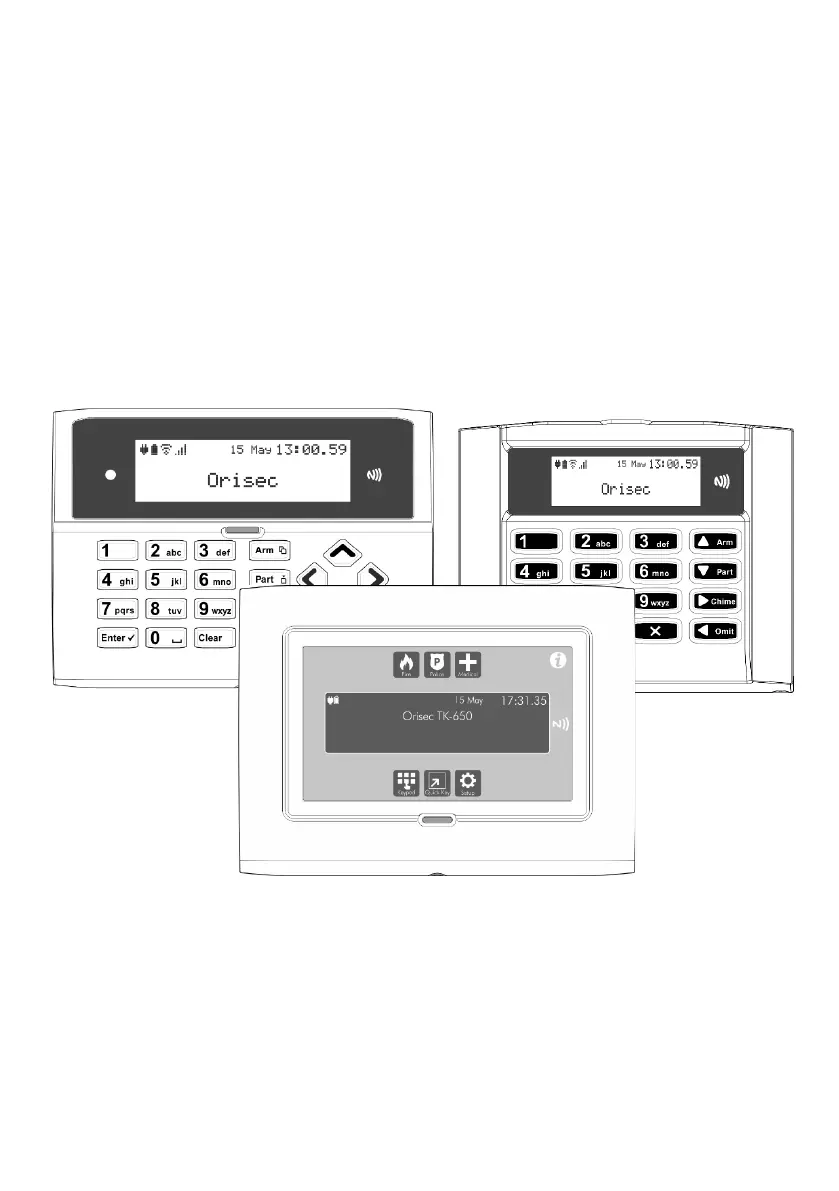
Keypads

Information on remote keypads, their layout, and button functions.

Emergency Keys

Details on activating panic, fire, and medical emergency functions.

Operating your Security System

Full Arming Your Security System

Procedure for arming all detection zones when leaving premises.

Part Arming your Security System

Steps for arming predefined detection zones selectively.

Disarming your security system

Process for disarming the system upon entering the premises.

Area full arming

Arming specific 'area sets' within the security system.

Area part arming

Partially arming specific 'area sets' for flexible security.

Area disarming

Disarming one or more specific areas before entry.

Resetting after an alarm

Procedure to silence sounders and reset after an alarm event.

Resetting after a Fault Condition

Steps to clear and reset system faults.

Omitting Zones

Temporarily preventing zones from causing alarms.

Changing Your Code

Instructions for users to change their access codes.

System Tests

Performing system diagnostics and tests.

Test Bell & Strobe

Testing the external bell, strobe, and speaker outputs.

Troubleshooting

Touch-Tone Remote Control

Remote Access

Procedure for gaining remote access to the security system.

Full Arm

Remotely arming the entire security system.

Part Arm

Remotely arming specific zones or areas of the system.

Disarm

Remotely disarming the security system.

Orisec CP-100 Specifications

General IconGeneral
BrandOrisec
ModelCP-100
CategoryIntercom System
LanguageEnglish

Related product manuals