EasyManua.ls Logo

Orisec CK-10 - User Manual

Orisec CK-10
56 pages
Print Icon
To Next Page IconTo Next Page
Loading...
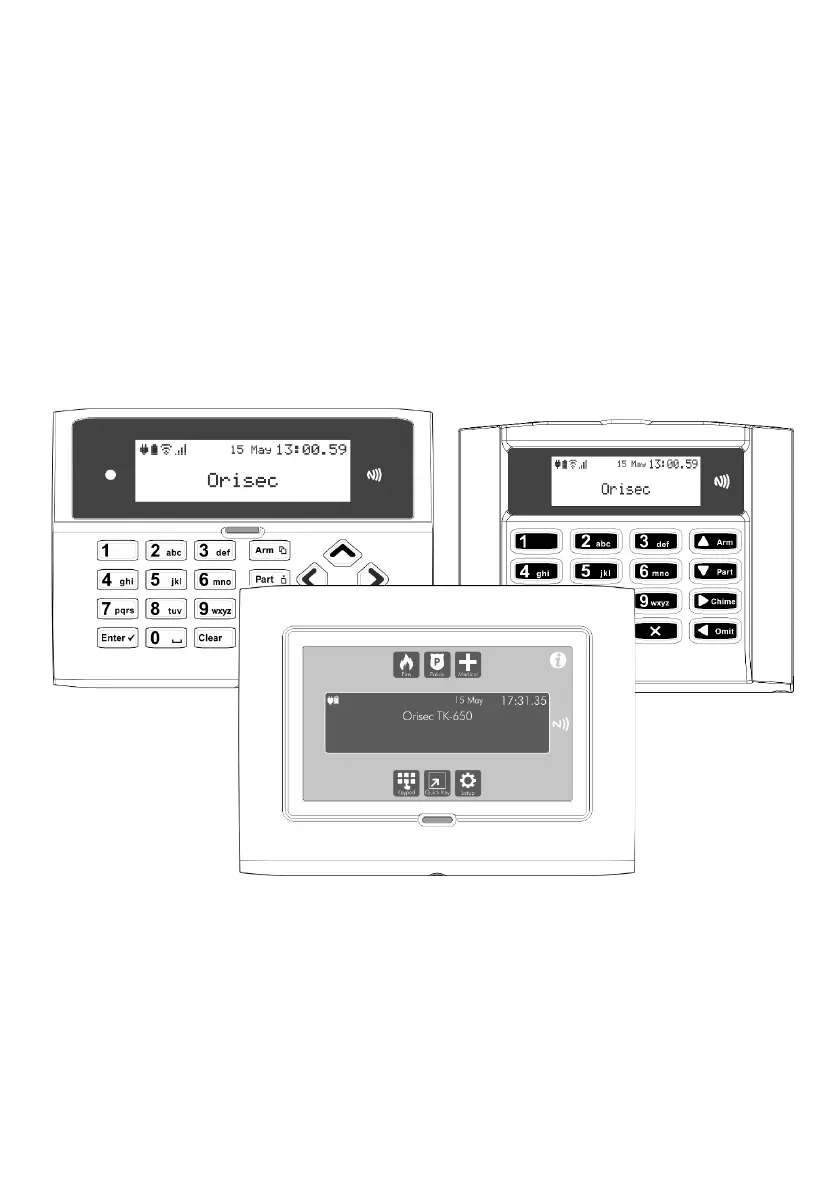
Master User Guide
CK-10, CT-10, CP-10, CK-20, CT-20, CP-20,
CP-30, CP-50, CK-60, CT-60, CP-60, CP-100 & CP-200
Designed and Manufactured
in the United Kingdom

Other manuals for Orisec CK-10

Questions and Answers

  • R
    Rachel ManningAug 20, 2025
    What to do if my Orisec CK-10 shows an AC Fail error?
    • G
      George GreenAug 20, 2025
      If your Orisec Intercom System displays an AC Fail error, it means the main power to the control panel has been disconnected or lost. Check to ensure there is not a power cut, or contact the installation company.
  • C
    Courtney OneillAug 22, 2025
    Why does my Orisec Intercom System show a Battery Fault?
    • A
      Alexis BurtonAug 22, 2025
      A Battery Fault on your Orisec Intercom System indicates that the main panel battery has a low voltage or has been removed. The internal battery should be replaced every 2-3 years.
  • E
    Emily PittmanAug 25, 2025
    What to do if my Orisec CK-10 displays 'Zone 01 Alarm'?
    • M
      Monica HicksAug 25, 2025
      If your Orisec Intercom System displays 'Zone 01 Alarm', it means that the zone has recently been alarmed and is awaiting a reset. Enter your user code and select ‘Reset Alarms’.
  • S
    Stephanie RichardsAug 26, 2025
    Why is my Orisec Intercom System showing 'Zone 01 Active'?
    • D
      Daniel MaldonadoAug 27, 2025
      If your Orisec Intercom System shows 'Zone 01 Active', the zone is reporting back to the main control panel an open state. Check the device to ensure it is not a door or window that has been left open.
  • C
    christian61Aug 28, 2025
    What to do if my Orisec CK-10 displays a tamper error?
    • A
      Andrew AguilarAug 28, 2025
      If your Orisec Intercom System displays a tamper error, it means the device's lid is not making contact properly. Check the lid of the device to ensure it is securely fastened.
  • D
    Danielle WhiteAug 30, 2025
    What does 'Zone 01 Masked' mean on my Orisec Intercom System?
    • K
      kelly65Aug 30, 2025
      If your Orisec Intercom System displays 'Zone 01 Masked', it means the zone is reporting that an object is potentially obstructing its view. Check the area where the detector is located for anything that may be obstructing the detector.
  • H
    Heidi CunninghamSep 1, 2025
    How to fix a 'Zone 01 Tamper' error on my Orisec CK-10?
    • E
      emily94Sep 1, 2025
      If your Orisec Intercom System displays 'Zone 01 Tamper', it indicates that the zone's lid is not making a tight connection. Check the lid of the device to ensure it is securely fastened.
  • M
    Mr. Anthony Miller DVMSep 3, 2025
    What does 'Omitted Zones' mean on my Orisec Intercom System?
    • R
      Randy JonesSep 3, 2025
      If your Orisec Intercom System displays 'Omitted Zones', it means that a user has manually disabled certain zones from operating on the system. Ask an installer or master user to help reinstate the zones if required.
  • J
    Julie ReyesSep 5, 2025
    What should I do if my Orisec Intercom System prompts me to 'Confirm Devices'?
    • S
      ssalazarSep 5, 2025
      If your Orisec Intercom System prompts you to 'Confirm Devices', it means a networked device on the security system has been removed. Contact the installation company.
  • G
    gtannerSep 7, 2025
    What to do if Orisec CK-10 Intercom System shows AC Fail?
    • P
      Pamela WaltersSep 7, 2025
      If your Orisec Intercom System displays an AC Fail message, it means the main power to the control panel has been disconnected or lost. Check to ensure there isn't a power cut, or contact the installation company.

Orisec CK-10 Specifications

General IconGeneral
BrandOrisec
ModelCK-10
CategoryIntercom System
LanguageEnglish

Related product manuals