19
Resetting after a Fault Condition
To reset after a fault has occurred, please proceed as follows:
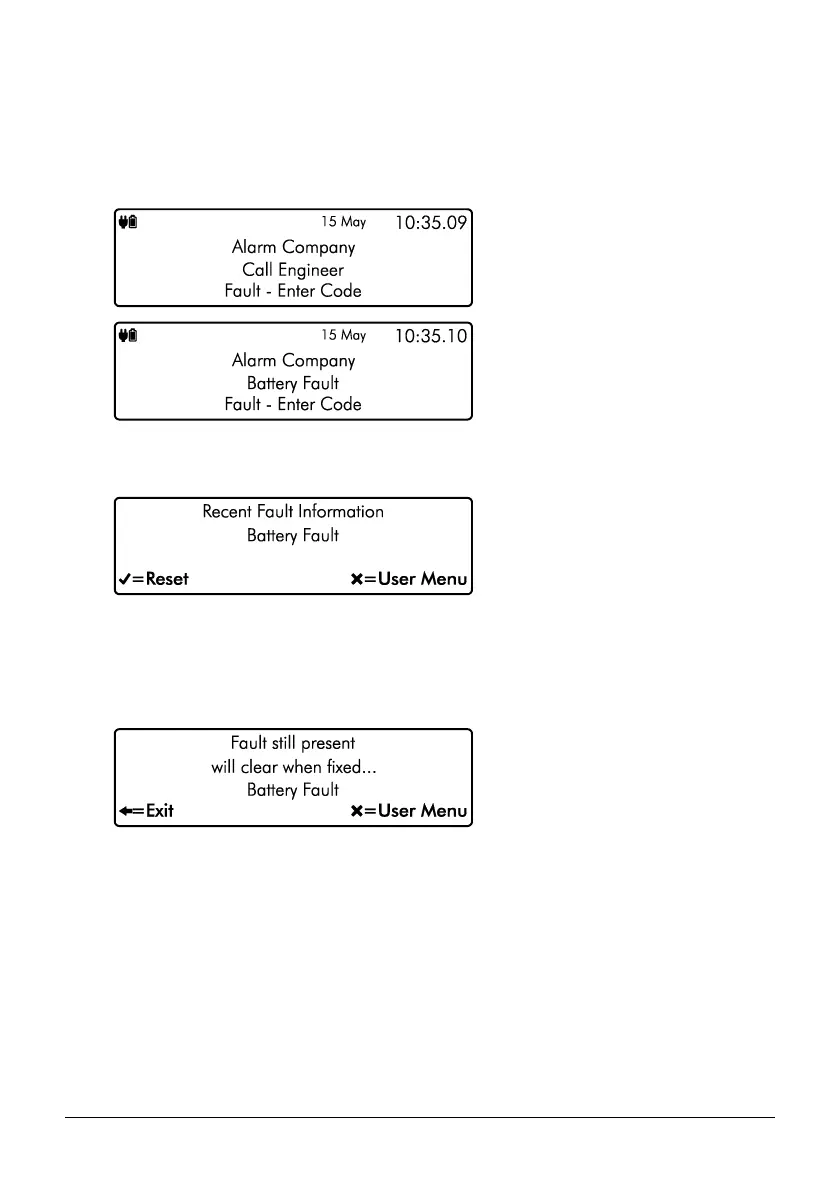
1. If your system has generated a fault condition, the display will indicate the fault that has
occurred. For example, if there is a fault with the battery, the following will display:
2. Enter your code or present your tag to the keypad. This will silence any internal sounders,
inform you of the reason for the fault and allow you to reset the fault as shown below:
3. Once the fault condition has been rectified, press E or k to reset the system to
normal operation.
4. If the following screen appears the fault is still present. Please contact your alarm
installation company for further assistance:



 To Next Page