18
Area disarming
Normally when entering a protected area via the designated entry route, the area is disarmed
after a valid access code or tag presentation. Sometimes it is desirable to disarm one or more
areas before entering them via the designated entry route. To disarm your selected areas,
please proceed as follows:
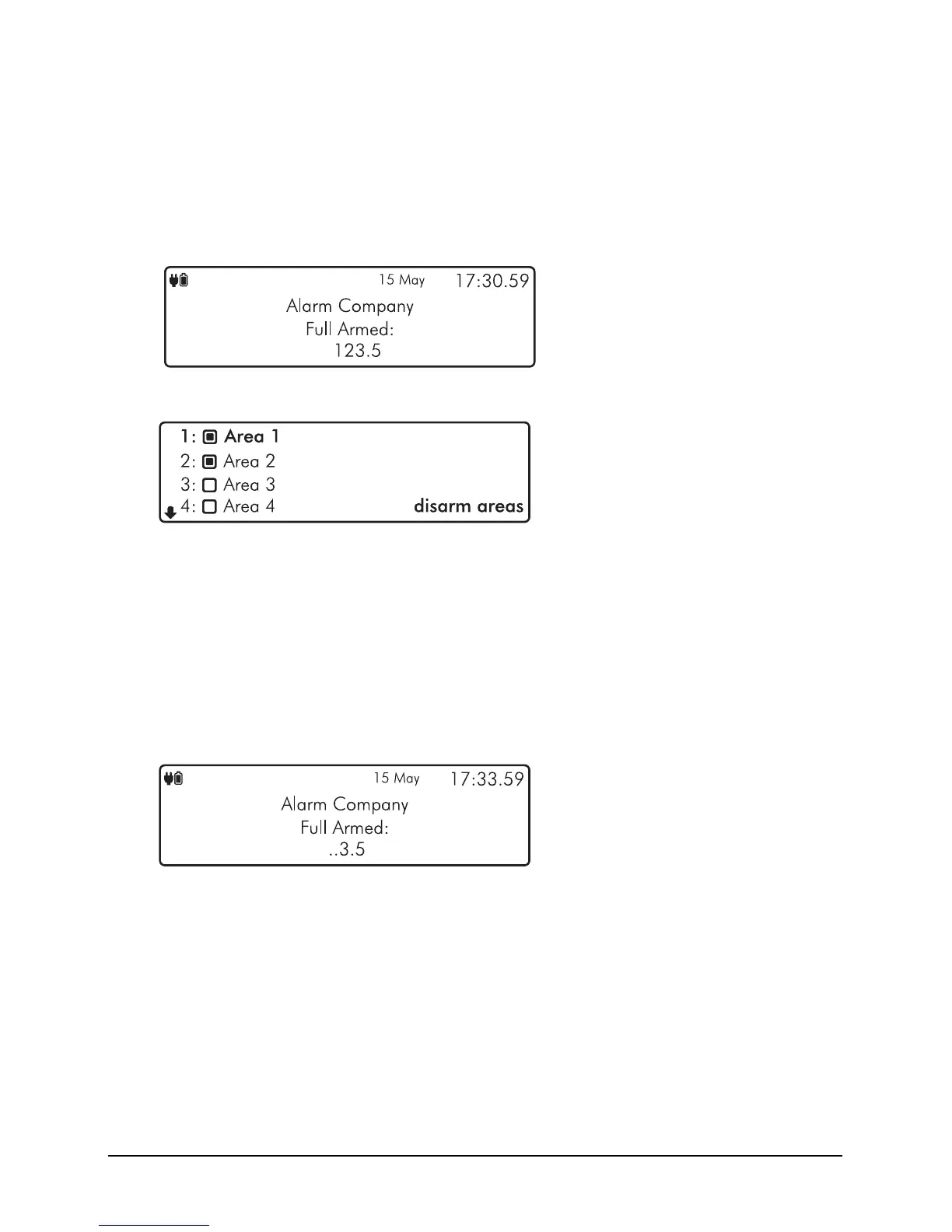
1. The keypad will show the areas that are currently full armed:
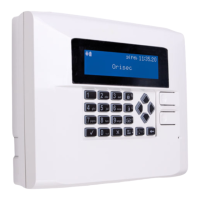
2. Enter your code or present tag, the ‘disarm areas’ menu is displayed:
` Area will be disarmed.
a Area will remain armed.
3. Use the
U andD keys to select the ‘Area’. Then use theL andR keys to toggle
the selected area on or off. Once you have selected the areas that you would like to
disarm, press
E or k to confirm.
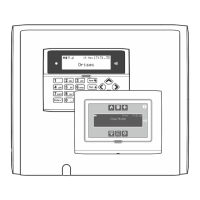
4. The selected areas are disarmed and the keypad displays any areas that have remained
armed:


 To Next Page