7
Your access code may not allow you to access certain system functions. For instance, if your
code is only allowed to arm the system you will not be able to disarm the system, once the
system is armed.
NFC Tags
NFC (Near Field Communication) tags can be assigned to users of the system. The tag behaves
just like an access code when presented to the NFC reader built into the keypad. NFC
technology is built into credit cards, bank cards, smart phones and other devices.
Keypads
One or more remote keypads will be installed throughout the protected premises, usually close
to the entry and exit door.
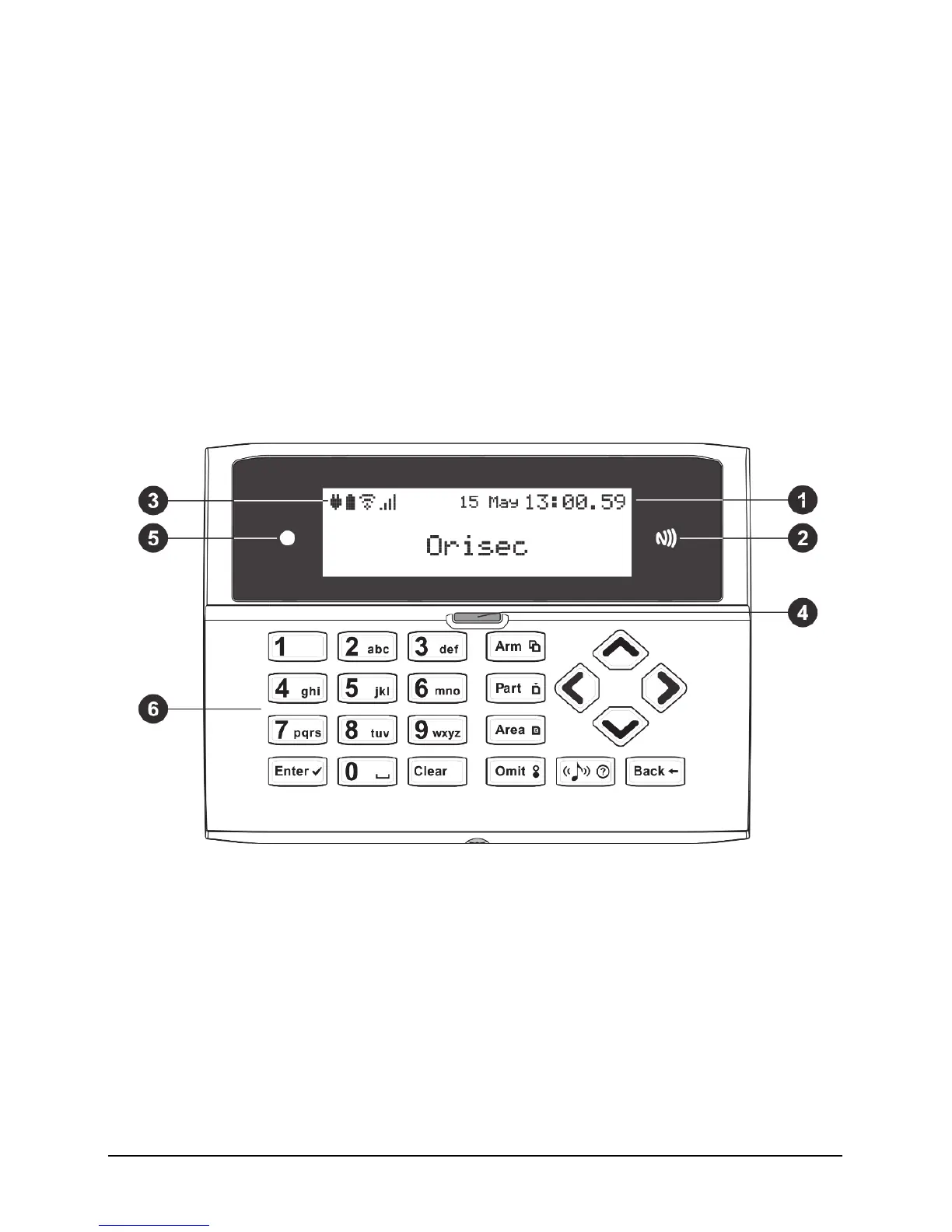
Keyed Keypad Layout
1. LCD display
2. NFC reader – present your NFC tag in this area
3. Status Icons
4. System status LED
5. Ambient light sensor – used automatically adjusts the keyboard and LCD backlight level
6. Keyboard – see below


 To Next Page