34
Walk Test Zones
This menu allows the programmed zones to be walk tested to ensure they are activating when
required.
1. Ensure that the ‘Walk test zones’ menu is selected, see page 32:
2. Activate the zones by walking in front of movement detectors and opening doors or
windows that have sensor fitted.
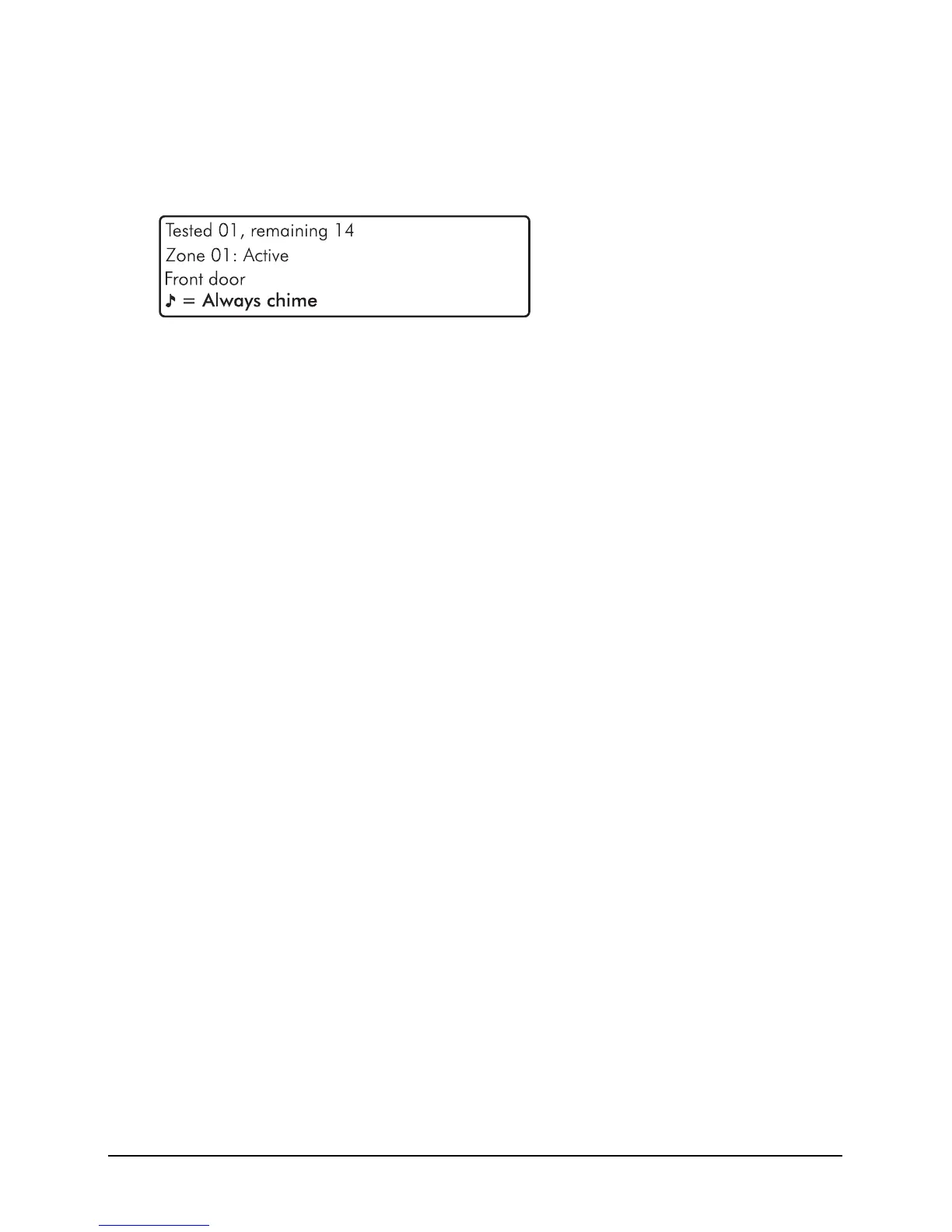
Walk Test Zones Screen Information
Line 1: How many zones have been ‘walk tested’ since entering the menu and how
many zones remain to be walk tested (this is dependent on how many zones are
programmed).
Line 2: A scrolling list of walk tested zones and the current zone status.
Line 3: A scrolling list of walk tested zones and the zone text (name).
Line 4: The system can be set to create a chime tone when a detector is activated. The
different chime options are selected by pressing
c or N. The options available are
as follows:
Always chime
New devices chime
Silent
Chime only zone ##
3. Press the
B key to exit the menu.


 To Next Page