DSPEC
®
Digital Gamma-Ray Spectrometer
4
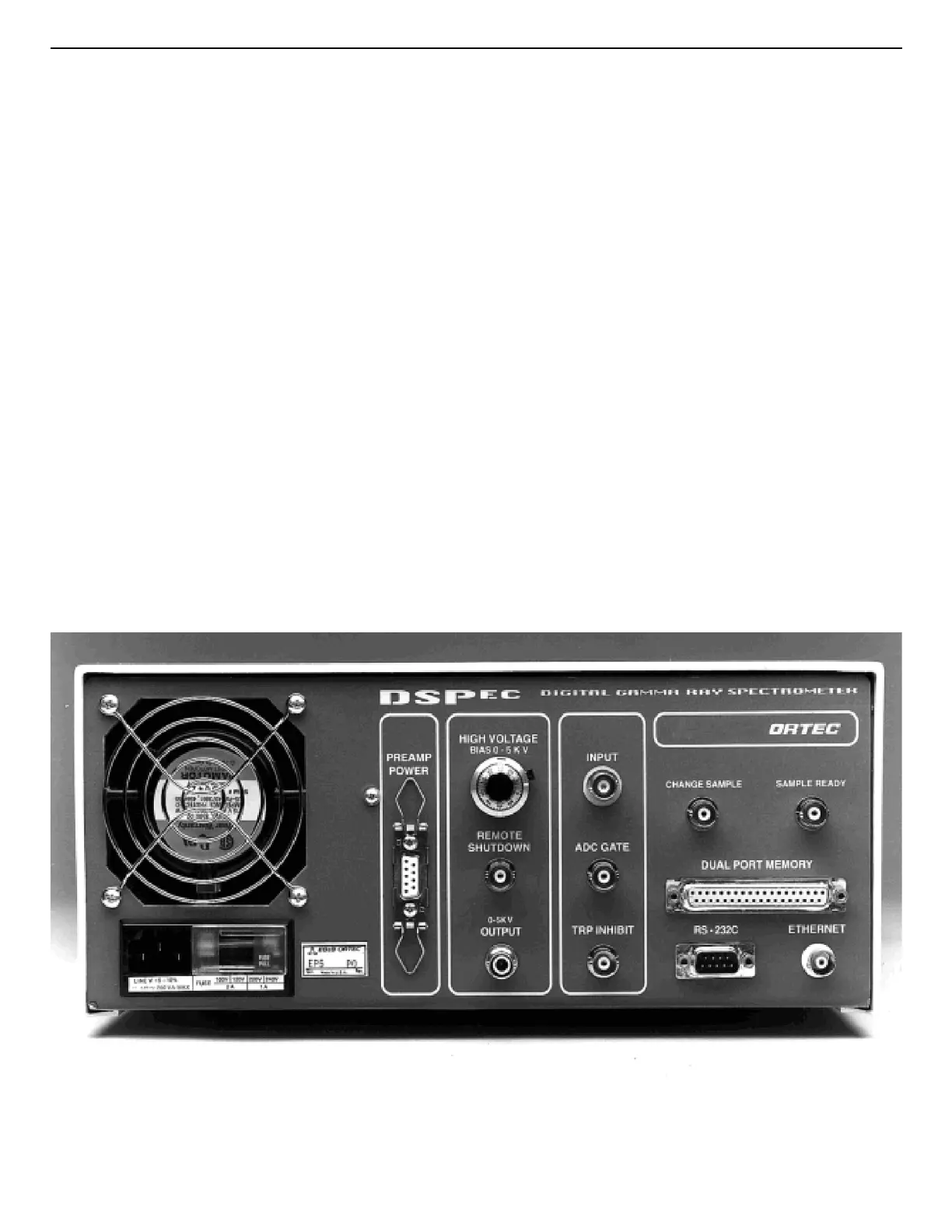
Fig. 2. DSPEC Rear Panel.
The
STABILIZER GAIN
and
OFFSET
numeric displays indicate the settings of the internal
digital spectrum stabilizer. If the stabilizer is not being used, the displays indicate “off.”
The
SPECTROMETER ACCEPT
and
REJECT
lights indicate the operation of the internal
pulse pile-up rejector. If pulses from the detector are too close together in time to be accurately
measured, they are rejected and the
REJECT
light flashes. Each measured pulse causes the
ACCEPT
light to flash.
Additional information on the rate of data acquisition is available from the
SPECTROMETER
DEADTIME
numeric display. The dead time of the system is the fraction of time that the
system is busy and unavailable to process pulses. As the count rate increases, the number of
events rejected by the pile-up rejector increases and the dead time increases. At 50% dead time,
half of the pulses occur so closely together that they are rejected.
The
POWER
switch turns the instrument on or off and indicates its status with a lighted
indicator.
2.3. The Rear Panel
Figure 2 shows the DSPEC rear panel.



 To Next Page