OSAKA – USER MANUAL – F 500 / F 500-RS – V.1 – Page 1
= cd - Condenser Probe: can be used as a display-only probe but it
is also possible to assign temperature alarms to it in order to give
alarms relating to condenser malfunction (e.g. dirty/clogged
condenser).
= 2E - Evaporator Probe 2: the probe performs the functions
described later for controlling defrosts in the second evaporator in
twin-evaporator plants.
= dG - Digital input (see digital inputs functions)
If probe Pr2 and/or Pr3 and/or Pr4 is/are not used, set the relative
parameter “i.P2”and/or “i.P3” and/or “i.P4” = oF.
It is not possible to program more parameters for the same function
(priority goes to lowest input).
Using the parameter “i.Ft”, it is possible to set the time constant for
the software filter for measuring the input values to be able to
reduce the sensitivity to measurement disturbances (increasing the
time).
Through the parameter “i.dS”, it is possible to fix the normal
visualisation on the display that can be the measurement of the
probe Pr1 (P1), the measurement of the probe Pr2 (P2), the
measurement of the probe Pr3 (P3), the measurement of the probe
Pr4 (P4), the active set point value (SP), the label “Eco” when the
instrument is in Eco mode (Ec) or it can have the numerical display
switched off (oF).
Through the parameter “i.CU”, it is possible to program an
measure offset that will be applied to the temperature show on the
display (only if i.dS”= P1, P2, P3, P4, Ec).
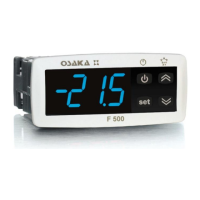
The normal visualisation on the display is established by par. “i.dS”,
but it is possible to visualise all the variables and the highest and
lowest Pr1 peak measurement values in rotation by quickly
pressing and releasing Key STAND-BY.
The display will alternately show the code that identifies the variable
and its value.
The variable are:
“Pr1” - Pr1 temperature
“Pr2” - Pr2 temperature
“Pr3” - Pr3 temperature ( on/oF state if is progr. as digital input )
“Pr4” - Pr4 temperature ( on/oF state if is progr. as digital input )
“Lt” and the lowest Pr1 peak temperature
“Ht” and the highest Pr1 peak temperature
and , if real time clock is enable:
“h.” - current hour
“n.” - current minutes
“d.” - current day of the week
When the instrument is switched off, peak values are always re-set.
However, it is also possible to reset these values if the instrument is
switched on by using the DOWN key hold for 3 sec. during peak
visualization.
The display will show “---” and peak memory will be reset.
The exit of this visualisation mode occurs automatically 15 seconds
after the last pressing on the Key STAND-BY.
Please remember that visualisation of the Pr1 probe can be
changed by the defrosting display lock function, by using the
parameter “d.dL” (see defrost function).
4.4 - DIGITAL INPUTS
All the parameters concerning digital inputs are contained in the
group “
]
In”.
The instrument has 2 digital inputs for voltage-free contacts whose
function is defined by the parameters “i.1F” and “i.2F” and whose
action can be delayed by the time period set in the parameters
“i.1t” and “i.2t”.
In addition, the instrument may have 2 further digital inputs for
voltage-free contacts as an alternative to the measurement inputs
Pr3 and Pr4.
In order to use these inputs digitally, the user must set the relevant
parameter “i.P3” or “i.P4” = dG.
The function performed by these digitally configured inputs is
defined by the parameters “i.3F” and “i.4F” while the action is
instantaneous and cannot be delayed.
The parameters “i.1F” , “i.2F”, “i.3F”, “i.4F” can be configured for
the following functions:
= 0 - No function
= 1 -Cell door opening by contact normally open: on closing the
digital input the instrument visualises oP and the variable set in
parameter “i.dS” alternately on the display. With this function mode,
the action of the digital input also activates the time that can be set
in parameter "A.oA" after which the alarm is activated to signal that
the door has been left open.
= 2 -Cell door opening with fan stop by contact normally open: on
closing the digital input the fans are stopped and the instrument
visualises oP and the variable set in parameter “i.dS” alternately on
the display. With this function mode, the action of the digital input
also activates the time that can be set in parameter "A.oA" after
which the alarm is activated to signal that the door has been left
open and the fan restart.
= 3 - Cell door opening with compressor and fan stop by contact
normally open: similar to “i.Fi” = 5 but with fan and compressor stop.
At the intervention of the door open alarm alarm compressor and
fan restarts.
= 4 - External alarm signal by contact normally open: on closing the
digital input the alarm is activated and the instrument visualises AL
and the variable set in parameter “i.dS” alternately on the display.
= 5 - Signalling of external alarm with disablement of all the control
outputs by contact normally open: on closing the digital input all the
control outputs are disabled, the alarm is activated and the
instrument visualises AL and the variable set in parameter “i.dS”
alternately on the display.
= 6 - Selecting the active set point (SP/SPE) with contact normally
open: on closing the digital input the temperature set point “SPE” is
activated. When instead the input is open the set point “SP” is
active.
= 7 - Switching on/switching off (Stand-by) of instrument by contact
normally open: on closing the digital input the instrument is
switched on while it is placed in Stand-by when opened.
= 8 - "Turbo" cycle activation command with normally-open contact:
closing the input starts a "turbo" cycle.
= 9 - Remote command of auxiliary output AUX with normally-open
contact: closing the input activates the auxiliary output as described
in the "o.Fo" = 2 operating mode of the auxiliary output.
= 10 - Disable recording of HACCP alarms: closing the input
disables the recording of HACCP alarms.
= 11 - Reset recording of HACCP alarms: closing the input deletes
all recorded HACCP alarms.
= 12 - External "PrA" alarm notified and "ot" output deactivated by
normally-open contact: closing the input deactivates the output
configured as "ot" and activates the alarm, and the instrument
display shows PrA alternating with the variable defined by the “i.dS”
parameter.
= 13 - External “HP” alarm notified and “ot” output deactivated by
normally-open contact: closing the input deactivates the output
configured as “ot” and activates the alarm, and the instrument
display shows HP alternating with the variable defined by the “i.dS”
parameter.
= 14 - External “LP” alarm notified and “ot” output deactivated by
normally-open contact: closing the input deactivates the output
configured as “ot” and activates the alarm, and the instrument
display shows LP alternating with the variable defined by the “i.dS”
parameter.
= 15 - Forcing a programmed Switch-on/Switch-off (Stand-by)
event - closing the input switches the instrument from the ON state
to the Stand-by state and vice versa, until the next event. Therefore,
if switch-on/stand-by events are programmed using the clock, action
by this mode forces the state until the next event.
= 16 - Defrosting start command with contact normally open: on
closing the digital input 1 (and after the “i.ti” time) a defrosting cycle
is activated.
= 17 - Defrosting end command with contact normally open: on
closing the digital input 1 (and after the “i.ti” time) a defrosting cycle
is ended if in progress or defrosting is inhibited.
= -1, -2, -3, etc. - Like function with positive values but with function
logic reversed (contact normally closed)
Note: Where multiple digital inputs are configured for the same
function, the instrument will treat the contacts as if they were
parallel (and consequently regard the result as an OR function).
4.5 - OUTPUTS AND BUZZER CONFIGURATION
All the parameters concerning outputs configuration are contained
in the group “
]
Ou”.
The instrument outputs can be configured by the relative
parameters “o.o1” , “o.o2”, “o.o3”, “o.o4”.


 To Next Page
 Loading...