You should adjust your tympanometer before use, to the actual atmospheric pressure by means of the enclosed
calibration cavity chamber set. The calibration is very easy and takes only a short while.
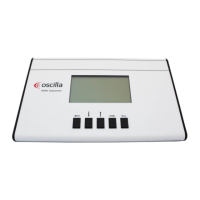
1. Enter the Calib cavity item from the main menu.
2. Put the probe tip with ear tip into the hole of the test cavity labelled 0.5 ml and then press Right key.
3. Press the Down key to select 2.0 ml.
4. Put the probe tip with ear tip into the hole of the test cavity labelled 2.0 ml and then press Right key.
5. Press the Down key to select 5.0 ml.
6. Put the probe tip with ear tip into the hole of the test cavity labelled 5.0 ml and then press Right key.
7. Press the Down key to select Store, and then press Right key.
If successful calibration is done, the text “OK, Calibrations stored” is displayed.
To return to the main screen press Left key twice.
ATTENTION:
If the error message "ERROR, REDO CALIBRATION" appears when activating Store, please check if the
openings of the calibration chamber and the probe tip are clean and re-calibrate the probe. Be sure to use the
correct cavity volumes. If the error message appears again, the probe or the instrument is probably defective.
Contact your service to get help.


 To Next Page
 Loading...