1. General description
The OSCILLA
®
TSM-300 is designed for tympanometric screening.
This screening is divided into two different tests. First, a tympanogram is recorded, which measures the mobility
of the tympanic membrane and middle ear. Second, an ipsilateral acoustic reflex test is recorded, which
measures the contraction of the stapedius muscle in response to loud sounds.
The test results are displayed on a graphic LCD display while they are recorded. When the test is completed it is
stored in the memory. Tests may be printed out using an external printer connected to the tympanometer, or
transmitted to a PC through a serial cable. TSM-300 may store results from 20 tests.
For configuring and calibrating the device, there is a menu system with various functions. These are setup
options, calibration and clearing memory. In the daily use it is not necessary to use the menu system, the
functions for daily use are linked directly to dedicated keys, to make them easy accessible.
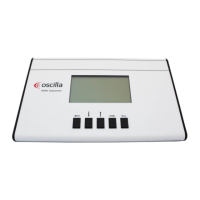
1.1 Front panel description


 To Next Page