2. Operation
This section describes how to set up and use the tympanometer.
2.1 Setting up the TSM-300
Setting up the tympanometer is quite easy and quick.
Place the tympanometer on a table and connect the probe’s combined air and jack plug to the back of the
device, where the label “PROBE” is printed.
Connect the mains adapter’s cable to the socket marked “POWER” and insert the adapter in a mains outlet and
switch on the mains.
Switch on the device at the switch next to the POWER socket. The tympanometer will start with a brief start up
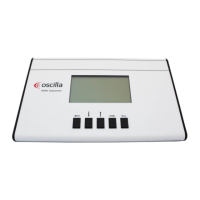
screen on the display. Then the main screen appears and the device is ready for use.
To ensure correct measurement, you should calibrate the device now, using the calibration cavity chamber set.
See section “7. Calibrating the probe”.
2.2 Taking a measure
Before taking a test on a patient, mount a new rubber ear tip on the probe that fits the patient’s ear size. Ensure
the patient’s ear canal is clean and not clogged by ear wax. Also remove any hair or other objects that can
prevent an air tight seal between the probe tip and the auditory canal.
Choose on the TSM-300 which ear to test, left or right. (Use left arrow key to change with).
Choose the desired ID location to save the measured data. (Use up / down keys to change with).
Place the probe’s tip in the patient’s auditory canal and press gently. The probe must follow the auditory canal in
a line, to obtain the best performance.
The tympanometer will start automatically, and begin running the pump and draw the tympanogram. This is
drawn in real time while the test runs. Keep an eye on the message in the upper right corner of the display. It
should say “TYMP” for a few seconds while measuring. If it says “LEAK” or “BLOCKED”, adjust the probe
position slightly. If you have trouble with constantly getting a “LEAK” message, try to remove the probe and let
the pump return to its starting position, then insert the probe again. The pump position is displayed in the lower
right corner as a little vertical bar marked “PUMP”.


 To Next Page