EasyManua.ls Logo

OSCILLA TSM-300 - Page 9

OSCILLA TSM-300
21 pages
Print Icon
To Next Page IconTo Next Page
To Previous Page IconTo Previous Page
Loading...
ID: 1588 / ver. 205
9
printer. Note than when the serial port is selected for printout, the tympanometer will not transmit its identification
key at start up.
Clear data
Clear all data
Printer setup
Printer type
Reflex setup
Calib cavity
Carriage return
Serial
Right key
Printer margin
Tymp sweeps
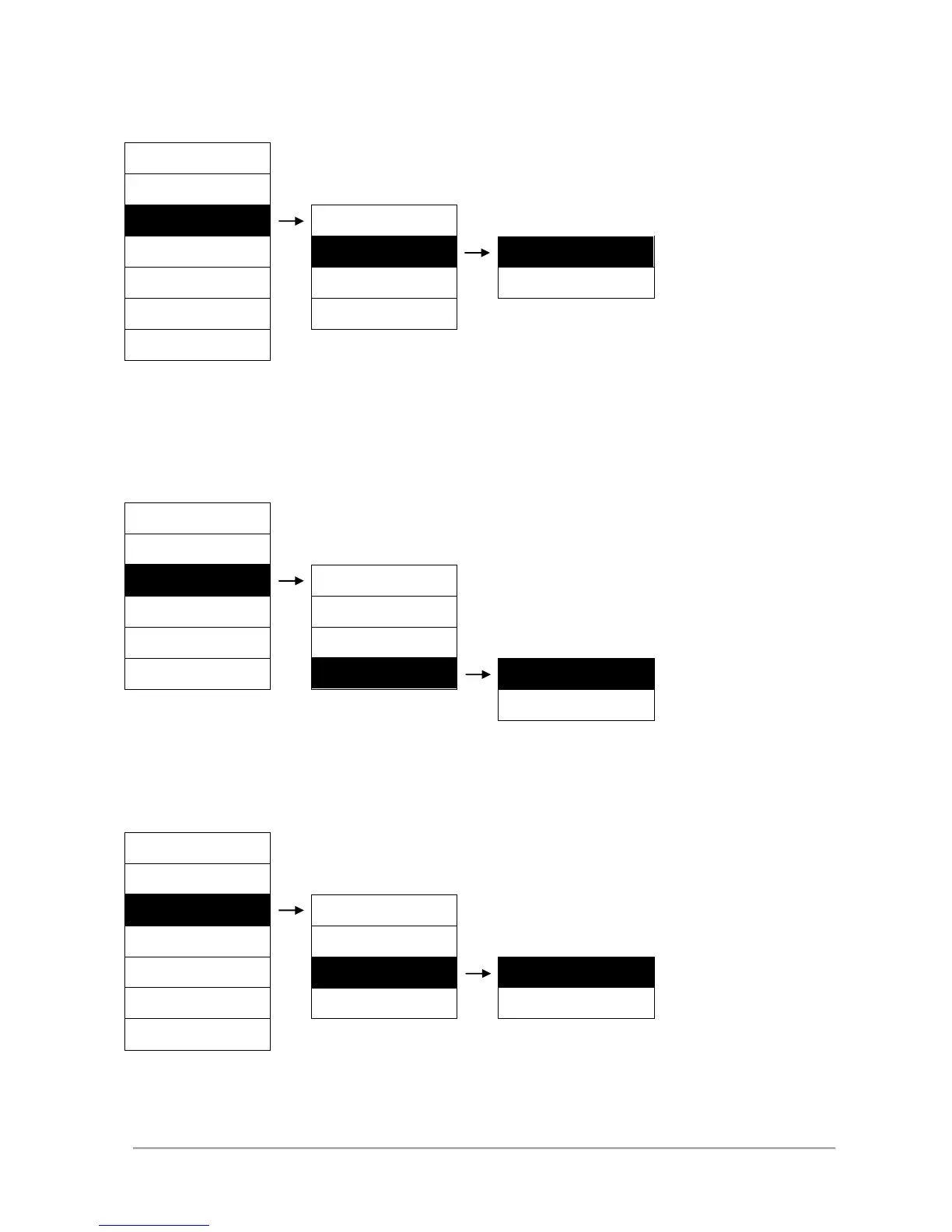
5.7 Printer margin
The left margin of the printout can be adjusted in the setup. This allows the printout to be shifted to the right, to
give space for holes for inserting in a ring binder. Just be sure not to set it too wide, it may cause clipping of the
right side of the printout. The “Test printer” item will print out a test image with the selected margin. To leave the
menu, press MENU.
Clear data
Clear all data
Printer setup
Printer type
Reflex setup
Printer Port
Calib cavity
Carriage return
Right key
Tymp sweeps
Test printer
5.8 Turning carriage return on and off
Carriage return is used to force a carriage return command to the printer. If the printer does not advance the
paper, the carriage return should be set to on. This setting has no effect when printer type is set to HP.
Clear data
Clear all data
Printer setup
Printer type
Reflex setup
Printer Port
Calib cavity
Carriage return
Right key
Printer margin
Off
Tymp sweeps
Printer setup
Printer Port
Parallel
Printer setup
Printer margin
Printer Margin 0
Printer setup
Carriage return
On