EasyManua.ls Logo

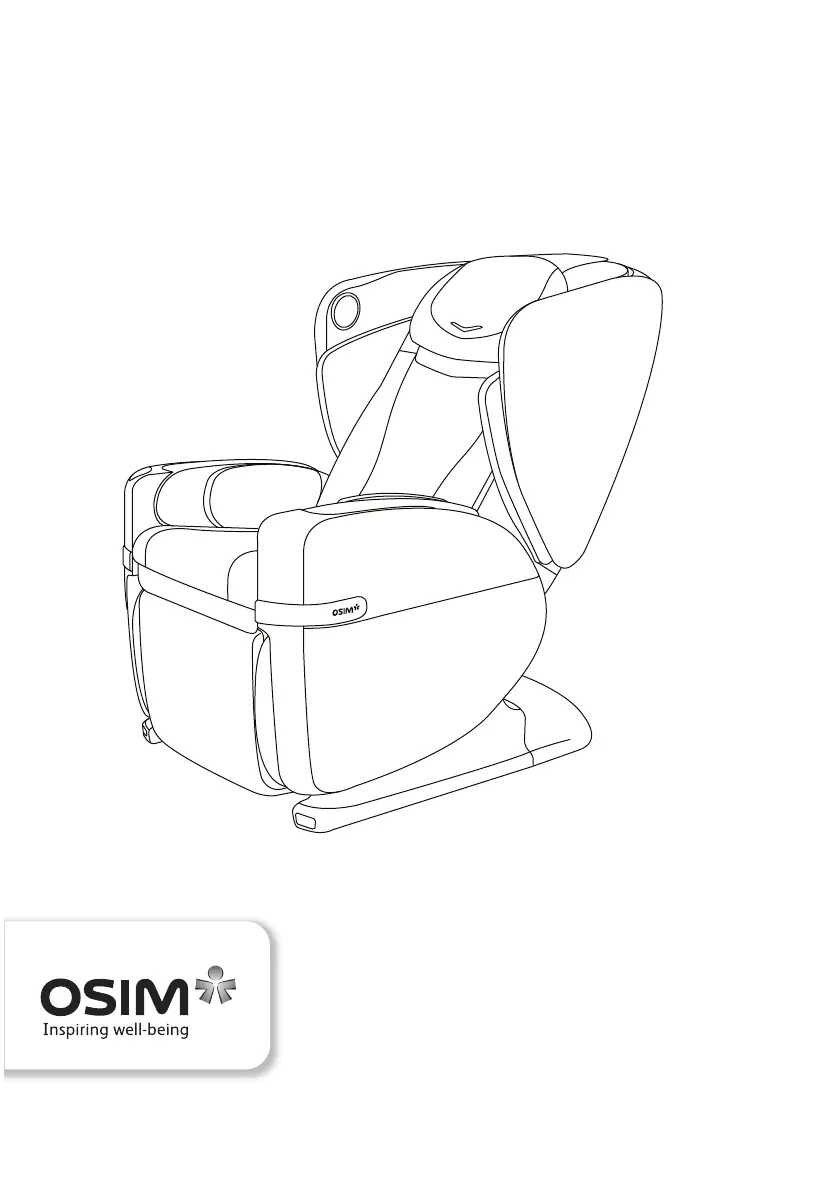
OSIM OS-8212 - User Manual

Default Icon
63 pages
Print Icon
To Next Page IconTo Next Page
Loading...
uDivine V2
OS-8212 Operation Manual

Questions and Answers

  • J
    jgrayAug 18, 2025
    What to do if the power cord and plug of my OSIM Massager are abnormally hot?
    • J
      Joshua OwenAug 18, 2025
      If you notice that the power cord and plug of your OSIM Massager are abnormally hot, stop using it immediately and contact the OSIM Service Center for assistance.
  • L
    Lori AllenAug 20, 2025
    Why does my OSIM OS-8212 Massager stop midway?
    • J
      Justin SpencerAug 21, 2025
      If your OSIM Massager stops midway, it might be because the Safety Stop button was accidentally pressed. To reset it, turn off the main switch located at the back of the chair, wait for 5 seconds, and then turn it on again. If the issue persists, turn off the main switch, disconnect the power plug, and contact the OSIM Service Center.
  • E
    Evan KnappAug 23, 2025
    How to troubleshoot if my OSIM uDivine V2 Massager does not function?
    • A
      anawatsonAug 23, 2025
      If your OSIM uDivine V2 Massager is not functioning, ensure that the main switch and the switch on the electrical outlet are turned on. Also, make sure the power plug is firmly connected to the electrical outlet and that the voltage at the electrical outlet is adequate.
  • A
    Alexandra BuchananAug 26, 2025
    What to do if my OSIM OS-8212 controller does not function correctly?
    • R
      Rachel MorrisAug 26, 2025
      If the controller of your OSIM Massager is not functioning correctly, check the power plug to ensure it is securely connected to the electrical outlet. Also, ensure that the main switch is turned ‘ON’.
  • M
    Mary HarrisAug 27, 2025
    Why did my OSIM OS-8212 stop and the rollers move to the default position?
    • H
      heidithompsonAug 28, 2025
      Your OSIM uDivine V2 Massager may have stopped and the massage rollers moved to their default position because the auto timer for the massage duration has ended. Also, the uDivine V2 is equipped with a thermal resetting protection device. If overheating caused the stop, turn off the main switch for at least 30 minutes before restarting.
  • B
    Bethany WalkerAug 30, 2025
    What to do if the footrest massage unit on my OSIM Massager is not working?
    • A
      Amanda BowenAug 30, 2025
      If the footrest massage unit of your OSIM Massager is not working, first, check that the footrest function is turned on. Next, check the power plug to ensure it is securely connected to the electrical outlet. If the problem continues, contact the OSIM Service Center.
  • J
    Joseph GoodwinSep 1, 2025
    How to fix unsuccessful Bluetooth pairing on my OSIM OS-8212?
    • J
      Jennifer HernandezSep 1, 2025
      If you are experiencing unsuccessful Bluetooth pairing with your OSIM Massager after several attempts, this could be due to signal interference. Turn off the main switch located at the back of the chair, turn it on again after 5 seconds, and reattempt pairing.
  • R
    robinsoncaitlinSep 3, 2025
    Why is my OSIM Massager controller beeping?
    • J
      Justin FranklinSep 3, 2025
      If you hear a beeping sound from the controller of your OSIM Massager, turn off the main switch located at the back of the chair and turn it on again after 5 seconds.
  • X
    xpowersSep 6, 2025
    Why do the massage rollers stop during the session on my OSIM Massager?
    • T
      Tammie ReynoldsSep 6, 2025
      If the massage rollers of your OSIM Massager stop during the massage session, it may be because the roller mechanism is strained due to excessive force when the massage speed is slow. Avoid applying excessive force on the rollers.
  • A
    andersontanyaSep 8, 2025
    What to do if the backrest and footrest of my OSIM OS-8212 Massager won't recline or extend?
    • S
      Stephanie Harris DDSSep 8, 2025
      If the backrest and footrest of your OSIM Massager cannot be reclined, raised, retracted, or extended, ensure that there is no obstacle caught behind the backrest or under the footrest, as this activates the safety mechanism.

Summary

Safety

DANGER - Electric Shock Precautions

Instructions to reduce the risk of electric shock by unplugging the product immediately after use and before cleaning.

WARNING - General Safety Precautions

Precautions to reduce risks of burns, fire, electric shock, or injury during use, including proper handling and operation.

Names of parts and functions

Massage Chair Components

Identification and description of various parts of the massage chair, including seat, footrest, and arm units.

Controller Functions

Overview of the massage chair controller, its buttons, LCD display, and their respective functions for operation.

Preparation before use

Initial Setup and Headrest Placement

Instructions for setting up the massage chair, including backrest position and headrest pad placement.

Chair Placement, Power, and Movement

Guidance on chair positioning, power operations, and initial movement procedures.

Adjusting Components and Footrest Functionality

Steps for adjusting arm units and operating the footrest/ottoman mechanism.

Operation

Bluetooth Music Streaming

Instructions for streaming music from a smart device to the uDivine V2 via Bluetooth connection.

OSIM Well-Being App Integration

Information on app compatibility, downloading, and pairing the OSIM Well-Being App with the massage chair.

Product care and storage

Chair Placement and Storage

Guidelines for positioning the chair to avoid damage and recommendations for long-term storage.

Cleaning and Maintenance

Instructions for cleaning the upholstery using dry methods, avoiding wet elements and excessive rubbing.

Cleaning Agents and Repair Warnings

Warnings against using cleaning agents and attempting self-repair; advises contacting service center.

Troubleshooting

General Troubleshooting Advice

Guidance on addressing common operational issues, with a warning against self-disassembly and repair.

Specifications

Product Identification and Power Specs

Details on model name, number, voltage availability, and auto timer settings for the massage chair.

Physical Dimensions and Weight

Specifications for chair dimensions in upright and reclined positions, and net/gross weight information.

OSIM OS-8212 Specifications

General IconGeneral
BrandOSIM
ModelOS-8212
CategoryMassager
LanguageEnglish

Related product manuals