EasyManua.ls Logo

OSIM OS-8218 - User Manual

Default Icon
75 pages
Print Icon
To Next Page IconTo Next Page
Loading...
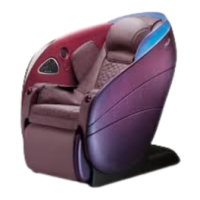
uLove 3
OS-8218 Operation Manual

Questions and Answers

Summary

Important Safety Instructions

Massage Chair Components Identification

Component List

Identifies and describes the various parts and components of the massage chair.

Left Control Panel Features

Left Panel Functions and Indicators

Details the functions and indicators of the left control panel, including Bluetooth status.

Right Control Panel Features

Right Panel Functions and Indicators

Details the functions and indicators of the right control panel, including program selection and emergency stop.

Chair Control Operation

Operating via Control Panel

Explains how to select auto programs and adjust controls using the chair's control panels.

Operating via OSIM Well-Being App

Guides on downloading, registering, and pairing the chair with the OSIM Well-Being App.

Programs Available in App

Preparation Before Use

Massage Programs and App Features

Product Care and Storage

Cleaning and Maintenance Procedures

Details on how to clean the product using dry cloth, and warnings against using wet elements or cleaning agents.

Troubleshooting and Error Codes

Common Troubleshooting Solutions

Addresses common problems like roller sounds, operation stops, and control panel issues with solutions.

Product Specifications

OSIM OS-8218 Specifications

General IconGeneral
BrandOSIM
ModelOS-8218
CategoryMassager
LanguageEnglish

Related product manuals