13
Operation
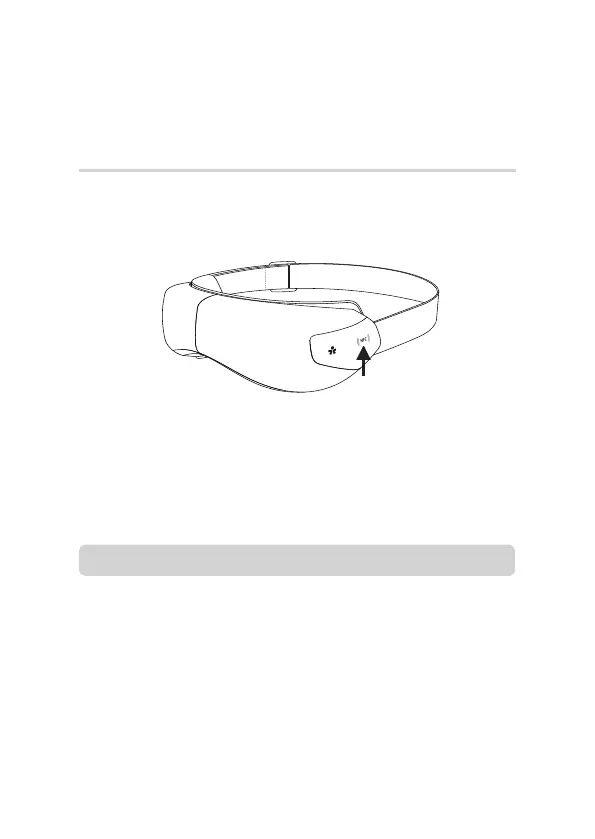
You can directly open OSIM Well-Being App via the NFC tag.
• Tap your smart device on the product’s NFC tag and it will lead
you directly to the OSIM Well-Being App.
Alternatively, user can access OSIM Well-Being App manually.
• For iOS users, download the OSIM Well-Being App from App Store.
• For Android users, download the OSIM Well-Being App from
Google Play*, Huawei AppGallery* or Samsung Galaxy Store*.
Accessing OSIM Well-Being App
Note
• Ensure your smart device is NFC-enabled.
• Please check the location of the NFC chip in your smart device as it
varies for different phone models.
• User may need to remove smart device cover for better sensitivity.
• If you have not installed the OSIM Well-Being App, you will be
redirected to the App Store (iOS) or webpage (Android) where you
can download the app.
* Availability will vary according to country. Please visit www.OSIM.com for further updates.



 To Next Page