10
Operation
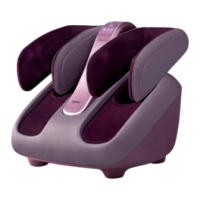
Pairing iOS and Android devices with OSIM uSqueez 3
Ensure Bluetooth is enabled on the uSqueez 3
• Ensure that the main switch on the OSIM uSqueez 3 are turned on.
• Bluetooth will be enabled once the main switch is turned on.
Pairing iOS and Android devices with OSIM uSqueez 3
Initiate Bluetooth pairing on your iOS and Android device.
• Turn on the Bluetooth function on your smart device.
• Tap on the OSIM Relax & Relieve App on your smart device.
• Tap on ‘Leg massager’. The Relax & Relieve App will search for the unique device ID.
• Select the correct Device ID as shown, select ‘OS3208 XXXXXXX’ (XXXXXXX can be any
numerical values) to connect with the uSqueez 3.
Relax & Relieve



 To Next Page