56
OTICON ACTO FITTING GUIDE
57
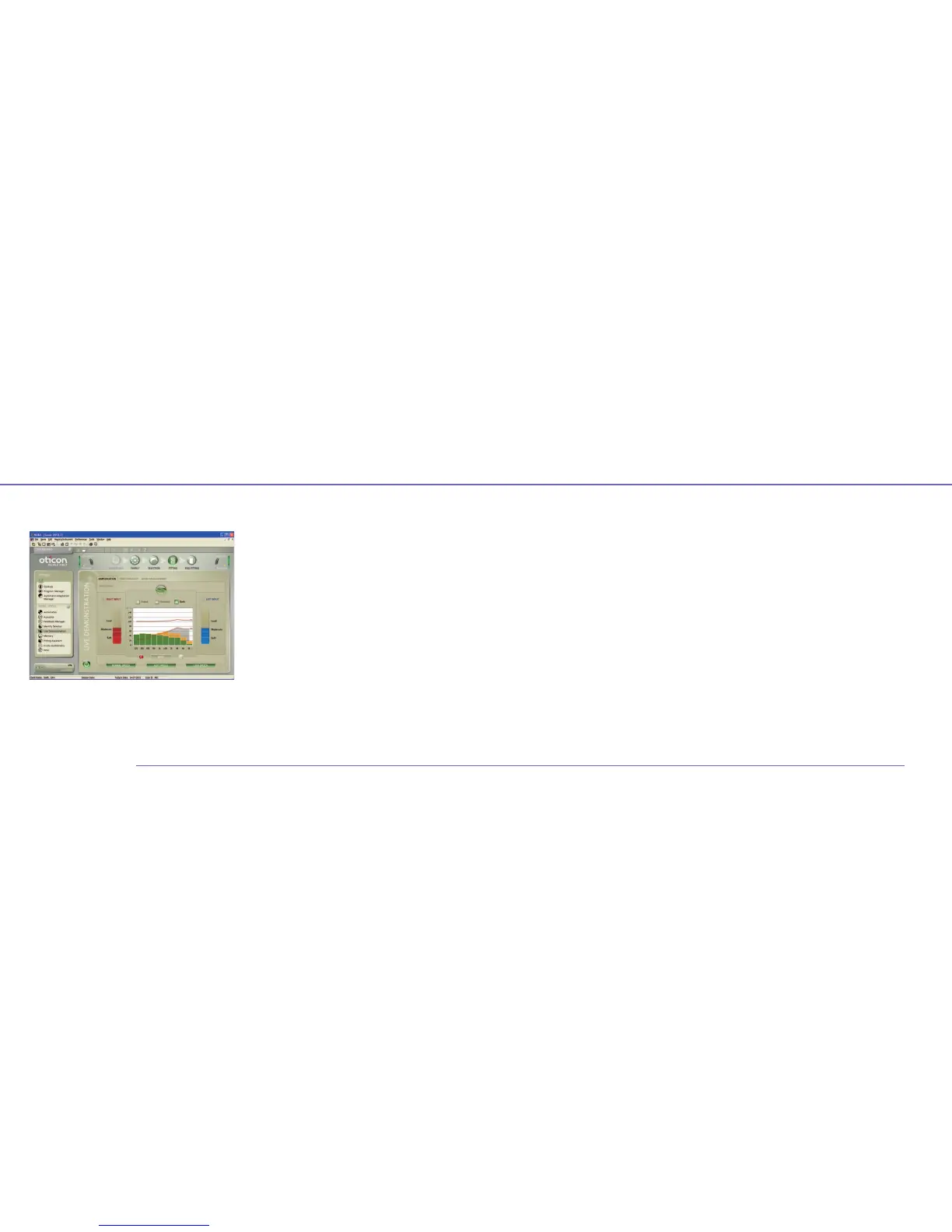
Live Demonstration
Live Demonstration is designed to show in real time how
Oticon Acto evaluates the listening environments in several
dimensions. Live Demonstration consists of three elements:
Amplification, Directionality and Noise Management.
Live begins automatically once an instrument is connected.
You can pause Live by clicking the On/Off button on the left.
To demonstrate the response for one ear at a time, select
L or R to switch between ears. Play the relevant sound
environments suggested in the tabs to support your
demonstration.
The Amplification tab shows the actual aided response
(output) vs. the unaided input, as well as both (input and gain).
Use the ear icons to switch between ears when demonstrating
one ear at a time. Use the mute button to temporarily let the
client compare the sound of the instrument with an unaided
response.
The Directionality tab displays the current directionality mode
of both instruments: Surround, Split or Full. The icons on each
side indicate what directionality mode each instrument is in.
Noise Management shows how much noise is reduced by
the Noise Management system in each fitting channel and
how speech is preserved. The right and left panels show the
sound environment (Quiet, Speech, Speech in Noise, Noise or
Wind) as it is detected by each instrument.


 To Next Page