66
OTICON ACTO FITTING GUIDE
67
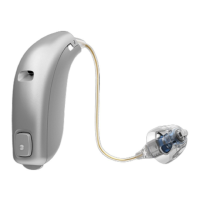
Single Button on miniRITE
The miniRITE instrument has a single push button.
Having one instrument, the push button can be used for
switching forwards in the program cycle.
Having two instruments where the binaural coordination is
activated, the push button can be used for both adjusting the
volume and switching between programs. When the push
button on one instrument is activated it will change the status
on both hearing instruments.
Volume control is only available with miniRITE when fitting
two hearing instruments binaurally.
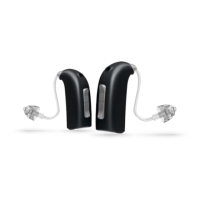
When binaurally fitted, the single button on the RIGHT
instrument will increase the volume and switch forwards in
the program cycle and the single button on the LEFT instru-
ment will
decrease the volume and switch backwards in the
program cycle.
Discuss with your client which operation should be included
in the instruments.
If you choose to have either the program change OR a volume
control in the button, this is activated by a short push on the
button.
If you choose to have both functionalities in the instruments,
then the volume control is activated by a short push on the but-
ton while a program change is activated by a medium-long push.
In the User Instruction task you can print the button
configuration and include it into the Instructions For Use to
provide the information for your client.
Beeps
The Beeps tab is used to define the audible indication for
program and volume control changes as well as decide when
there should be audible indication in the instruments.
Note: Remember to fill out the programmed button controls in
the Instructions For Use before handing it out to the client.
ITC instruments may have a push button. This page explains
the possible functions of the ITC push button. Having one
instrument, the push button can be used for switching
forwards in the program cycle.
Having two instruments where the binaural coordination is
activated, the push button can be used for both adjusting the
volume and switching between programs. When the push
button on one instrument is activated it will change the status
on both hearing instruments.
A volume control via the push button is possible when fitting
two standard ITC hearing instruments (ITC Power instruments
support a volume wheel option in stead). When binaurally
fitted, the push button on the RIGHT instrument increases the
volume and switch forwards in the program cycle and the push
button on the LEFT instrument decreases the volume and
switch backwards in the program cycle.
Discuss with your client which operation should be included
in the instruments.
If you choose to have either the program change OR a volume
control in the button, this is activated by a short push on the
button.
If you choose to have both functionalities in the instruments,
then the volume control is activated by a short push on the but-
ton while a program change is activated by a medium-long push.
In the User Instruction task you can print the button configura-
tion and include it into the Instructions For Use to provide the
information for your client.
Beeps
The Beeps tab is used to define the audible indication for
program and volume control changes as well as decide when
there should be audible indication in the instruments.
Note: Remember to fill out the programmed button controls
in the Instructions For Use
Push Button on ITC (optional)


 To Next Page