About
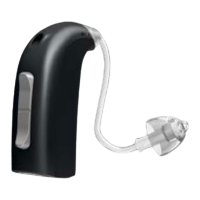
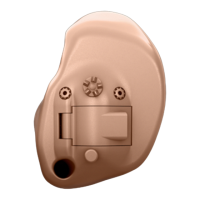
Identify your hearing aid style 10
Size 10 battery (CIC shown) 12
Size 312 battery (ITC shown) 14
Size 13 battery (Full shell shown) 16
Identify left and right hearing aid 18
Battery 19
Start up
Turn the hearing aid on and off 20
When to replace a battery 21
Replace the battery 22
Handling
Caring for your hearing aid 24
MultiTool for handling batteries and cleaning 26
Filter replacement 28
Replace ProWax miniFit filter (non-wireless IIC & CIC 75) 29
Replace ProWax filter (all hearing aids except
non-wireless IIC & CIC 75) 30
Replace T-Cap filter (hearing aids with 10 batteries) 31
Replace O-Cap filter (hearing aids with 312 and 13 batteries) 32
Insert the hearing aid 33
Remove your hearing aid 34
Options
Optional features and accessories 36
Mute the hearing hearing aid (optional) 37
Change programs (optional) 38
Change volume with push button (optional) 40
Change volume with volume wheel (optional) 41
Wireless accessories (optional) 43
Other options (optional) 44
Table of contents 1/2
Continues on next page









 To Next Page