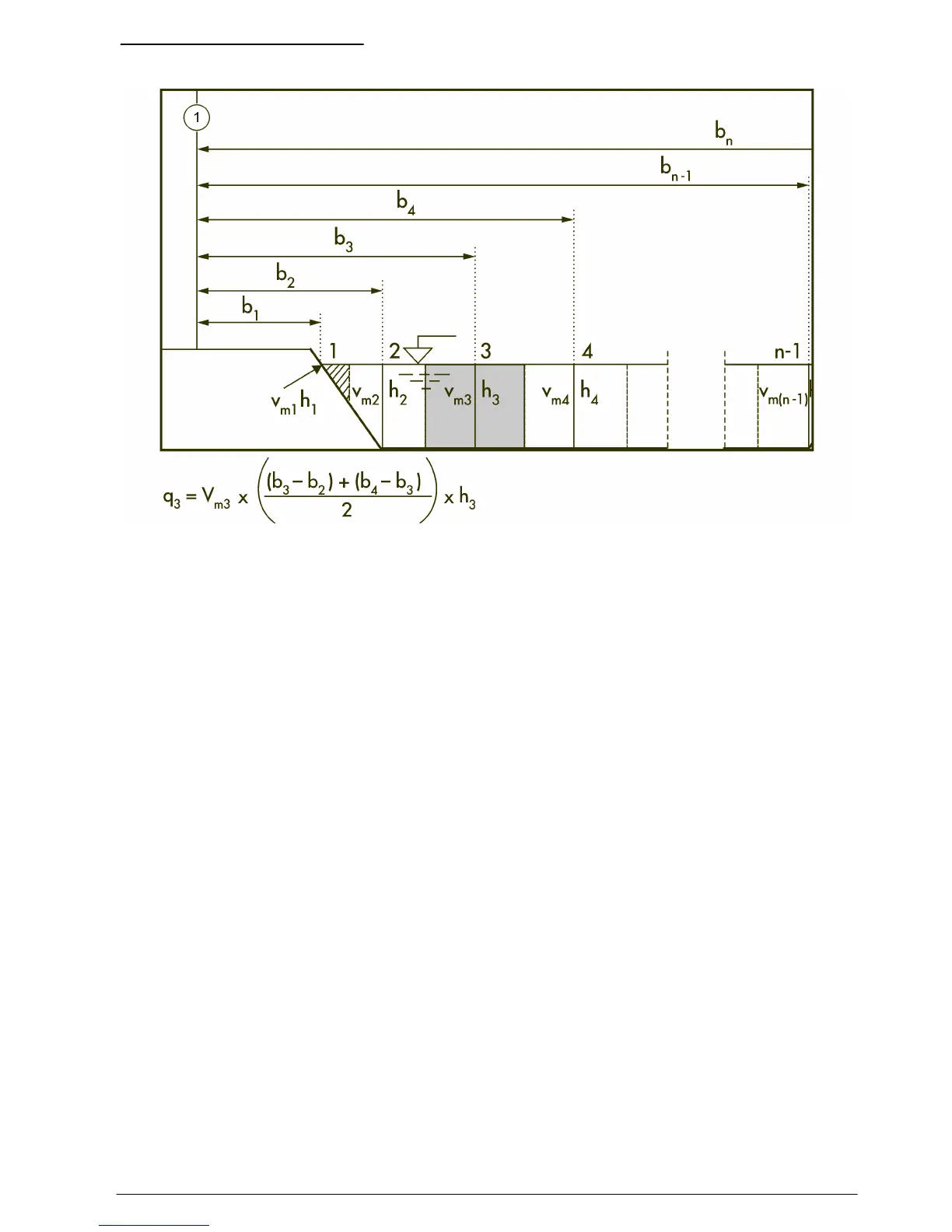
Figure 16 Mid-section method
Where:
m = station number
n = total number of stations
V = velocity at vertical
b = distance to vertical from bank
h = depth at vertical
q = flow at vertical
Profiles and measurements
Profiles can be set up for streams or conduits. Figure 17 shows an example of a typical profile shape
in a conduit. In a typical profile, velocity is less near a wall or edge than at the center and decreases
near the surface. Multiple velocity measurements in the profile are averaged to calculate the total
flow. Measurements for conduit profiles are made from the bottom up. Measurements for stream
profiles are made from the top down or bottom up.
In the Main Menu, select Profiler. The meter prompts for the operator name, the type of profile
(stream or conduit) and the profile name. Do the instructions for the selected profile type.
English
33



 To Next Page