new DC pulse. It is recommended to withdraw the remOVE DC Cutter
from the endoscope first and remove the remains by pressing on the foot
switch to trigger a DC pulse. As this can lead to sparking, patients, users
or third parties must be shielded from the instrument tip.
4. Verify that the clip is successfully fragmented at two spots by checking
the endoscopic image.
5. Remove the endoscope and place the remOVE SecureCap on the endo-
scope tip. Guide the endoscope with the fitted remOVE SecureCap to the
clip fragments.
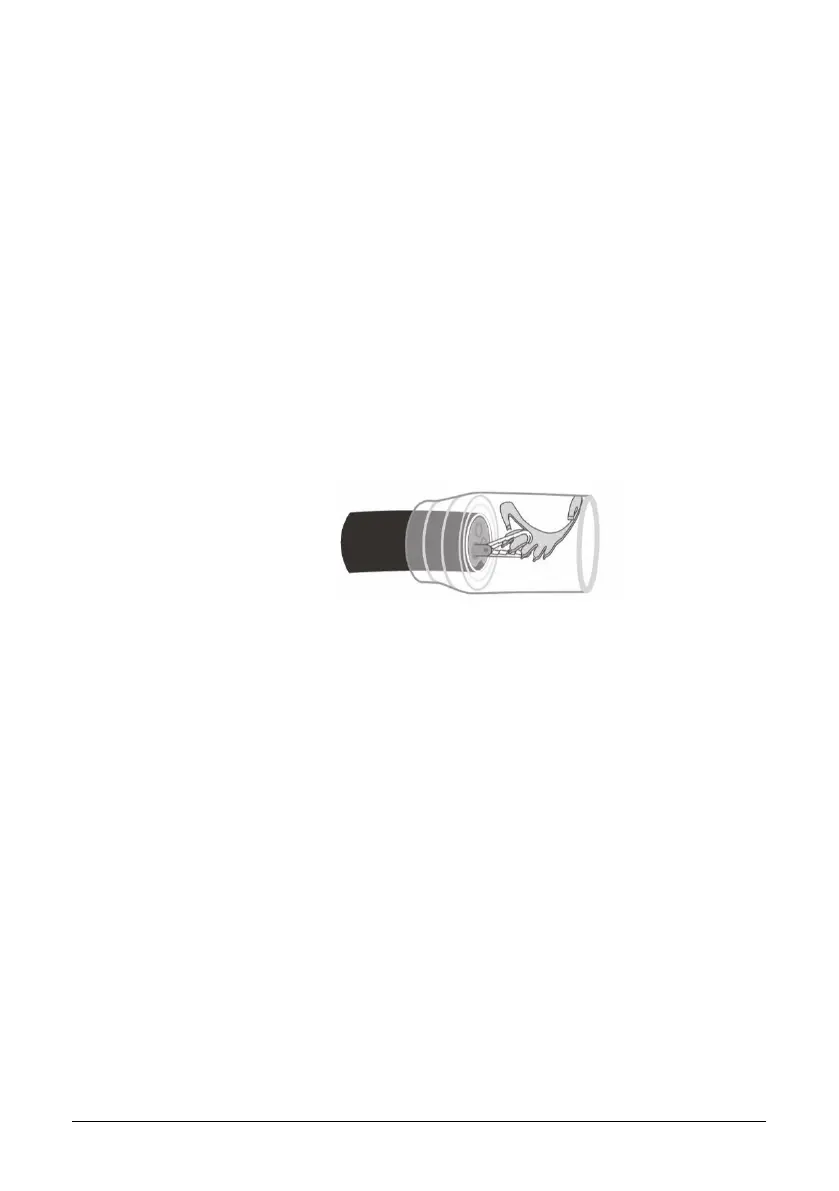
6. Use the remOVE Grasper to pull the clip fragment into the remOVE Se-
cureCap and retrieve it from the body. Hold the clip fragment firmly with
the forceps when withdrawing the endoscope (Fig. 10). Repeat this pro-
cedure for the second clip fragment or, if necessary, for further clip frag-
ments.
Figure 10: Clip fragment with remOVE Grasper in the remOVE SecureCap
7. Turn off the remOVE DC Impulse by pressing the ON/OFF switch.


 To Next Page