MAINTENANCE (cont.)
17
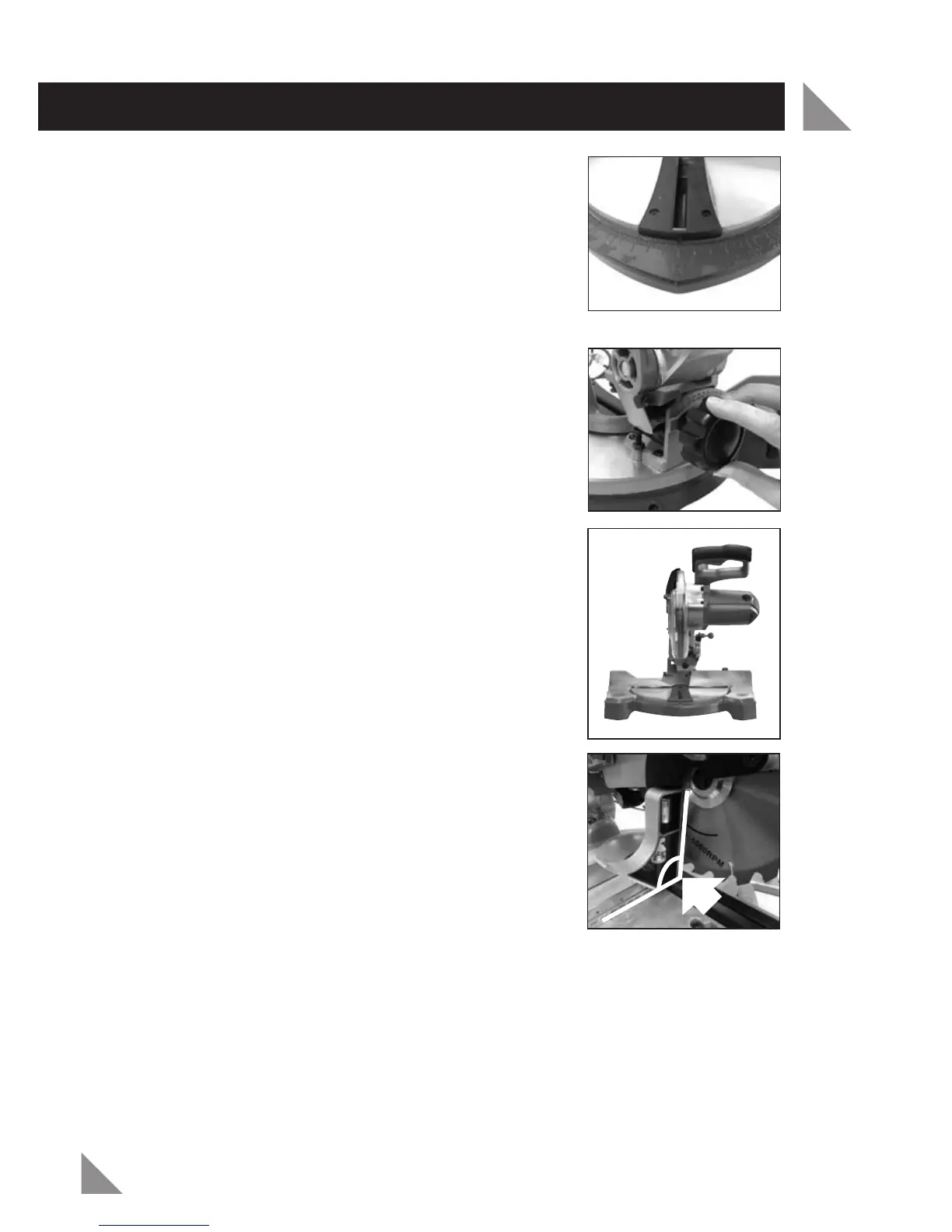
4. Turn the rotating mitre table (23) until the mitre
scale (27) is positioned at 0° (Fig. 29). It should
click into this angle as it is one of the preset angles.
5. Tighten the mitre table lock knob (25) by turning in
a clockwise direction.
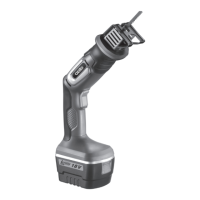
6. Loosen the bevel lock knob (13) by turning in an
anti-clockwise direction (Fig. 30).
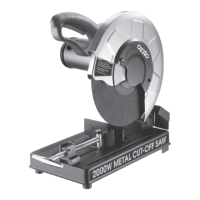
7. Set the cutting head (4) at 0° bevel (Fig. 31). The
blade (10) at 90° to the rotating mitre table (23).
8. Tighten the bevel lock knob (13) by turning in a
clockwise direction.
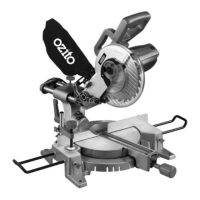
9. Place a set square (not included) on the rotating
mitre table (23) up against the flat part of the
blade (10) (Fig. 32).
NOTE: Ensure the set square contacts the flat part of
the blade and not the teeth.
10. Rotate the blade (10) by hand and check the
blade-to-table alignment at several points.
11. The edge of the set square and the blade (10)
should be parallel.
Fig. 32
90º
Fig. 31
Fig. 30
Fig. 29



 To Next Page