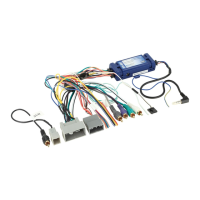
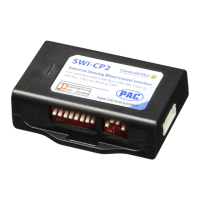
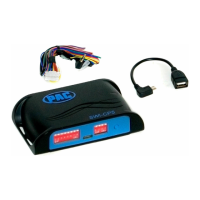
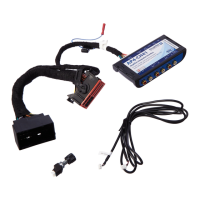
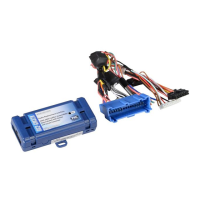
RP5-GM31
Radio Replacement & Steering Wheel Control Interface
with OnStar Retention for General Motors Vehicles
Pacic Accessory Corporation
®
| Santa Ana, California 92705 | Ph. 866-931-8021 | support@pac-audio.com
©2013 Pacic Accessory Corporation
www.pac-audio.com
Pacific Accessory Corporation
Rev. 091613
Page 2
Installation Steps
1. The radio select rotary switch on the side of the interface must be adjusted to the proper radio
setting before plugging the interface into the vehicle.
2. Make all connections as described in the chart on page1.
3. Factory installed ampliers will determine the audio output connection. If the vehicle has a factory installed amplier use the factory
amplier audio location. If a factory installed amplier is not present use the non-amplied factory audio location.
4. If the vehicle is equipped with a Premium BOSE system, connect the subwoofer and center channel RCA inputs to the aftermarket radios.
If the aftermarket radio to be installed does not have a dedicated center channel or sub output do not use this cable. To ensure best sound
performance channel summing is not recommended. Use this cable according to the outputs that are available.
5. If the vehicle is equipped with a reverse camera and the aftermarket radio has a reverse camera input, connect the yellow RCA plug on the
brown connector to the aftermarket radios reverse camera input.
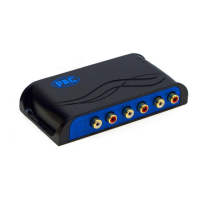
6. If the aftermarket radio is equipped with an auxiliary input and you wish to retain the factory XM tuner, plug the RCA connectors from the
interface into the radios auxiliary input.
7. Plug the CMX chime module in if necessary (If the vehicle chimes when the radio is removed the CMX is not necessary). PLEASE NOTE:
In order to get the best possible sound out of the CMX please mount it in a place free and clear of any obstructions, preferably as close as
possible to the bottom of the dash pointing down toward the oor of the vehicle.
8. The Mute loop (if not cut) will turn the accessory output off when an OnStar or Bluetooth call is made or received. If the aftermarket radio
has a mute input cut this loop and connect the inner brown wire (next to the blu/wht wire) to the mute input.
9. Connect the SWC wire according to the chart on page 1 (aftermarket radio MUST support a wired remote input).
10. If you wish to reassign functions to the SWC follow the programming instructions in the next section.
IMPORTANT! The interface comes pre-programmed for the functions listed in the chart below and does not require programming
unless you wish to re-assign the SWC functions to different buttons. The SWC can always be restored to default settings by
following the procedure outlined on page 3.
Alpine JVC Kenwood Clarion Sony/Pionee
olume + Volume + Volume + Volume + Volume + Volume + Volume +
olume - Volume - Volume - Volume - Volume - Volume - Volume -
Source Source Source Source Source Source Source
Track + Track + Track + Track + Search + Track + Track +
Track - Track - Track - Track - Search - Track - Track -
oice Mute Mute Mute Mute Mute Mute
Play/Pause Preset + Preset/Disc - Disc/FM+ Band Preset +
Default Steering Wheel Control Programming
Default SWC Button Assignments
Optional Steering Wheel Control Programming
If you wish to re-assign the SWC functions, utilize short press long press dual command functionality or select between Factory/
Aftermarket mode, the interface must be programmed in the specic order shown in the chart on page 4. If you come across a
function in the chart that your steering wheel does not have, or you do not want to program, press and release the program button
on the side of the interface to skip that function. The LED will ash off and on conrming that you have successfully skipped that
function and are ready to proceed to the next one.
Alpine Clarion Fusion JVC Kenwood Pioneer/Sony/Other
1 4 9 2 3 7
Other = Advent, BOYO, Dual, Lightning Audio, Visteon,
SET RADIO SELECT SWITCH



 To Next Page