©2013 PACE Worldwide, Southern Pines, North Carolina All Rights
Page 18 of 18
3.
Set Upper Limit
Hit the PROGRAM key to cycle through different channels, to set channel specific upper limits.
Press the UP and DOWN button to set the upper temperature limit for the handpiece channels.
900°F (482˚C) is the MAXIMUM temperature limit for SensaTemp handpieces. The MAXIMUM
temperature for THC handpieces is 850°F (454°C). Press and release the PROGRAM Key to move
to the next step. The upper limit feature will limit the temperature range that an operator may work
within. Setting a password will lock out unwanted changes to this feature.
4.
Set Low Limit
Hit the PROGRAM key to cycle through the different channels, to set the channel specifc upper
Limits. Press the UP and DOWN button to set the lower temperature limit for the handpiece
Channels.100°F (37°C) is the MINIMUM temperature for SensaTemp handpieces. The MINIMUM limit
for THC handpieces is 400°F(204°C). Press and release the PROGRAM Key to move to the next
stepThe lower limit feature will limit the temperature range that an operator may work within. Setting a
password will lock out unwanted changes to this feature. Adjusting the working temperature below the
set lower limit will turn power off to the selected channel.
5.
SetBack Time
Choose one of the following:
a)
Press and release the PROGRAM Key to keep the currently stored Temperature Setback
time.
b)
Press and release the Scroll UP Key to enable or increase the stored Temperature Setback
time. Press and release the PROGRAM Key to proceed to the next step. Set back may be
disabled by entering (00). The maximum set back time is 90 minutes.
c)
Press and release the Scroll Down Key to decrease or enter “00” to disable the stored
Temperature Setback time. Press and release the PROGRAM Key to proceed to the next
step.
The LED Display now shows the stored Temperature Setback time in minutes
6.
Set Auto Off
Press the UP Key to enter increase the auto-off time. When enabled, the Auto Off safety system of
the MBT 301 system turns off the power to the Handpiece 1- 90 minutes after entering Temperature
Setback. When the system has entered Temperature Setback, an Auto Off timer within the system
circuitry will start running if Auto Off is turned on. When Auto Off has activated, the LED Display will
blink “OFF”. To disable the Auto-Off feature, enter “00”. If any key is pressed during the selected time
out period, the Auto Off timer is reset. The system will return to normal operation. At the end of the
time out period, the system will enter Auto Off. Power is turned off to the heater and the LED Display
will show a flashing “OFF ” and the LED indicator will turn red. Press and release the PROGRAM Key
to move to the next step.
7.
THC Calibration Offset Mode Select
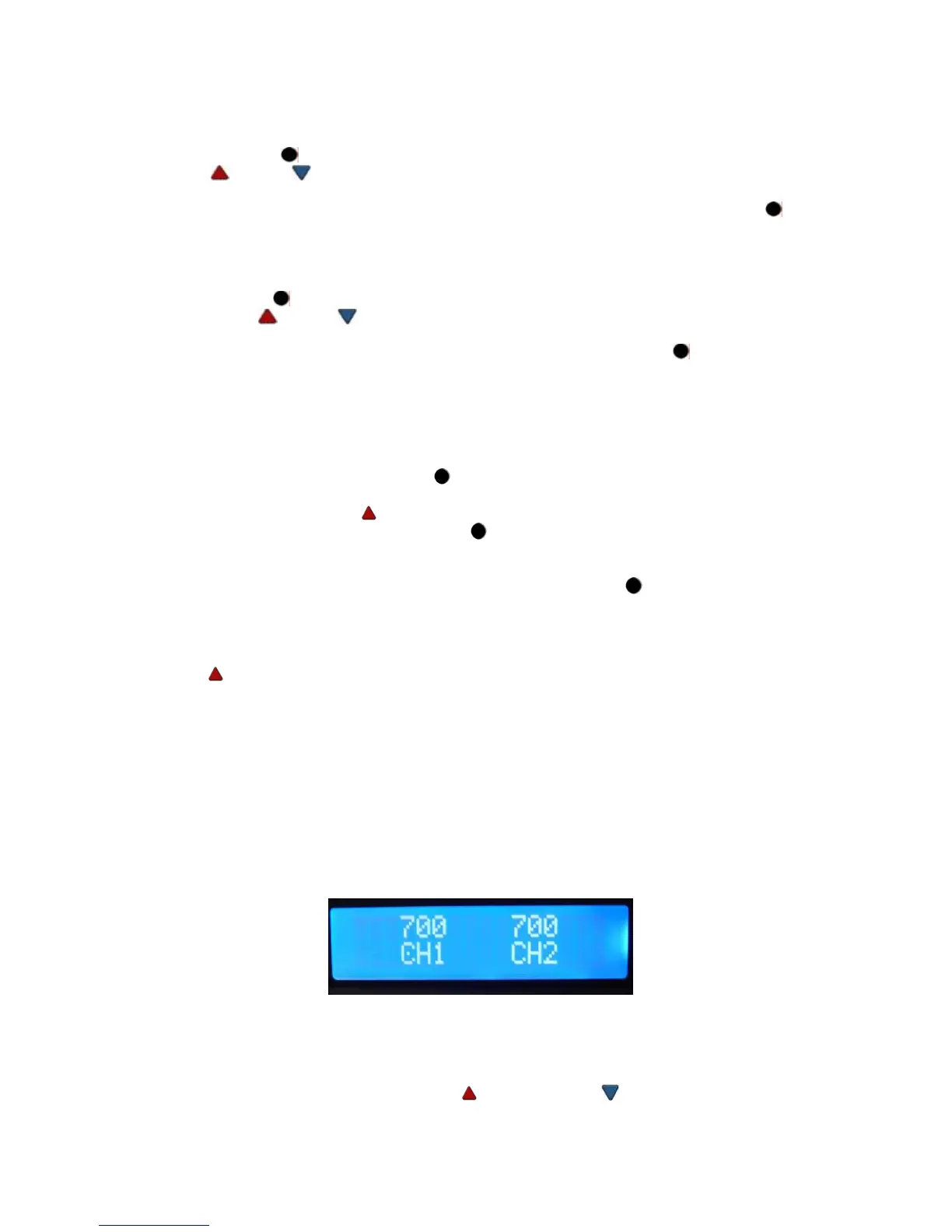
When a channel has NOT been calibrated the “C” in channel (“CH”) will display a BLINKING dot in the
center of the “C”. See image below:
Channel 1 has not been calibrated, Channel 2 has been calibrated. The “calibration” indicator will
appear in Scan and normal display modes. Additionally, NO dot will appear when a SensaTemp
handpiece has been connected to the system as it does not require calibration.
a)
Screen will display “Set Offset Mode”
b)
Change the Offset Option by pressing the UP and DOWN
c)
Choose one of the following options:
i.
“OS Mode 1” (Offset Mode 1) Offset will clear to zero if either the handpiece or the tip


 To Next Page