23
❖ Services
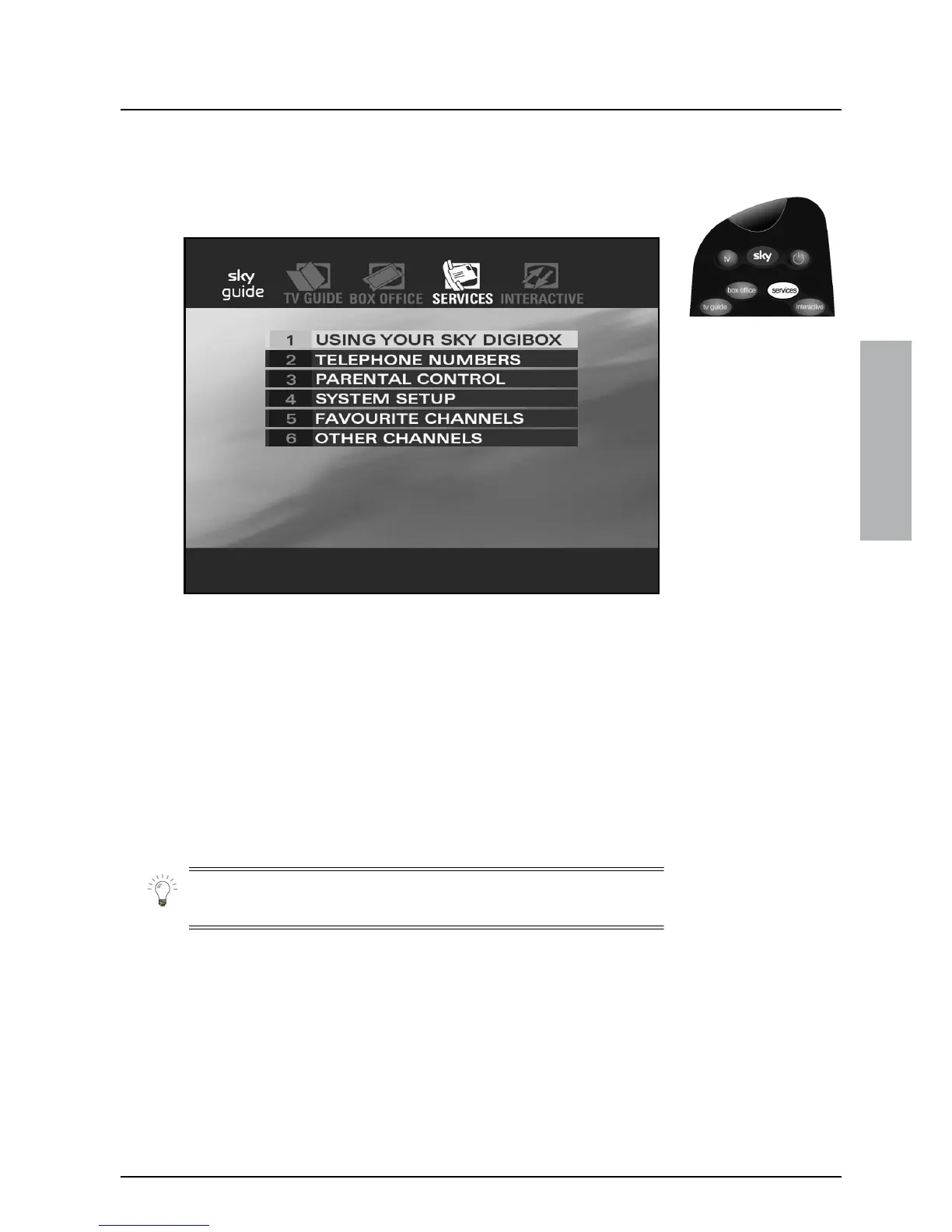
Press services on your remote control to see the Services screen.
In Services you can do the following:
◆ View information on using your Sky digibox
◆ Display a list of useful phone numbers
◆ Use the Parental Control facility
◆ Access and modify the settings for your Sky digibox
◆ Set up your Favourite Channels
◆ Add Other Channels
Use the arrows to move the highlight around the screen; use select
and all the other keys just as you do elsewhere.
USING YOUR SKY GUIDE


 To Next Page