Section 5
LABELING UNIT
- 11 -
English
F412050100.fmIDM
version
Module 40/60/90/120
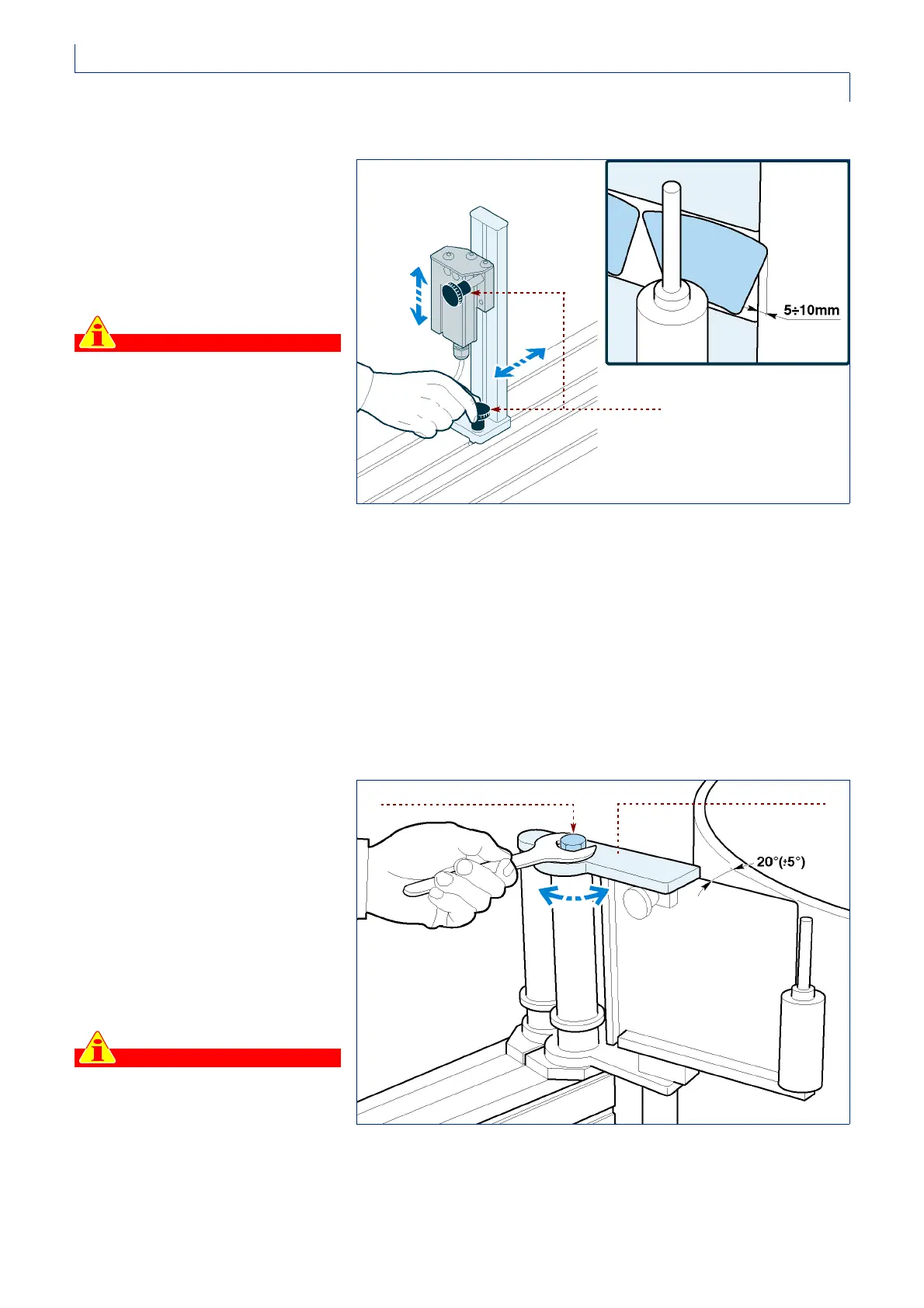
STOP PHOTOCELL ADJUSTMENT
Take action on the knobs to adjust the
horizontal and vertical position of the
stop photocell.
To ensure accurate operation, it is a
good idea to choose an edge of label
as vertical as possible for the reading
position.
Important
Shifting the stop photocell forward
(towards the label detaching blade)
makes the label protrude further
(and vice versa) for all the sizes set
on the control keyboard. The same
effect can be achieved by adjusting
the “STOP DELAY” parameter from
the control keyboard.
If you are working with new labels, it is important to
calibrate the photocell’s sensitivity as illustrated in
chapter 4.
LABEL DETACHING BLADE ADJUSTMENT
For a correct detachment of the label
from the paper, the detaching blade
must be oriented at approximately 20°
(+/- 5°) in relation to the tangent of the
carousel or in relation to the direction
from which the containers come.
1 -Loosen the locking nut and orient
the blade support according to the
angle suggested.
2 -When the blade has been adjusted,
tighten the nut.
Important
There is usually a reference notch
on the plate connecting the label
detaching blade to the main support
tubing. Keep the label detaching
blade in line with this reference
unless it is strictly necessary to
change its position.
IDM-41200600600.tif
knobs
nut
IDM-01_016_0.tif
support



 To Next Page