Section 5
LABELING UNIT
- 28 -
English
F412050100.fmIDM
version
Module 40/60/90/120
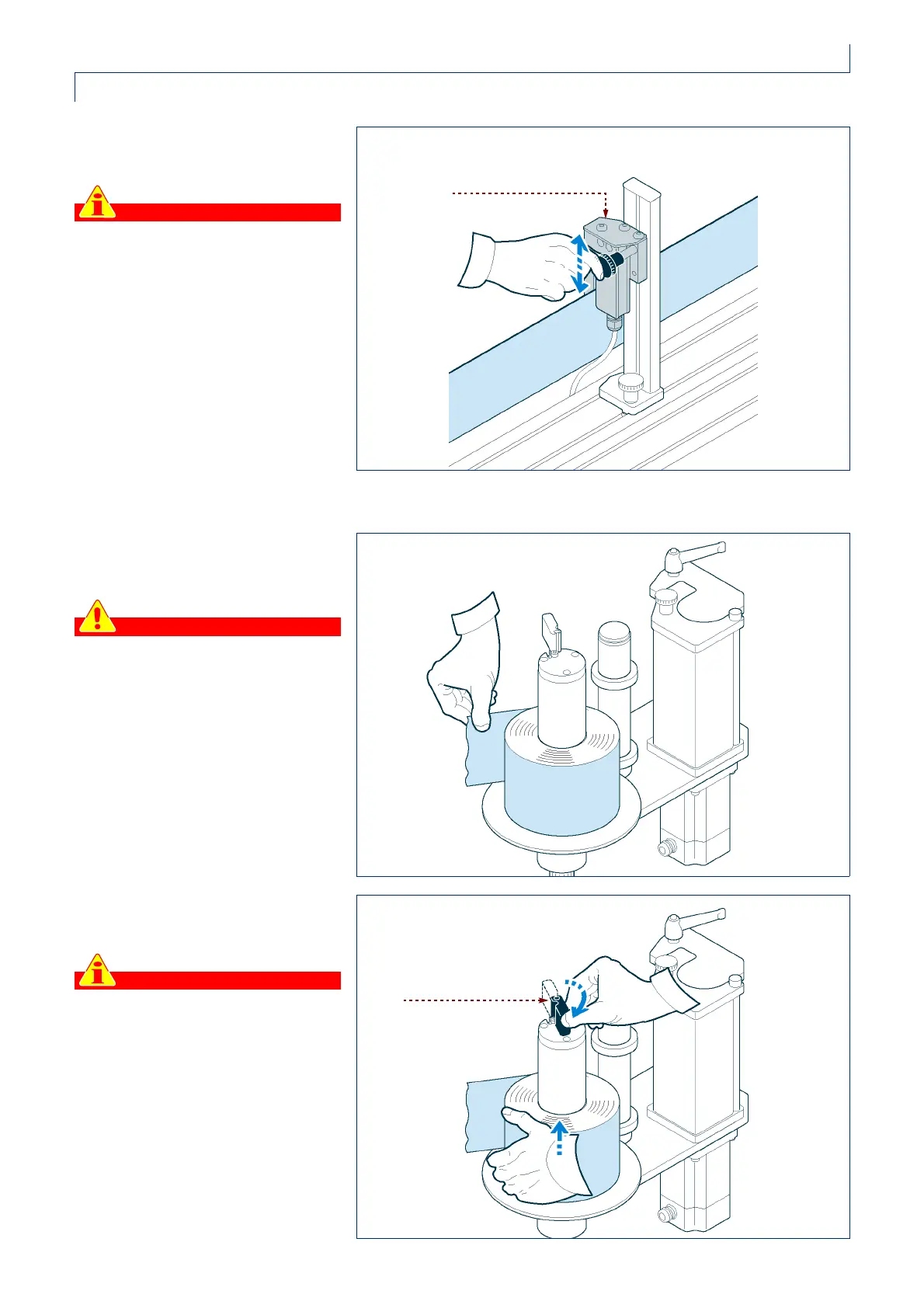
14 -Check the vertical position of the
stop sensor.
Important
For proper operation of the stop
sensor, position the reading point
on an edge of the label that is as
vertical as possible.
REMOVING THE REWOUND PAPER
Proceed as follows.
1 -Tear off the paper near the winder
spool.
Danger - Warning
If there is a dandy roller arm, tearing
the paper can be dangerous
because the dandy roller arm may
jerk violently back outwards. In such
cases, keep the dandy roller arm
steady with one hand while you tear
or cut the paper with the other.
2 -Move the lever radially inwards
and remove the reel.
Important
The lever can only turn clockwise;
do not attempt to force it the other
way.
IDM-41200602000.tif
stop sensor
IDM-41200602100.tif
IDM-41200602200.tif
lever



 To Next Page