Section 5
LABELING UNIT
- 13 -
English
F412050100.fmIDM
version
Module 40/60/90/120
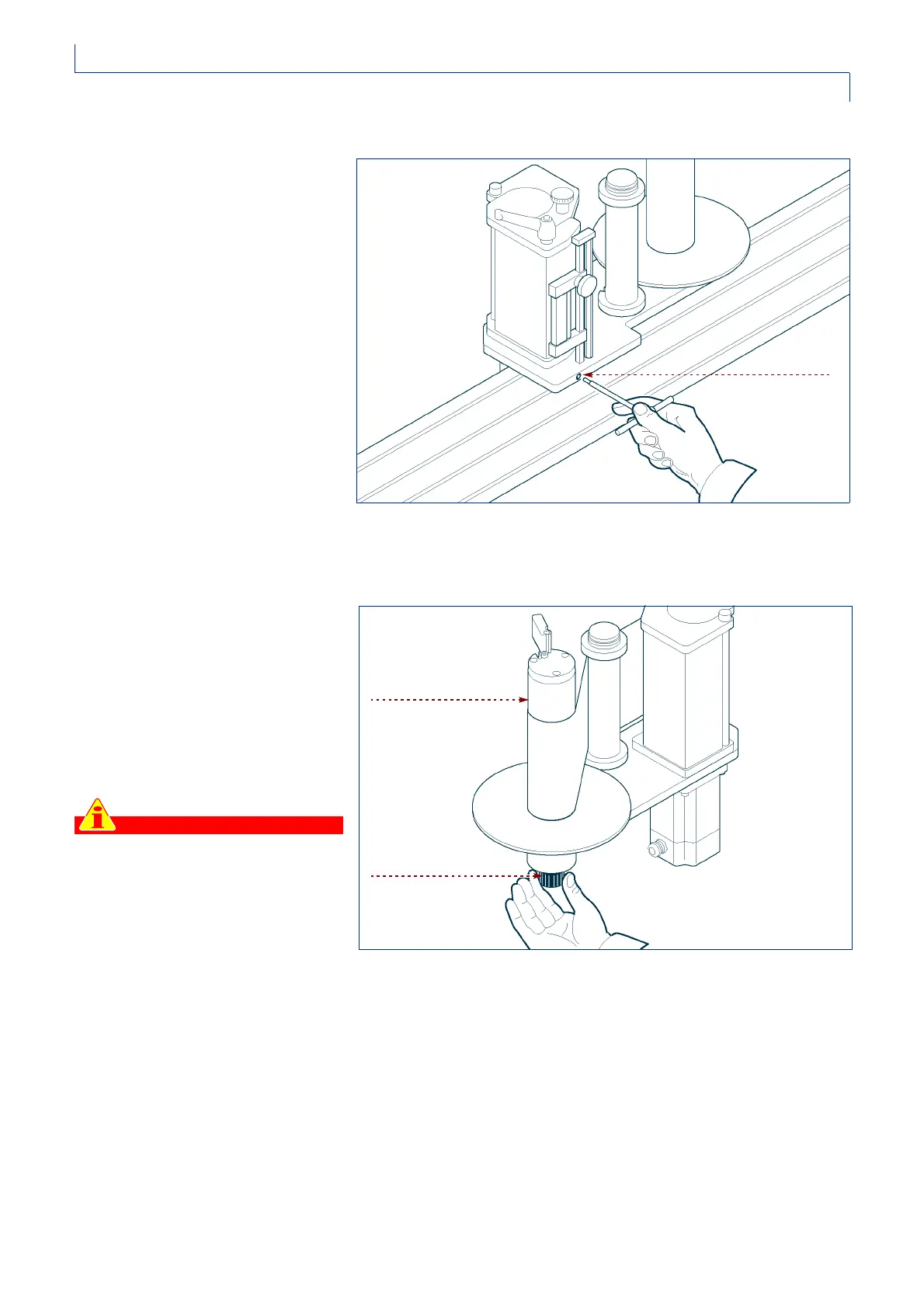
ADJUSTING THE PAPER-BRAKING PAD
Proceed as follows.
1 -Tighten the screw to increase the
braking force on the paper.
2 -Loosen the screw to reduce the
braking force on the paper.
ADJUSTING THE CLUTCH ON THE WINDER SPOOL
In the MODULE 40 version, the
revolving motion of the winder spool is
driven by the main motor by means of a
belt transmission with an adjustable
clutch control. To increase the tension
on the paper, proceed as shown on the
right.
1 -Tighten the knurled knob
underneath the winder.
Important
Avoid pulling the paper too taut,
otherwise the motor could seize.
Tighten the knob if the paper is not
winding neatly onto the spool or if it
tends to form a variable (pulsing)
loop between the driving unit and
the spool.
IDM-41200600900.tif
screw
IDM-41200601000.tif
winder spool
knob



 To Next Page