12
© Pacojet International AG 2022
GETTING STARTED
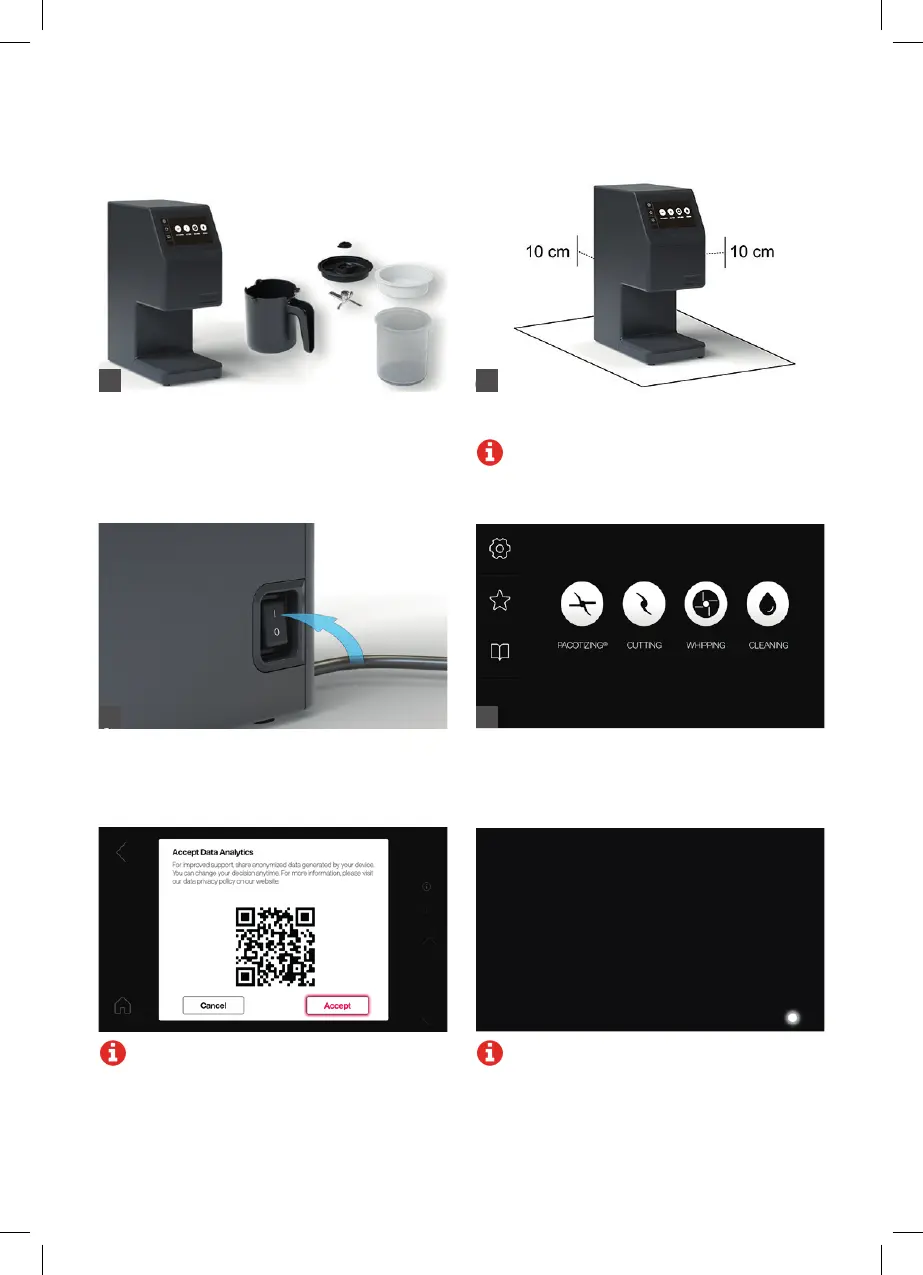
Place the device on a firm, flat surface at a
distance of at least 10 cm to any other object.
Note: Please observe the safety instructions.
Plug the power cable into an outlet. Turn the
device on by placing the power switch in the “I”
position. The device will be in operating mode.
Unpack the device. Check the contents of the
package for completeness and proper condition
(see section titled “SCOPE OF DELIVERY”).
The start menu will appear on the touchscreen.
The processing modes (pacotizing
®
, cutting, and
whipping) and cleaning mode as well as settings,
favorites, and the manual can be selected here.
Note: Wi-Fi: Accept the Analytics Policy in
the settings under WLAN to ensure optimal
remote assistance if service is needed.
1
3 4
2
Note: If the device is not used for several
minutes, it switches over to standby mode.
The display will turn off. A white LED will light
up on the right side under the touchscreen.
The device switches back to operating mode
when the touchscreen is touched. The stand-
by time can be changed in “SETTINGS.”



 To Next Page