25
© Pacojet International AG 2022
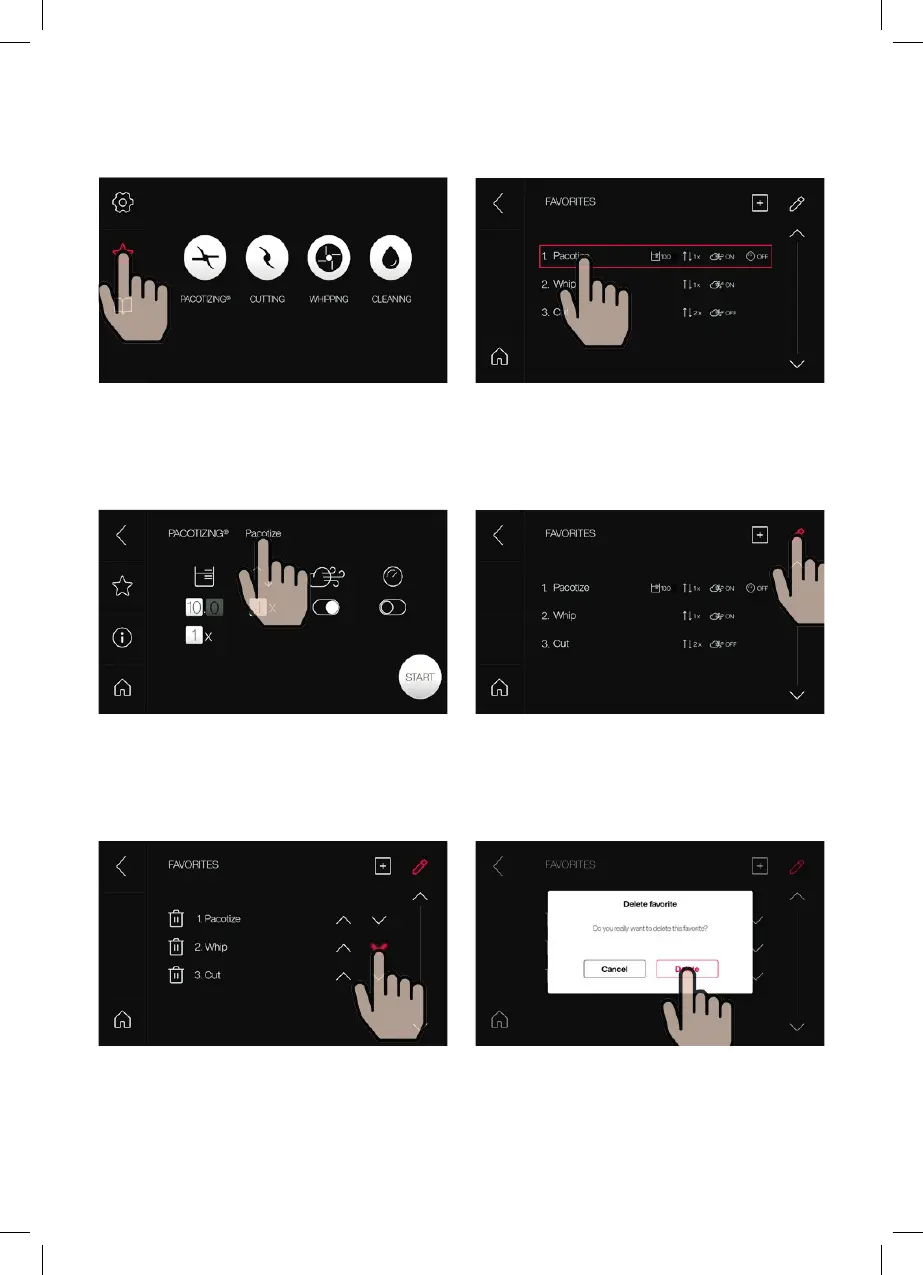
Select “Favorites” in the main menu.
Rename recipe: Select the recipe name to
rename the recipe.
Saved favorites are displayed under Settings >
Favorites. The respective parameters can be
edited by selecting the recipe.
Select the pencil symbol to reorder the list or
delete a favorite.
Reorder list: The order of the favorites can be
changed using the arrows.
Delete favorite: Selecting the bin icon beside a
recipe allows it to be deleted following confirma-
tion.
EDIT FAVORITES



 To Next Page