Part 3 - Conguration
58
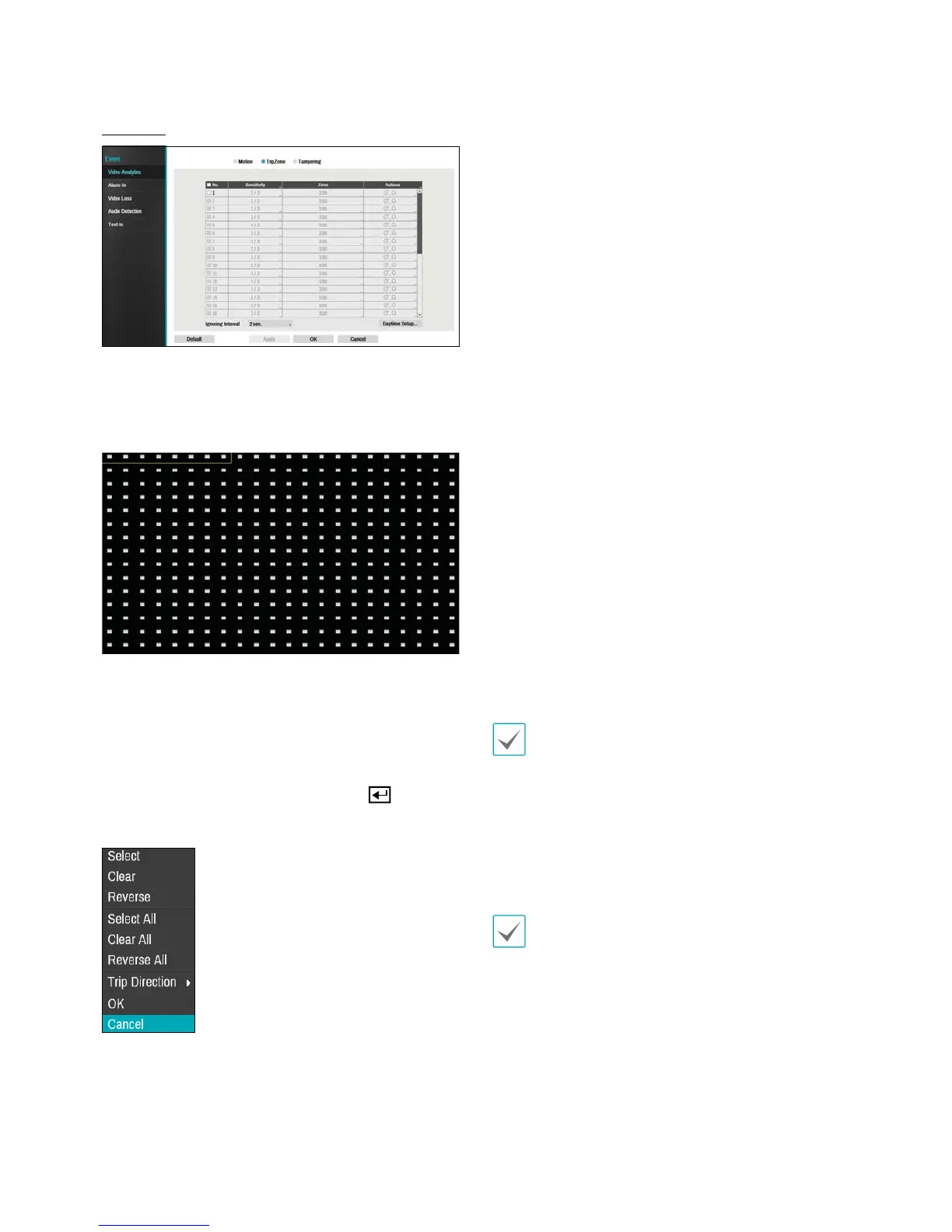
Trip Zone
t No.: Select which cameras to apply Trip Zone to.
t Sensitivity: Set daytime and nighttime sensitivity
settings between 1 (Low) and 5 (High).
t Zone: Dene the motion detection block.
Use the remote control's arrow buttons to move the
block selection window up, down, left, and right. The
selection window consists of 8 blocks per row. Select/
deselect individual blocks using the Camera buttons.
You can use the mouse to drag the zone and then select,
clear, or reverse the selection.
From the zone selection screen, press the
button
on the remote control or right-click on the mouse to
open up the Zone Setup menu.
- Select: Conrm the block selection in the selection
window.
- Clear: Clear the block selection in the selection
window.
- Reverse: Clear the blocks selected within the
selection window and select all unselected blocks
within the selection window.
- Select All: Select all blocks.
- Clear All: Clear all block selections.
- Reverse All: Clear all selected blocks within the
screen and select all unselected blocks within the
screen.
- Trip Direction: Dene in which direction the
motion has to occur in order for it to be considered
an event. Select In for movements from outside the
selection area in or Out for movements from inside
the selection area out.
- OK: Save the changes and exit the menu.
- Cancel: Exit the menu without saving the changes.
t Actions: Specify which actions to take when Trip Zone
is detected.
- Record: Specify which cameras to begin linked
recording on when an event occurs. If the schedule
is set to Event or Time & Event mode, the selected
cameras will begin linked recording when an event
occurs.
- Alarm-Out: Designate event-triggered alarm-out
channels (each for the NVR and camera) and beeps.
- Notify: Congure to be notied of events by Mail,
LAN1 through 5, SNS, and/or Alert Window.
- PTZ: Moves the PTZ camera to a specic preset
position when an event occurs.
In order to use the Callback feature, the NVR must be
registered on the remote program.
t Trip Zone Ignoring Interval: The system does
not produce event log entries or issues remote
notications regarding Trip Zone events detected
during the specied time following the initial Trip
Zone event. Set a value between 1 sec and 5 secs or
choose Never.
Trip Zone Ignoring Time does not aect Trip Zone
recording.
t Daytime Setup: Specify when daytime starts and
ends. Adjust the time frame in 15-minute increments.
Times outside the specied range will be assumed as
nighttime by the system.



 To Next Page