EasyManua.ls Logo

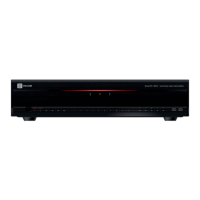
PACOM SmartIP-32PD - User Manual

Default Icon
96 pages
Print Icon
To Next Page IconTo Next Page
Loading...
SmartIP-8SD
Oz[\`W[P
_GjGuG}Gy
SmartIP-16SD
Oz[\`W\P
X]GjGuG}Gy
G
User Manual
Network Video Recorder
SmartIP-16PD
Oz[\`W]P
X]GjGuG}Gy
SmartIP-32PD
Oz[\`W^P
ZYGjGuG}Gy
SmartIP-8SDX
Oz[^`^\P
_GjGuG}Gy
SmartIP-16SDX
Oz[^`^]P
X]GjGuG}Gy

Table of Contents

Questions and Answers

Summary

Before reading this manual

Safety Precautions

Important warnings and precautions for safe operation and to prevent accidents and property damage.

Important Safeguards

Part 1 - Introduction

Part 2 - Getting Started

Setup Wizard

Guide to configuring basic system settings during initial boot-up.

Part 3 - Configuration

System Setup

Configuring general system options like site, ID, language, and upgrades.

User Management

Registering users, assigning permissions, and configuring login/logout settings.

Storage Configuration

Configuring disk status, formatting, and managing storage devices.

Monitoring Settings

Configuring system monitoring settings and actions for various events.

Camera Registration

Registering cameras remotely and managing their order in the list.

Camera Registration Login

Login process for registering devices and applying authentication settings.

Advanced Camera Settings

Configuring advanced camera settings like video, privacy masking, PTZ, and SSL.

Stream Settings

Configuring camera stream settings, including resolution, encode, quality, and bitrate.

Audio Settings

Configuring audio recording settings, codec, input, and output levels.

Record Setup

General configuration settings for recording, including recycle and audio.

General Record Settings

Configuring general recording settings like Recycle, Record Audio, and Auto Deletion.

Recording Schedule

Setting up recording schedules in simple or advanced modes for events.

Video-Analytics

Configuring motion detection, trip zone, and tampering detection.

Motion Detection Settings

Detailed settings for motion detection, including sensitivity and minimum blocks.

Trip Zone Settings

Configuring trip zone detection, including sensitivity, zones, and actions.

Tampering Detection Settings

Settings for tamper detection, including sensitivity, activation time, and actions.

Alarm-In Settings

Configuring alarm-in settings, including type, actions, and panic record integration.

Video Loss Detection Settings

Configuring actions for video loss events, including recording and notifications.

Audio Detection Settings

Settings for audio detection, including sensitivity, activation time, and actions.

Text-In Settings

Configuring text-in devices, transaction settings, and associated actions.

Alarm-Out Settings

Configuring alarm-out schedules, dwell time, title, mode, and channels.

General Network Settings

Configuring remote audio channels, SSL for data transfer, and bandwidth limits.

WAN Settings

Manually configuring IP address, gateway, subnet mask, DNS, and remote ports.

DHCP Settings

Automatically retrieving network settings from a DHCP server.

FEN Settings

Configuring FEN service for remote access and registering the NVR.

Notification Schedule

Adding and configuring notification schedules for different days and events.

Storage Status

Displaying the status of each installed disk, including disk bad, temperature, and S.M.A.R.T.

Network Status Overview

Providing an overview of network status, including connection, LAN ports, and power consumption.

Part 4 - Search

Time-Lapse Search

Searching video recordings based on time and date using the control area.

Motion Search

Configuring and performing motion searches based on detected movement.

Clip Copy

Detailed steps for copying video segments using A-B clip copy and setup window.

Part 5 - WebGuard

WebGuard Overview

Introduction to WebGuard, system requirements, and access methods.

WebGuard Login and Modes

Instructions for launching and logging into WebGuard, selecting modes.

Web Monitoring Mode

Using WebGuard for real-time remote monitoring of camera images.

Web Monitoring Mode Controls

Controls for changing modes, selecting cameras, adjusting video quality, and audio.

Web Search Mode

Using WebGuard for searching recorded video from remote locations.

Web Search Mode Controls

Playback controls, calendar search, and playback options within Web Search mode.

Part 6 - Appendix

Troubleshooting

Solutions for common problems encountered with the NVR unit.

PACOM SmartIP-32PD Specifications

General IconGeneral
BrandPACOM
ModelSmartIP-32PD
CategoryNetwork Hardware
LanguageEnglish

Related product manuals