PageFlip Firefly User Guide 4.4 Bluetooth Pairing
4.4 Bluetooth Pairing
The following instructions assume that your tablet or computer is equipped
with Bluetooth 2.1 or later. If you do not have Bluetooth, you may purchase
a Bluetooth USB dongle from
www.pageflip.com
to bring the full benefits
of this wireless pedal to any computer that is not Bluetooth compliant.
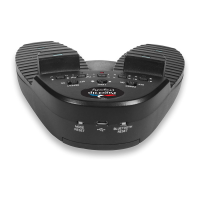
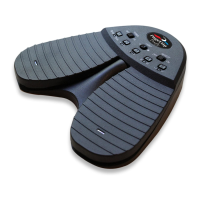
1. Press BLUETOOTH RESET (Fig. 2) to make pedal discoverable.
2. Five LEDs will flash in sequence while pedal is in discovery mode.
3. Enable Bluetooth on the computer to be paired.
4. Show Bluetooth devices on the computer and select "Premium Pedal."
5. Note: "Keyboard" may appear momentarily before "Premium Pedal."
6. The LED of the current pedal mode (Sec. 4.5) will now flash slowly
(once every four seconds).
PageFlip, Inc. 13 www.pageflip.com


 To Next Page