PageFlip Firefly User Guide 2. FEATURES
2 FEATURES
• Ease of Use
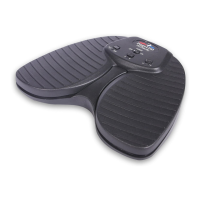
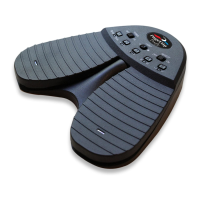
Simply open a digital file and press either pedal of the PageFlip
Firefly to turn a page forwards or backwards.
• Convenience
Permits hands-free reading of vast libraries of scanned, purchased,
or freely downloaded digital content. There is no need to stop play-
ing your musical instrument or wait for a care-giver to turn the page.
• Reliability
Turns one page at a time with 100% accuracy. Navigation of digital
content eliminates the risk of turning multiple pages at once, which
is a problem typically associated with physical books.
• Versatility
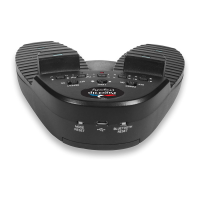
Press a mode button to select pedal functions for enhanced soft-
ware compatibility: PageUp/PageDown, Left/Right arrow, Up/Down
arrow, Left/Right mouse click, and Space / Enter. The pedals may
be reprogrammed for added versatility. Download the free software
from
www.pageflip.com
.
• Robust Operation
A Repeat switch enables continuous scrolling while the pedal is
pressed down. Disable this feature for musical performances to
prevent inadvertent page turns in case of a slow pedal release or
to rest your foot on the pedal between page turns.
• Wireless or Wired Connectivity
The PageFlip Firefly communicates wirelessly with the tablet/computer
up to a range of 10 meters using standard Bluetooth 3.0 technol-
ogy. For those users who lack a Bluetooth-equipped device or sim-
ply prefer a wired connection, the pedal can be connected directly
to their device via the supplied USB cable.
PageFlip, Inc. 7 www.pageflip.com


 To Next Page