PageFlip Firefly User Guide 6. MAINTENANCE
LED Operating Condition
Off Pedal powered off or asleep
Solid Connected to external power source
All LEDs flash Bluetooth discovery mode (BLUETOOTH RESET)
Quick flash (1 sec) Attempting to pair with computer
Slow flash (4 sec) Paired with computer
Three quick flashes Low-battery condition
6 MAINTENANCE
Before cleaning the PageFlip Firefly, the following is recommended:
1. Turn off the power
2. Unplug the power cord
3. Take out the batteries
Gently wipe the PageFlip Firefly surface with a soft, dry, lint-free cloth.
Caution:
Do not use water, liquid detergent or solvents for cleaning. Liquids might
drip into the device’s mechanical or electronic parts and cause damage.
PageFlip, Inc. 22 www.pageflip.com

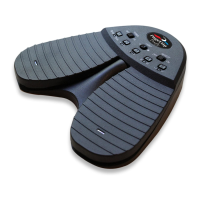

 To Next Page