PageFlip Firefly User Guide 4.5 Pedal Mode Selection
4.5 Pedal Mode Selection
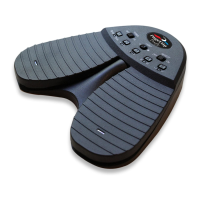
The PageFlip Firefly emulates a standard keyboard and works with any
software that uses keyboard strokes to navigate through digital files. For
added versatility, the user may select among five preset pedal modes, as
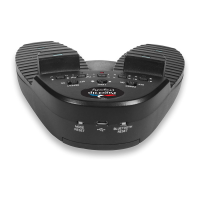
shown in Table 1. Simply press a button (Fig. 3) to change the mode. A
flashing LED confirms the mode selection.
Pedal Mode Function
PageUp/PageDown Turn page
Left/Right Arrow Turn page or move cursor
Up/Down Arrow Turn page or move cursor
Left/Right Mouse click Click left or right mouse button
Space/Enter Press Space bar or Return key
Table 1: Five preset pedal modes and their functions.
Select the mode that achieves your intended goals. Results may
vary based on the software. For instance, some software applications
use PageUp/PageDown to advance between pages/screens, and use the
arrow keys to move the cursor between characters or rows. Other pro-
grams accept the PageUp/PageDown or arrow keys interchangeably. Im-
age viewers typically respond to Left/Right arrow but not Up/Down arrow.
Experiment with the different modes and see which works best for your
application. These options are made available to enhance pedal versatil-
ity by making it responsive to the widest array of software.
PageFlip, Inc. 14 www.pageflip.com


 To Next Page