EasyManua.ls Logo

Pakedge SW8-GBP - User Manual

Pakedge SW8-GBP
15 pages
Print Icon
To Next Page IconTo Next Page
Loading...
pakedgedevice&software inc.
Pakedge SW8-GBP
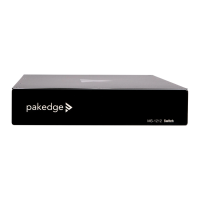
Silent, 8 Port Gigabit AV Priority Switch with SFP
User Manual
Version 2.1
Question and Answer IconNeed help?

Do you have a question about the Pakedge SW8-GBP and is the answer not in the manual?

Summary

FCC Certifications

Unpacking Information

Introduction

General Description

Provides a high-level overview of the SW8-GBP switch functionality and QoS capabilities.

Key Features

Lists the main technical specifications and capabilities of the Pakedge SW8-GBP switch.

Front Panel

LEDs for each port

Explains the meaning of the LED indicators for each network port on the switch.

LED for the device

Describes the LED indicator for the power status of the SW8-GBP switch.

Rear Panel

Port Operation

Details the auto-negotiation modes and duplex settings for the switch's network ports.

Port Priority

Outlines the priority levels assigned to each port based on color coding and function.

Network Configuration

Restore Default Button

Explains how to reset the switch to its factory default settings using the dedicated button.

Power Plug

Provides instructions and voltage compatibility information for powering the switch.

Network Configuration Examples

Illustrates different network setups using the SW8-GBP for various scenarios.

Hardware Installation

Desktop Installation

Instructions for installing the switch on a flat surface or desk.

Rack-mount Installation

Steps for mounting the switch in a standard audio/video rack.

Installing Network Cables

Guidelines for connecting network cables to the switch for optimal performance.

Product Specifications

Technical Support

Summary

FCC Certifications

Unpacking Information

Introduction

General Description

Provides a high-level overview of the SW8-GBP switch functionality and QoS capabilities.

Key Features

Lists the main technical specifications and capabilities of the Pakedge SW8-GBP switch.

Front Panel

LEDs for each port

Explains the meaning of the LED indicators for each network port on the switch.

LED for the device

Describes the LED indicator for the power status of the SW8-GBP switch.

Rear Panel

Port Operation

Details the auto-negotiation modes and duplex settings for the switch's network ports.

Port Priority

Outlines the priority levels assigned to each port based on color coding and function.

Network Configuration

Restore Default Button

Explains how to reset the switch to its factory default settings using the dedicated button.

Power Plug

Provides instructions and voltage compatibility information for powering the switch.

Network Configuration Examples

Illustrates different network setups using the SW8-GBP for various scenarios.

Hardware Installation

Desktop Installation

Instructions for installing the switch on a flat surface or desk.

Rack-mount Installation

Steps for mounting the switch in a standard audio/video rack.

Installing Network Cables

Guidelines for connecting network cables to the switch for optimal performance.

Product Specifications

Technical Support

Pakedge SW8-GBP Specifications

General IconGeneral
BrandPakedge
ModelSW8-GBP
CategorySwitch
LanguageEnglish

Related product manuals