EasyManua.ls Logo

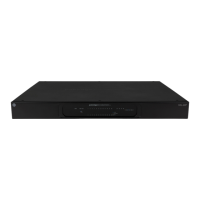
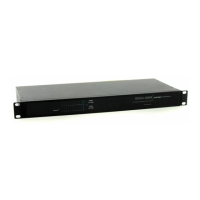
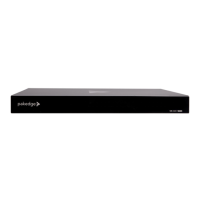
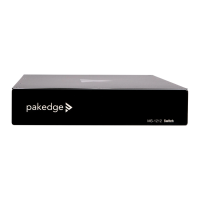
Pakedge SX-8P - User Manual

Pakedge SX-8P
61 pages
Print Icon
To Next Page IconTo Next Page
Loading...
SX-8P
Enterprise-AV, Smart Managed Switches
User Guide

Other manuals for Pakedge SX-8P

Question and Answer IconNeed help?

Do you have a question about the Pakedge SX-8P and is the answer not in the manual?

Summary

Safety and Basic Operation

Safety Guidelines

Essential guidelines for device handling and environment.

Basic Requirements

Essential guidelines for device handling and environment.

Environmental Requirements

Conditions for optimal device operation and lifespan.

Usage and Maintenance Notes

Important usage instructions and precautions for the device.

Use Notes

Important usage instructions and precautions for the device.

Cleaning and Protection

Procedures for safe cleaning and environmental disposal.

Product Information and Access

Introduction and Support

Contact details and support resources for Pakedge products.

Customer Service and Technical Support

Contact details and support resources for Pakedge products.

Getting to Know Your Product

List of items included in the product package.

Package Contents

List of items included in the product package.

Initial Setup and Access

Guidance on hardware features, reset, and accessing the switch interface.

Hardware Features and Reset

Reset button functionality and SFP port connection guidance.

Accessing the Switch Interface

Step-by-step guide to access the switch's web interface.

Initial Network Configuration

Setting up the PC's IP for switch access.

System Configuration and Security

System Management

Overview of dashboard, system settings, time, and user management.

Dashboard and System Settings

Overview of the switch's main interface and core system settings.

System Time and User Management

Configuring date, time, and user accounts for switch access.

Security Features

Settings for port security and protection against DoS attacks.

Port Security and DoS Protection

Settings to protect ports and defend against DoS attacks.

Port Management

Port Management Overview

Configuration and monitoring of switch ports.

Port Settings and Statistics

Configuring port states, speed, monitoring traffic, and flow control.

Advanced Port Features

Broadcast storm control, link aggregation, and port mirroring setup.

PoE (Power over Ethernet)

Configuration of power delivery to connected devices.

Network Segmentation and Traffic Control

MAC Address Control

Managing MAC addresses and port binding for security.

MAC Address Display and Binding

Managing MAC addresses and port binding for security.

VLAN Configuration

Segmenting the network logically into different broadcast domains.

Virtual Local Area Networks (VLANs)

Segmenting the network logically into different broadcast domains.

Manual VLAN Configuration

Step-by-step guide to create and assign VLANs.

VLAN Zone Wizard

Guided setup for network zones and VLANs.

Wizard Step 1: Zone Selection

Selecting initial VLANs for the zone configuration.

Wizard Step 2: Port Assignment

Assigning ports to specific VLANs in the wizard.

Wizard Step 3: Zone Link Ports

Configuring ports for inter-VLAN communication.

Voice VLAN Setup

Automatically assigning ports to a VLAN based on voice traffic.

Voice VLAN Functionality

Automatically assigning ports to a VLAN based on voice traffic.

Voice VLAN Port Configuration

Configuring voice VLAN security, aging, and QoS.

Traffic Management

Configuration of QoS, STP, and IGMP for traffic control.

QoS, STP, and IGMP Configuration

Managing traffic priority, network loops, and multicast.

Detailed QoS Settings

QoS properties, queue scheduling, and mapping configurations.

QoS Property Settings

Global and per-port QoS settings and trust modes.

Queue Scheduling Configuration

Configuring traffic queuing and priority methods (SP, WRR).

CoS Mapping for Queues

Mapping 802.1p priority values to specific queues.

DSCP Mapping for Queues

Mapping DSCP values to specific queues for traffic prioritization.

IP Precedence Mapping

Mapping IP Precedence values to queues.

Network Protocols and Diagnostics

Spanning Tree Protocol (STP)

Preventing network loops and ensuring loop-free topology.

STP Global Configuration

Global configuration of Spanning Tree Protocol.

STP Port Configuration

Configuring STP settings for individual ports.

STP Port Statistics

Viewing STP statistics per port.

IGMP Snooping Configuration

Managing multicast traffic by listening to IGMP conversations.

IGMP Snooping Functionality

Managing multicast traffic by listening to IGMP conversations.

IGMP Snooping VLAN Settings

Configuring IGMP snooping for specific VLANs.

IGMP Querier Configuration

Configuring the IGMP querier role for multicast management.

IGMP Statistics Monitoring

Monitoring IGMP packet statistics.

Multicast Property and Groups

Defining actions for unknown multicast and managing groups.

Network Management Protocols

Configuration of SNMP and LLDP for network management.

SNMP Configuration

Configuring SNMP for network monitoring and management.

SNMP Community and Traps

Setting SNMP community names, access, traps, and notifications.

LLDP Protocol Setup

Advertising device information on the local network.

LLDP Global and Port Settings

Enabling LLDP globally and configuring port-specific options.

LLDP Handling and Neighbor Info

Configuring LLDP packet handling and viewing neighbor details.

LLDP Port Statistics

Statistics related to LLDP packet processing.

Syslog and Network Diagnostics

Viewing logs, setting up syslog, and performing network checks.

Syslog and Log Setup

Viewing logs and configuring the syslog server for collection.

Network Diagnostics Tools

Cable checks and ping tests for connectivity verification.

Cable Check-up Tool

Performing physical cable diagnostics on switch ports.

Ping Test Utility

Performing ICMP ping tests to check network reachability.

Appendices

Appendix A: Technical Support

Contact information and resources for technical assistance.

Support Contact Information

Contact information and resources for technical assistance.

Appendix B: Specifications

Detailed technical specifications of the SX-8P switch.

General Device Specifications

Input voltage, power, interface, and environmental specs.

Feature Specifications

Switching capacity, packet forwarding, and buffer details.

Safety and QoS Specifications

Security features and Quality of Service capabilities.

Management and Maintenance Specs

Device management methods and maintenance functions.

Appendix C: Limited Warranty

Terms and conditions of the product warranty.

Warranty Coverage and Exclusions

What is covered and not covered under the Pakedge warranty terms.

Warranty Rights and Service

Legal rights, limitations, exclusions, and service procedures.

Summary

Safety and Basic Operation

Safety Guidelines

Essential guidelines for device handling and environment.

Basic Requirements

Essential guidelines for device handling and environment.

Environmental Requirements

Conditions for optimal device operation and lifespan.

Usage and Maintenance Notes

Important usage instructions and precautions for the device.

Use Notes

Important usage instructions and precautions for the device.

Cleaning and Protection

Procedures for safe cleaning and environmental disposal.

Product Information and Access

Introduction and Support

Contact details and support resources for Pakedge products.

Customer Service and Technical Support

Contact details and support resources for Pakedge products.

Getting to Know Your Product

List of items included in the product package.

Package Contents

List of items included in the product package.

Initial Setup and Access

Guidance on hardware features, reset, and accessing the switch interface.

Hardware Features and Reset

Reset button functionality and SFP port connection guidance.

Accessing the Switch Interface

Step-by-step guide to access the switch's web interface.

Initial Network Configuration

Setting up the PC's IP for switch access.

System Configuration and Security

System Management

Overview of dashboard, system settings, time, and user management.

Dashboard and System Settings

Overview of the switch's main interface and core system settings.

System Time and User Management

Configuring date, time, and user accounts for switch access.

Security Features

Settings for port security and protection against DoS attacks.

Port Security and DoS Protection

Settings to protect ports and defend against DoS attacks.

Port Management

Port Management Overview

Configuration and monitoring of switch ports.

Port Settings and Statistics

Configuring port states, speed, monitoring traffic, and flow control.

Advanced Port Features

Broadcast storm control, link aggregation, and port mirroring setup.

PoE (Power over Ethernet)

Configuration of power delivery to connected devices.

Network Segmentation and Traffic Control

MAC Address Control

Managing MAC addresses and port binding for security.

MAC Address Display and Binding

Managing MAC addresses and port binding for security.

VLAN Configuration

Segmenting the network logically into different broadcast domains.

Virtual Local Area Networks (VLANs)

Segmenting the network logically into different broadcast domains.

Manual VLAN Configuration

Step-by-step guide to create and assign VLANs.

VLAN Zone Wizard

Guided setup for network zones and VLANs.

Wizard Step 1: Zone Selection

Selecting initial VLANs for the zone configuration.

Wizard Step 2: Port Assignment

Assigning ports to specific VLANs in the wizard.

Wizard Step 3: Zone Link Ports

Configuring ports for inter-VLAN communication.

Voice VLAN Setup

Automatically assigning ports to a VLAN based on voice traffic.

Voice VLAN Functionality

Automatically assigning ports to a VLAN based on voice traffic.

Voice VLAN Port Configuration

Configuring voice VLAN security, aging, and QoS.

Traffic Management

Configuration of QoS, STP, and IGMP for traffic control.

QoS, STP, and IGMP Configuration

Managing traffic priority, network loops, and multicast.

Detailed QoS Settings

QoS properties, queue scheduling, and mapping configurations.

QoS Property Settings

Global and per-port QoS settings and trust modes.

Queue Scheduling Configuration

Configuring traffic queuing and priority methods (SP, WRR).

CoS Mapping for Queues

Mapping 802.1p priority values to specific queues.

DSCP Mapping for Queues

Mapping DSCP values to specific queues for traffic prioritization.

IP Precedence Mapping

Mapping IP Precedence values to queues.

Network Protocols and Diagnostics

Spanning Tree Protocol (STP)

Preventing network loops and ensuring loop-free topology.

STP Global Configuration

Global configuration of Spanning Tree Protocol.

STP Port Configuration

Configuring STP settings for individual ports.

STP Port Statistics

Viewing STP statistics per port.

IGMP Snooping Configuration

Managing multicast traffic by listening to IGMP conversations.

IGMP Snooping Functionality

Managing multicast traffic by listening to IGMP conversations.

IGMP Snooping VLAN Settings

Configuring IGMP snooping for specific VLANs.

IGMP Querier Configuration

Configuring the IGMP querier role for multicast management.

IGMP Statistics Monitoring

Monitoring IGMP packet statistics.

Multicast Property and Groups

Defining actions for unknown multicast and managing groups.

Network Management Protocols

Configuration of SNMP and LLDP for network management.

SNMP Configuration

Configuring SNMP for network monitoring and management.

SNMP Community and Traps

Setting SNMP community names, access, traps, and notifications.

LLDP Protocol Setup

Advertising device information on the local network.

LLDP Global and Port Settings

Enabling LLDP globally and configuring port-specific options.

LLDP Handling and Neighbor Info

Configuring LLDP packet handling and viewing neighbor details.

LLDP Port Statistics

Statistics related to LLDP packet processing.

Syslog and Network Diagnostics

Viewing logs, setting up syslog, and performing network checks.

Syslog and Log Setup

Viewing logs and configuring the syslog server for collection.

Network Diagnostics Tools

Cable checks and ping tests for connectivity verification.

Cable Check-up Tool

Performing physical cable diagnostics on switch ports.

Ping Test Utility

Performing ICMP ping tests to check network reachability.

Appendices

Appendix A: Technical Support

Contact information and resources for technical assistance.

Support Contact Information

Contact information and resources for technical assistance.

Appendix B: Specifications

Detailed technical specifications of the SX-8P switch.

General Device Specifications

Input voltage, power, interface, and environmental specs.

Feature Specifications

Switching capacity, packet forwarding, and buffer details.

Safety and QoS Specifications

Security features and Quality of Service capabilities.

Management and Maintenance Specs

Device management methods and maintenance functions.

Appendix C: Limited Warranty

Terms and conditions of the product warranty.

Warranty Coverage and Exclusions

What is covered and not covered under the Pakedge warranty terms.

Warranty Rights and Service

Legal rights, limitations, exclusions, and service procedures.

Pakedge SX-8P Specifications

General IconGeneral
Ports8
Power over Ethernet (PoE)Yes
PoE Budget130W
Switching Capacity16 Gbps
Forwarding Rate11.9 Mpps
LayerLayer 2
Rack MountableYes
MAC Address Table Size8K
Power Input100-240VAC, 50/60Hz
Humidity10% to 90% non-condensing
Jumbo Frame SupportYes
Operating Temperature0 to 40°C

Related product manuals