Need help?
Do you have a question about the Pakedge MS Series and is the answer not in the manual?
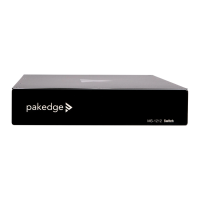
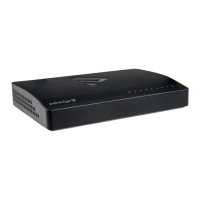
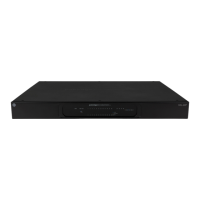
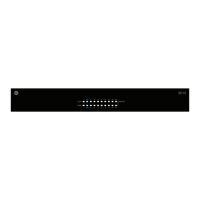
Lists the Pakedge L3 Managed Switch models and SKUs.
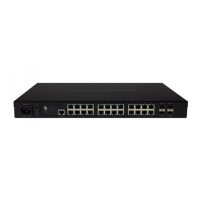
Details port counts, PoE support, and power budget for each model.
Provides contact information (email, phone) and website for support.
Describes LED types, colors, and their definitions for the switch's front panel.
Explains the purpose of each main tab in the switch interface.
Describes how tables, tiles, and sub-tabs are used in the interface.
Guide on how to view, add, edit, or delete individual switch settings.
Process for editing multiple items simultaneously in the interface.
Securing the switch by changing default login credentials.
Setting friendly name, location, notes, and time zone for the device.
Configuring LAN settings, including DHCP or Static IP addressing.
Displays status, IP/MAC addresses, firmware version, and uptime.
Accessing the screen to update firmware and view release notes.
How to restart the switch directly from the overview screen.
Explains fields like Interface, IP Address, MAC Address, and VLAN.
Overview of the three main tiles: Ports, VLANs, and PoE.
Steps to add or edit physical and virtual interfaces.
View or configure key port settings like name, status, and modes.
View port information such as physical addresses and interface index.
View, edit, or create VLANs in the database.
View/edit interface, name, mode, and tagged VLANs.
View/configure key port settings like name, priority, and power limit.
View/configure system thresholds and power management modes.
View only counters for key PoE port activities.
View detailed PoE information like voltage and temperature.
Click to save a file containing all of this switch's settings.
Restore switch settings using a selected configuration backup file.
Steps to restart or reset the switch to factory defaults via the interface.
Manage, configure, and monitor IGMP Snooping settings per VLAN.
Manage, configure, and monitor STP activity for MST, MST Ports, and CST Ports.
Update the switch firmware for functionality improvements.
 General
| Category | Switch |
|---|---|
| Weight | Varies by model |
| Certifications | FCC, CE, RoHS |
| Ports | Varies by model (8, 24 ports) |
| Power over Ethernet | Varies by model (PoE+ on select models) |
| Switching Capacity | Varies by model |
| Forwarding Rate | Varies by model |
| MAC Address Table | Varies by model |
| VLAN Support | Yes |
| Layer 3 Features | Static Routing |
| Management | Web-based, SNMP |
| Power Supply | Internal |
| Dimensions | Varies by model |
| Operating Temperature | 0° to 40° C (32° to 104° F) |
| Storage Temperature | -4°F to 158°F (-20°C to 70°C) |
| Humidity | 10% to 90% RH, non-condensing |

 To Next Page