3
How to run the machine
16
Subject to change without notice
its starting position.
Note: This key only reacts if the unit is at a standstill
(9) Package lift table When the package lift table key is pressed, the unit is filled with
compressed air. When the package lift table key is pressed
again, the loader moves to the opposite position. When the
package lift table key is pressed yet again, the package lift
table moves back to its starting position.
Note: This key only reacts if the unit is at a standstill.
(10) Ejector When the ejector key is pressed, the unit is filled with
compressed air. When the ejector key is pressed again, the
ejector moves to the opposite position. When the ejector key is
pressed yet again, the ejector moves back to its starting
position.
Note: This key only reacts if the unit is at a standstill.
Group IV
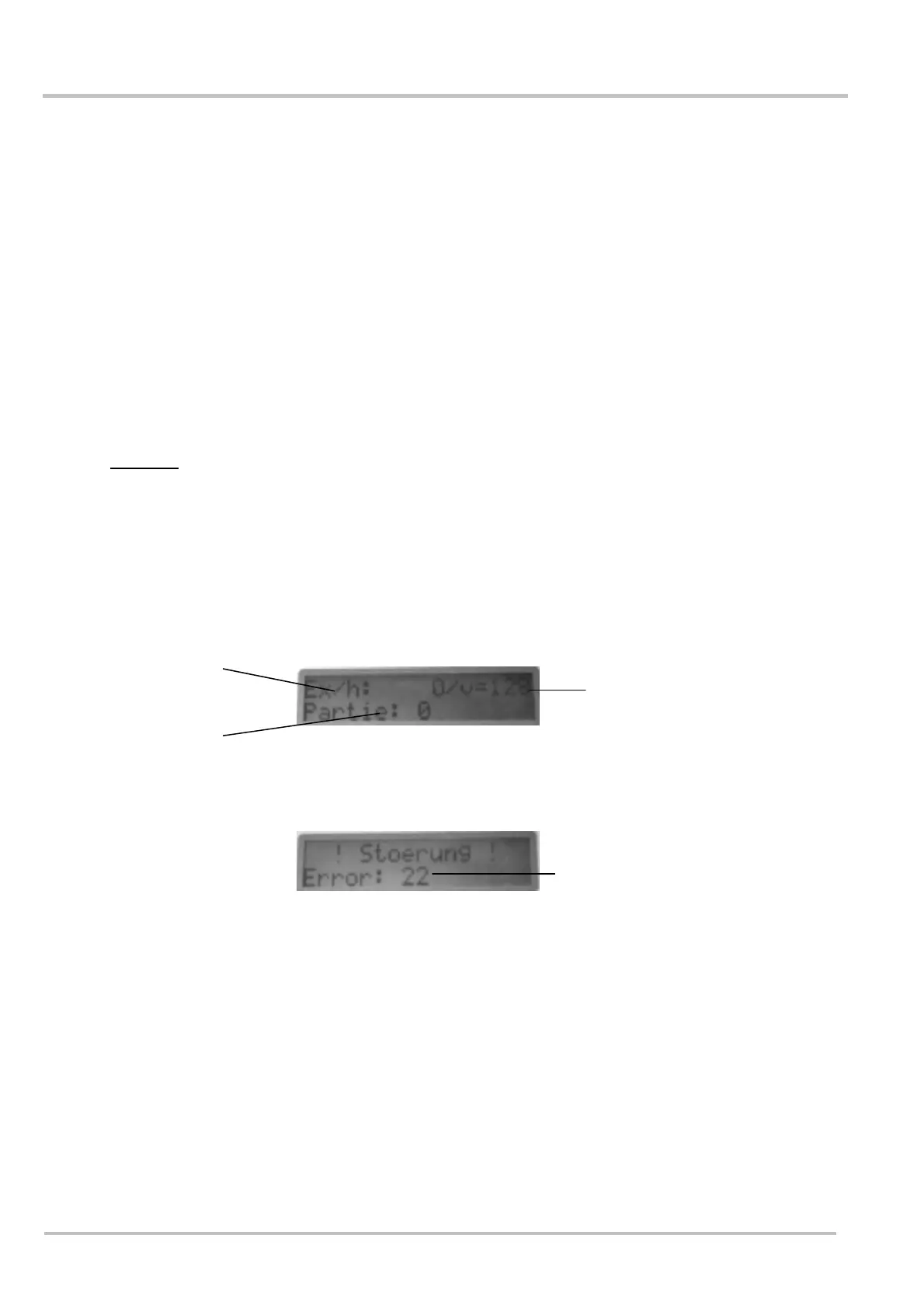
Depending on its status, the display shows various types of information.
In normal operating mode the following is shown:
(1) Display Gross performance in sheets per hour.
(2) Display Batch counter
(3) Display Speed of the round belts in metres per minute
An error is shown:
(1) Display Error No.
(2)
(1)
(3)
(1)


 To Next Page