3.1-2 An overview of the crane
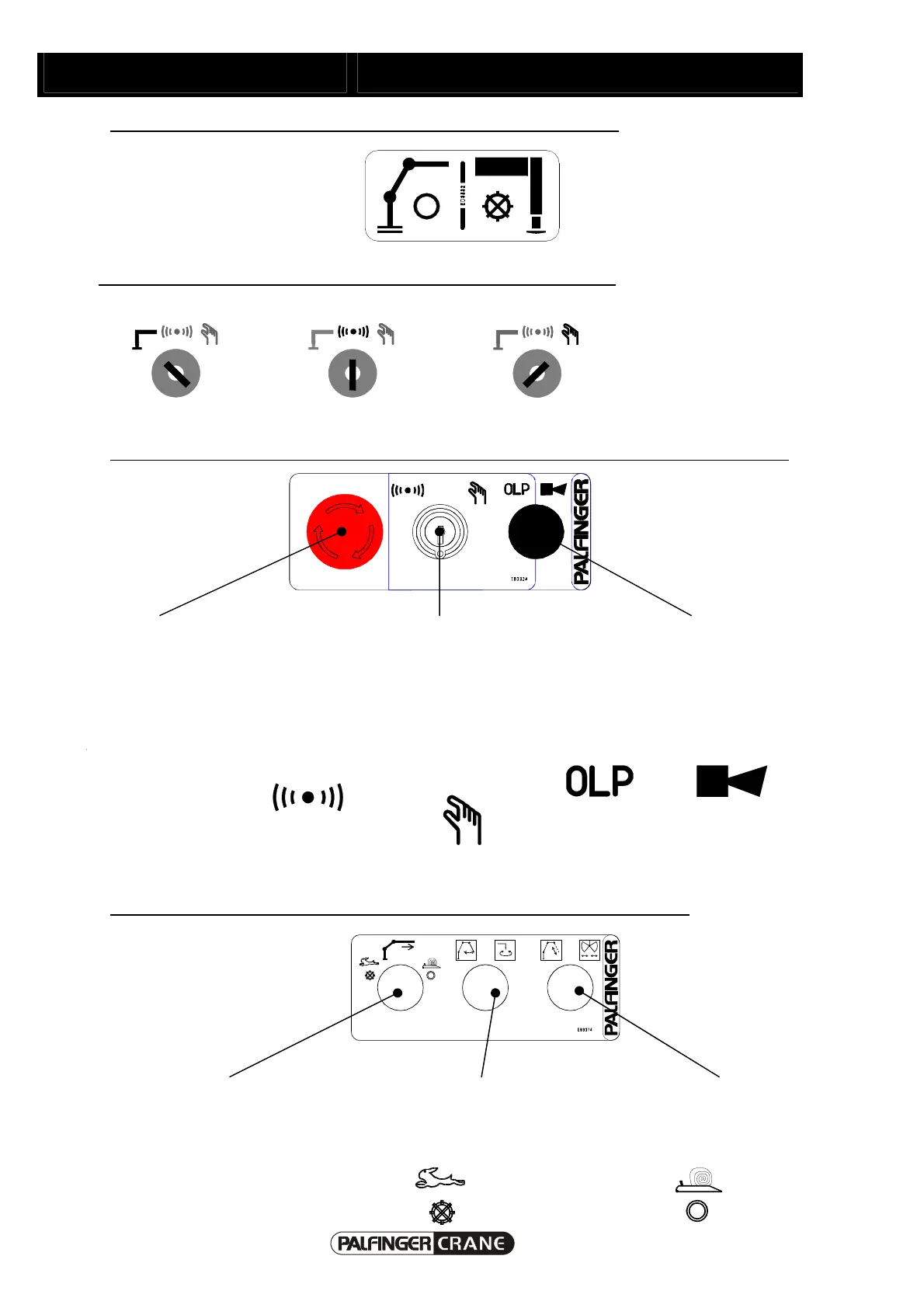
Use pushbutton to switch between support operation and crane operation:
Crane operation
(lamp in pushbutton not on)
Support operation
(lamp in pushbutton on)
Choose the preferred position with the key switch (support/crane operation)
Support operation:
Crane automatic mode:
Crane manual mode:
Display field with key switch for cranes with Paltronic 50 (Paltronic display on remote control panel)
Emergency-Off Key-operated switch for switching
between remote control console and
manual operation (emergency control
stand).
OLP Button and for cranes with an
outreach of more than 12 metres also
the warning horn.
(Remote control)
crane operation
(Emergency control
operation)
crane operation
OLP Button
Warning horn
Switching between ancillary equipment and fly-jib operation and return oil use on/off:
Control lamp for return oil use Switching between: fly-jib outer
boom and rotator on fly-jib
Switching between: fly jib
extension boom and grab on fly
jib
ol assertion: Return oil use on
Return oil use off



 To Next Page