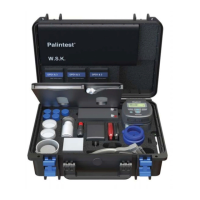
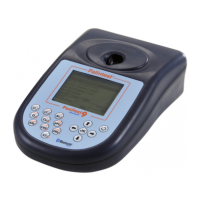
The Pooltest 9 Bluetooth provides simple test
protocols for the key parameters required to
effectively control swimming pools, hydrotherapy
pools, spas and hot tubs.
The tests available by number are as follows:
Test 1 Chlorine-Free/5 or Chlorine-Free/10
Standard Range: 0-5.00mg/l (ppm) Cl
2
(use DPD 1)
Extended Range: 0-10.0mg/l (ppm) Cl
2
(use DPD XF)
Colour change: Colourless - Purple/Red
1 Rinse test cuvette with sample leaving
two or three drops in the tube.
2 Add one DPD 1 or DPD XF tablet, crush
tablet and then fill the test tube with
sample to the 10ml mark. Mix to dissolve
tablet fully and ensure no particles remain.
3 Take photometer reading immediately.
The result may drift on standing.
4 Retain test solution if the Total
Chlorine Follow-On Test is required.
Test 2 Chlorine-Total/5 or Chlorine-Total/10
Standard Range: 0-5.00mg/l (ppm) Cl
2
(use DPD 3)
Extended Range: 0-10.0mg/l (ppm) Cl
2
(use DPD XT)
Colour change: Purple/Red from Test 1
increases in intensity
Carry out this test on the solution
remaining from the Free-Chlorine/5 test.
1 If any shock treatment chemicals have
been added to the pool, add one DPD
Oxystop tablet, crush and mix to dissolve.
Stand for one minute before proceeding.
This will prevent a false response caused
by the shock treatment chemicals.
2 Add one DPD 3 or DPD XT
tablet, crush and mix to dissolve.
3 Stand for two minutes
to allow full colour development.
4 Take photometer reading
after two minutes have elapsed.
Note: To obtain Combined Chlorine
residual subtract Free Chlorine result
from Total Chlorine result:
Combined Chlorine =
Total Chlorine - Free Chlorine
19
7
Test Methods
7.0 Test Methods
Test Test Notes
No. Name
0 Transmittance Select wavelength manually
using up/down arrows
1 Chlorine-Free Select range from
the System Mode
2 Chlorine-Total Select range from
the System Mode
3 Bromine-Total
4 Ozone
5 Copper
6 pH-Phenol Red
7 Total Alkalinity
8 Calcium Hardness
9 Cyanuric Acid
10 Iron/1
88 Calc. Hard. Salt Use when testing Calcium
Hardness in a salt pool
77 Water Balance Choose Palintest or Langelier
from the System Mode
Pooltest9Bluetooth_ZI INST 7009B EN 29/7/15 12:03 Page 19


 To Next Page